What should you check first?
For a shared-home setup, identify the household’s primary need before choosing a console, accessory or network change.
| Concern |
What to check |
Who this matters to |
| Playing together on one screen |
Check each intended game’s local player count and compatible controller requirements, then the display connections. |
If we want several people to play in the same room, the game must accommodate them before extra controllers are useful. About 33% of consumers put shared local play first. |
| Child accounts and communication |
Check whether play-time, content and communication controls apply per child account or to the whole console. |
When children of different ages share a device, I need to know whose settings will change and who can manage them. Adult-managed controls are the primary need for about 27% of consumers. |
| Connection reliability |
Compare play in the affected room with an Ethernet connection where practical; note whether other devices are active. |
If games lag or chat drops out in one room, I want to identify the connection bottleneck before replacing gaming hardware. About 20% of consumers prioritise reliable connectivity. |
| Online access and compatibility |
Check the game’s online requirements, the current membership plan’s benefits and which accounts can use them. |
Before choosing a platform, I need to know whether the games and accounts we plan to use require a membership. Online-access compatibility comes first for about 20% of consumers. |
Joybuy products for different setup needs
These selections cover a Switch 2 console setup, a home-network accessory and a gaming headset. Choose between them according to whether the immediate need is a gaming device, a connection check or compatible voice equipment.
 No image available
Nintendo Switch 2 Console + Nintendo Switch Sports Resort
Consider this console-and-game selection for a household planning shared Nintendo play. Check the intended games’ local player counts and controller requirements before relying on it for same-room multiplayer; also confirm the online access and account arrangements needed by each player.
View on Joybuy
 No image available
TP-Link Deco BE22 (3-Pack) BE3600 Mesh Wi-Fi 7 System
This three-pack mesh system is worth considering if tests point to room-to-room Wi-Fi coverage as the household’s connection problem. Test the affected room and, where practical, a wired connection first: mesh equipment cannot be assumed to resolve lag caused by other parts of the connection.
View on Joybuy
 No image available
Nintendo Switch 2 Console (UK Version)
Consider this console if the household wants a Switch 2 without selecting the game bundle above. Confirm what controllers come in the box and what the intended games need for local play. Nintendo says many supported online games require Switch Online, and its Switch console parental-control restrictions apply to everyone using that console.
View on Joybuy
 No image available
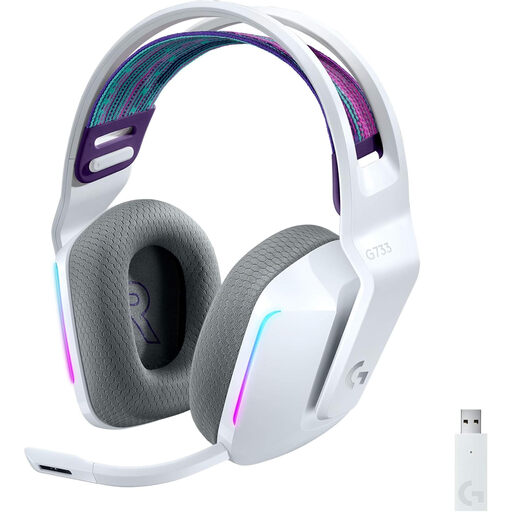
Logitech G G733 Lightspeed Wireless Gaming Headset — White
Consider this wireless headset when voice communication is part of the planned setup, but check the exact device, connection and game chat method before buying. In particular, confirm microphone and voice-chat operation if it will be used with a Nintendo Switch in dock mode.
View on Joybuy
Frequently asked questions
Does online multiplayer need a subscription?
It often does, but the answer depends on the game and platform. PlayStation says PlayStation Plus includes online multiplayer; Xbox plans have different benefits; and Nintendo says many Switch games require Nintendo Switch Online, with exceptions for some free-to-play games. Check the intended game and current plan before subscribing.
Should we replace the console if games lag or voice chat drops out?
Test the connection first. Ofcom identifies Wi-Fi performance, in-home wiring, congestion and other factors that can affect the experience. Compare the device in its usual room with an Ethernet connection where practical before choosing network equipment or a new console.
Do parental controls work the same way on every shared console?
No. PlayStation and Xbox describe controls for individual family members, while Nintendo says Switch console parental-control restrictions apply to every user of that console. Check the scope of the settings if children of different ages will share a device.
What safety checks matter for mains-powered gaming equipment?
Check the product and supplier details, and follow the supplied power-equipment instructions. For Great Britain, the Office for Product Safety and Standards says the Electrical Equipment (Safety) Regulations 2016 set requirements for relevant electrical equipment placed on the market. Those Great Britain rules should not be assumed to describe the arrangements applicable in Northern Ireland.
Do parental controls replace checking a game’s age rating?
No. UK government online-gaming guidance points to game age ratings and the PEGI system. Platform controls can help adults manage access and communication, but check the intended game’s rating and online features separately.


