What matters when choosing
Work out whether conversation, device compatibility, the connection or control comfort is the main obstacle to playing together. Then check the accessory against the particular devices and games your group uses.
| Concern |
What to check |
Who this matters to |
| Voice chat |
Confirm microphone operation through the intended headset connection and whether the device supports the chat controls you want. |
If conversations keep breaking down, I need friends to hear me without repeatedly adjusting my setup. Around 29% of consumers would put working voice chat first. |
| Device and game compatibility |
Check the exact accessory variant, host device and connection method; for controllers, check the game’s input support too. |
When our group uses different devices, I want an accessory I can actually use with my games, even if some features vary between platforms. Around 36% of consumers would make compatibility their primary concern. |
| Connection reliability |
Identify the existing connection problem and check Ethernet ports or adapter support before changing the network setup. |
If Remote Play or another network-dependent session keeps being interrupted, I need to address the connection rather than replace my controls. Around 21% of consumers would prioritise connection reliability. |
| Accessible controls |
Check remapping and profiles against the player’s needs, plus compatibility with any required external controls. |
When button reach or repeated inputs make it hard to join in, I need controls arranged around what I can use comfortably. Around 14% of consumers would put accessible control first. |
Joybuy product choices for group play
These headsets and earbuds relate to group audio, while the PS5 controller offers a control option. Choose by the device, game and connection your group will actually use.
 No image available
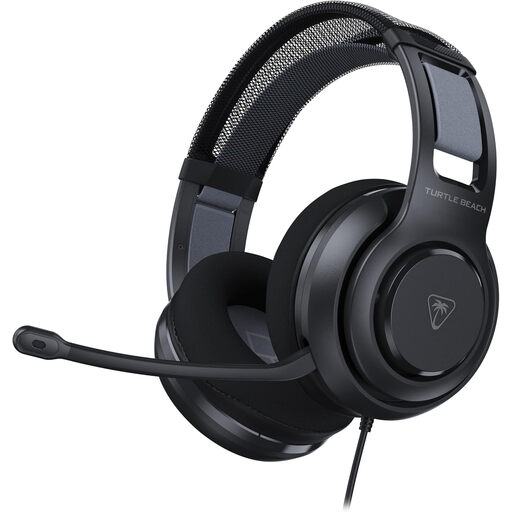
Turtle Beach Atlas 200 Multiplatform Headset, Black
Consider this headset for group chat if its connection supports microphone use on your intended device. Check the exact console or computer connection and game-chat support before buying.
View on Joybuy
 No image available
LOGITECH ASTRO A10 Gen 2 Wired Headset, White
This wired headset is an option when your playing device has a suitable headset connection. Confirm that its microphone works with that device’s port and audio configuration.
View on Joybuy
 No image available
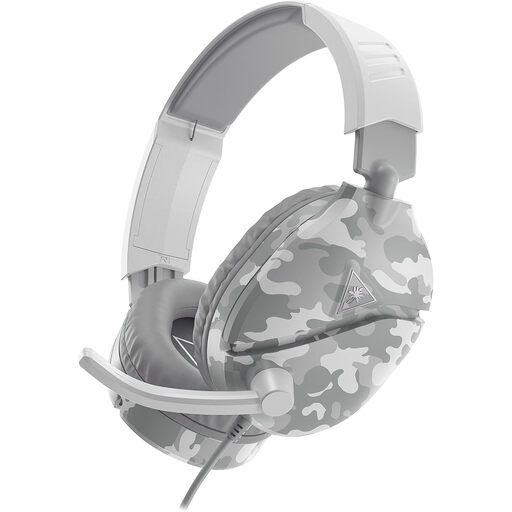
Turtle Beach Recon 70 Wired Headset, Camo White
Consider this wired headset if its connection suits the device used for group play. Confirm the exact device and microphone support rather than relying on the broad platform wording in the title.
View on Joybuy
 No image available
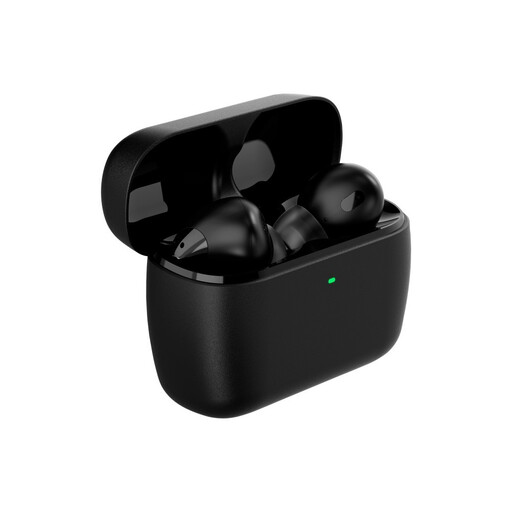
HyperX Cloud MIX Buds 2 Gaming Earbuds with Mic
These earbuds may suit players who prefer an in-ear option for group chat. Check that your particular device supports the intended connection and microphone operation.
View on Joybuy
 No image available
Sony DualSense Edge PS5 Wireless Controller, White
This PS5 wireless controller is a control option for compatible multiplayer games. If you plan to use it with a Windows PC, check the particular game and the controller features you need; it does not replace a voice-chat accessory.
View on Joybuy
Common questions
Can one headset work with PlayStation, Xbox, PC and mobile?
Some models cover several of those devices, but the exact headset version and connection determine where its microphone and chat features work. Xbox Support says the Xbox Wireless Headset works with Xbox consoles and specified Windows and Bluetooth devices, but not through a 3.5 mm wired connection; check other models individually.
Will a DualSense controller work on my PC or phone?
PlayStation says DualSense can connect to supported PCs, Macs and mobile devices by Bluetooth or USB, but individual features depend on the device, game and connection. Check controller input in the game you intend to play and the requirements for any particular feature.
Do I need a membership to play online with friends?
Check the game and platform before buying accessories, because requirements differ. PlayStation identifies paid PlayStation Plus membership as required for PS5 online play, while Xbox Support says Minecraft online play with others on an Xbox console requires at least Game Pass Essential.
What if a standard controller is difficult to use?
Start with the actions and button positions the player needs to change, then look for a compatible configuration. PlayStation’s Access controller is a PS5-specific adaptive option, while the Xbox Accessories app offers remapping and other configuration; check the game and any required switches or mounts before choosing a setup.
Will a new router fix interruptions during multiplayer?
A new router cannot guarantee a stable session, so identify the connection problem before replacing network equipment. For PS Remote Play on PC or Mac, PlayStation specifies a high-speed network; if you are considering a wired connection, also check the device’s port or adapter support.


