Start with a controller supported by the console, computer or mobile device on which you will play; a familiar button layout does not establish compatibility. For long quests, consider grip and control placement, then decide whether remapping or an adaptive setup addresses a specific difficulty. On PC, features such as DualSense haptic feedback depend on the game and may require USB.
Who this is for
Players committed to one platform
If most quests happen on one console or PC, establish controller support there before weighing extra features. Xbox lists its standard Wireless Controller for Xbox consoles and Windows PC; PlayStation lists DualSense for PS5 and PC; Nintendo makes its Switch 2 Pro Controller for Switch 2.
Players moving between devices
Switching between PC, mobile and console play makes the connection method and each game’s controller support important. A controller that pairs with another device will not necessarily carry every game-specific feature across.
Players needing adaptable controls
If holding a standard pad, reaching a button or repeating an input is difficult, consider whether remapping is enough or whether an adaptive controller with external inputs would better suit the actions you need to perform.
What matters when choosing
For an open-world game, establish platform and game support first; then assess physical fit, control layout and features you would actually use.
| Concern |
What to check |
Who this matters to |
| Platform and game compatibility |
Match the exact controller to your console or operating system, connection method and game’s controller-support information. |
If I cannot use the controller with my actual game, its other features will not help me. Around 33% of consumers put compatibility first. |
| Comfort and analogue controls |
Consider grip shape, stick placement and trigger reach; compare dimensions and weight where published. |
During a long quest, I want movement and camera controls I can keep using comfortably, though specifications cannot settle personal fit. Comfort comes first for around 25% of consumers. |
| Remapping and accessible inputs |
Check which inputs can be reassigned on your platform and whether your intended layout requires external switches, mounts or another controller. |
If repeated actions or hard-to-reach buttons interrupt play, I need a layout I can adapt. Around 25% of consumers prioritise changing how they control the game. |
| Feedback and connections |
Confirm the game and connection mode needed for the feature you want, plus any required cable or receiver. |
Once my basic controls work, I may care most about supported feedback or a particular wired or wireless setup. Those features are the primary concern for around 17% of consumers. |
Buying pitfalls
-
Assuming wireless means compatible with every console
Manufacturer compatibility differs by model: Xbox lists the standard Xbox Wireless Controller for Xbox, Windows PC, iOS and Android, while 8BitDo lists the Ultimate 2C Wireless Controller for Windows and Android. Bluetooth alone does not establish console or game support.
Check your precise platform, the controller’s connection mode and the game’s support information before ordering.
Choosing an unsupported model may mean using a different, platform-compatible controller instead.
-
Choosing DualSense for PC feedback without checking the game
PlayStation says DualSense haptic feedback and adaptive triggers work in selected supported PC games and may require USB.
Check the individual game’s PC feature support and whether the bundle contains the cable you need.
-
Assuming more buttons will solve a control difficulty
Extra buttons only help when their placement and mapping suit the actions you find difficult. An adaptive setup may instead call for external inputs and a planned layout.
Identify the troublesome actions, then check the available profiles, ports, mounting options and platform compatibility against that plan.
An adaptive arrangement may require separate switches, mounts or a companion controller, as well as setup time.
-
Overlooking what comes in the box
Cables, receivers and battery arrangements vary between controller models and bundles. The controller name alone may not tell you which accessories are included.
Read the exact bundle contents and delivery and return terms, and keep the listing and order confirmation.
Brands to consider
Xbox
Xbox offers standard controllers for its console and Windows ecosystem, alongside an adaptive controller for alternative input arrangements.
- Microsoft lists the standard Xbox Wireless Controller for Xbox consoles, Windows PC, iOS and Android, with button mapping and a 3.5 mm headset jack.
- The Xbox Adaptive Controller can connect external inputs, but assistive devices are sold separately; check the intended Xbox or Windows setup.
PlayStation
PlayStation’s DualSense is a PS5-first option that can also connect to PC, Mac and mobile devices; its Access controller is an adaptive kit for PS5.
- PlayStation offers DualSense controls for supported games and configurable Access controller profiles for PS5.
- DualSense haptic feedback and adaptive triggers depend on game support and may require USB on PC. The Access controller’s PS5 focus matters when planning an adaptive setup.
Nintendo
Nintendo’s Switch 2 Pro Controller is a native option for players using Switch 2.
- Nintendo lists motion controls, HD rumble 2, mappable GL/GR buttons and a headset jack for this controller.
- GameChat-related functions have separate account, internet, mobile-number and, where applicable, Switch Online requirements. Do not assume this controller is a universal PC or console option.
8BitDo
The Ultimate 2C Wireless Controller is a third-party option for Windows and Android play.
- 8BitDo lists additional remappable buttons and Hall Effect sticks and triggers for this model.
- Its stated Windows and Android compatibility does not establish support for Xbox consoles, PS5 or Switch 2.
Joybuy controllers for open-world quests
These controllers address different starting points, including Xbox or Windows PC, PS5, Nintendo Switch, PC/Switch and mobile play. Choose for your actual device and check the game’s controller support rather than treating the models as interchangeable.
 No image available
Microsoft Xbox Elite Wireless Controller Series 2 (Xbox One, Xbox Series X/S, PC)
Consider this model if Xbox or Windows PC is your main place to play and you want to assess a configurable control layout. Check that your particular game supports the controller and the mapped inputs you intend to use.
View on Joybuy
 No image available
Sony PlayStation DualSense V3 Wireless Controller – Starlight Blue (PS5)
This is a PS5-focused choice for players interested in DualSense controls. PlayStation says haptic feedback and adaptive triggers depend on game support and may require USB on PC; check the specific PC game before choosing it for those features.
View on Joybuy
 No image available
Turtle Beach Rematch Wireless Controller – Invincible Mario (Nintendo Switch)
Consider it for Nintendo Switch play after confirming support for your exact console and game. If you intend to use it with Switch 2, note that the listing says it has no C Button.
View on Joybuy
 No image available
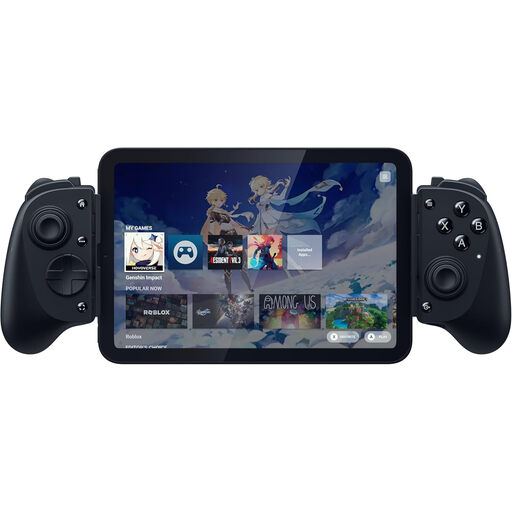
Razer Kishi V3 Pro Full-Size Mobile Controller for Smartphones (8″)
This mobile-controller route makes sense only if your device fits and your open-world game accepts controller input. Confirm device and USB-C compatibility; for direct PC connection, the listing says the USB-C cable is sold separately.
View on Joybuy
 No image available
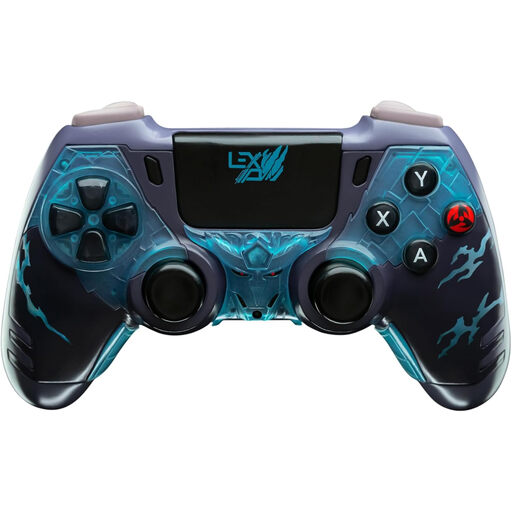
LEXIP Kakashi Kamui Controller (PC, Switch)
Consider it if you are shopping for PC or Switch play, but confirm how this exact item connects before ordering. Check controller support in the game you plan to play as well.
View on Joybuy
Common questions
Can I use a PS5 DualSense controller for an open-world PC game?
Yes, if the PC game supports the controller and you can connect it appropriately. PlayStation lists DualSense PC use, but says haptic feedback and adaptive triggers are limited to supported games and may require USB, so check the individual game before buying for those features.
Will I need a separate cable, battery pack or receiver?
That depends on the exact controller and bundle. PlayStation says its standard DualSense listing does not include a USB cable; Microsoft says the standard Xbox Wireless Controller can use AA batteries when a rechargeable pack is not used. Check the included accessories and power arrangement on the item you intend to order.
Can I cancel an online controller order after delivery?
For eligible online goods, GOV.UK guidance says sellers must tell customers they can cancel up to 14 days after delivery without giving a reason, subject to applicable exceptions. Check the seller’s cancellation instructions; a change-of-mind cancellation is distinct from remedies if goods are faulty, damaged or misdescribed.
Does CE or UKCA marking tell me whether a controller will work with my game?
No: product marking does not establish game or platform compatibility. GOV.UK guidance says Great Britain continues to recognise CE marking alongside or instead of UKCA marking for relevant products; Northern Ireland follows different processes. Check the controller model, your platform and the game separately.


