What should you check first?
The main choice is whether dependable Wi-Fi can reach the camera position or whether a cable is more practical. Storage and privacy controls then need checking for the camera and recording arrangement you choose.
Wi-Fi camera with planned coverage
Choose it when: the mounting point has a dependable signal, or a suitably placed mesh node or access point can provide one.
Trade-off: a supported Wi-Fi band does not establish signal quality at an outdoor wall or driveway, and extending coverage adds equipment to place and maintain.
Ethernet or PoE camera
Choose it when: Wi-Fi at the camera position remains unreliable and routing a cable is practical, particularly if a compatible NVR will handle continuous local recording.
Trade-off: the camera link no longer depends on Wi-Fi, but cable routing and compatible power and recording equipment require planning. Reolink describes PoE as carrying power and data over one Ethernet cable.
| Concern |
What to check |
Who this matters to |
| Connection at the camera position |
Check the exact camera’s Wi-Fi bands and assess coverage at the intended mounting point; if it is weak, consider access-point placement or a feasible Ethernet route. |
I need the outdoor camera to stay connected where it will actually be mounted, not just near the router. Roughly 50% of consumers would put dependable connection at that position first. |
| Field of view and recording access |
Plan what the lens will capture, and check the model’s viewing controls, account access and any cloud-linked features. Check current ICO guidance if the view extends beyond your property. |
If the camera might see a shared path or a neighbour’s property, I want to limit unnecessary capture and control who sees recordings. For around 30% of consumers, that would be the primary concern. |
| Recording and storage |
Confirm whether the required mode is continuous video or event recording, and check the exact model’s local-storage requirements and optional services. |
I want a recording arrangement that fits how long and when I need footage, without assuming a battery camera records continuously. About 20% of consumers would make recording and storage their first priority. |
Joybuy camera options
These outdoor Wi-Fi camera options are relevant if you are considering a camera connection at a garden, driveway or exterior wall. Check coverage and recording requirements at the intended position before choosing a model; an Ethernet or PoE system remains a separate route if Wi-Fi is unsuitable.
 No image available
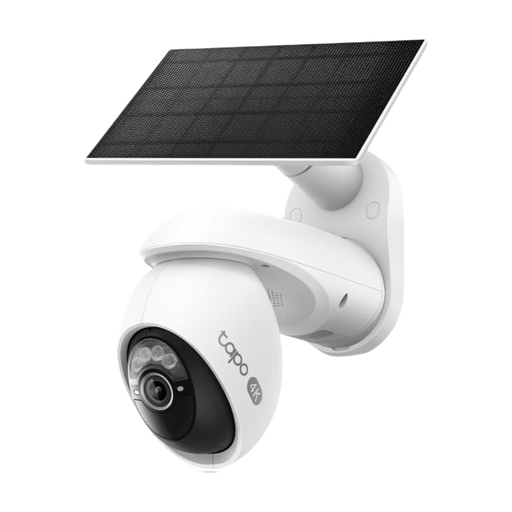
Tapo C660 KIT Solar-Powered Pan/Tilt Security Camera Kit
Consider this kit if a solar-powered pan-and-tilt camera suits the mounting position and a dependable Wi-Fi connection reaches it.
Check panel placement and sunlight at the proposed site. If you need continuous video, confirm the exact recording mode before choosing it.
View on Joybuy
 No image available
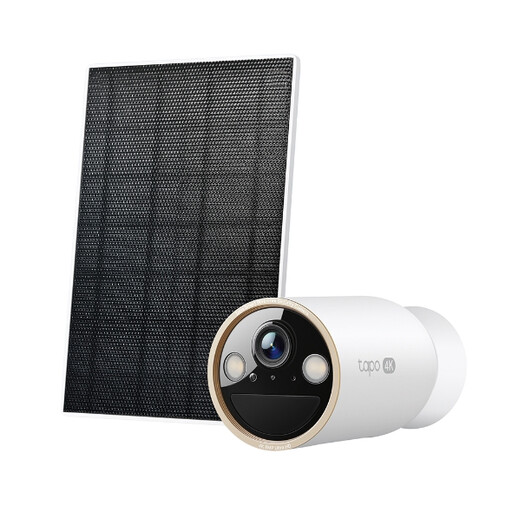
Tapo C460 KIT Solar-Powered Security Camera Kit
This solar-powered kit is an option where Wi-Fi coverage and sunlight are suitable at the outdoor camera position.
Check how its stated around-the-clock capture works before relying on it for continuous video: interval images and motion-triggered video do not serve the same recording need.
View on Joybuy
 No image available
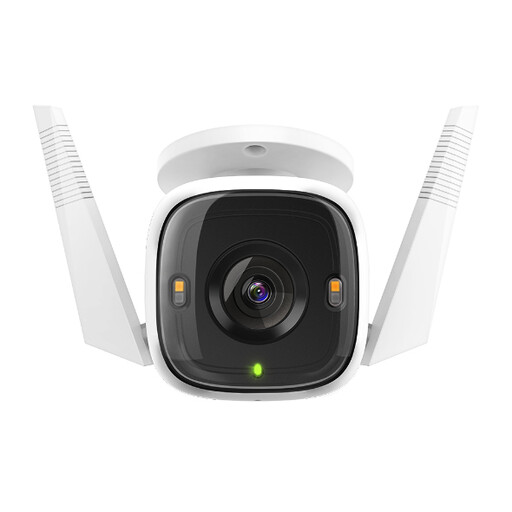
Tapo C320WS Outdoor Security Wi-Fi Camera
Consider this outdoor Wi-Fi camera if you can establish a dependable connection at the installation point.
If you intend to record to a microSD card, account for a separately purchased card and confirm the supported recording mode. Check the audio settings if the camera may capture activity beyond your property.
View on Joybuy
 No image available
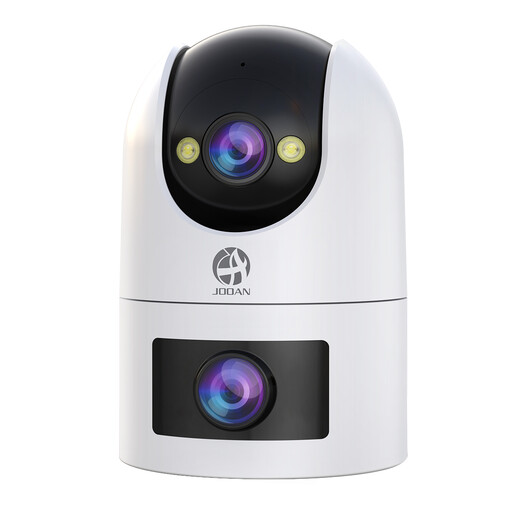
JOOAN Dual Lens Security Camera, 5G/2.4G Wi-Fi, IP66
This dual-lens camera is worth comparing if its stated Wi-Fi options match your router and the proposed outdoor position has usable coverage.
The product name advertises 24/7 recording and cloud or card storage; confirm the recording mode, power requirements and contents of the kit before installation. Check that the CAM720 app works with your phone.
View on Joybuy
 No image available
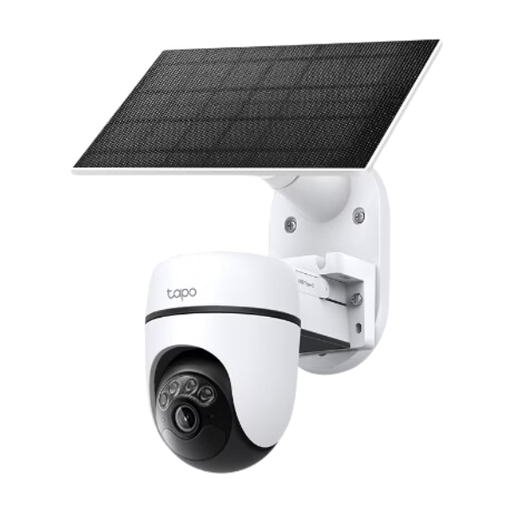
Tapo C610 KIT Solar-Powered Pan/Tilt Security Camera Kit
This solar-powered pan-and-tilt kit suits consideration where the mounting point can receive dependable 2.4 GHz Wi-Fi and the panel can be positioned for sunlight.
Do not assume it supports both Wi-Fi bands. Confirm its recording modes if continuous video is part of your requirements.
View on Joybuy
Frequently asked questions
Will a 2.4 GHz-only camera work with a BT combined-band router?
It may, but a shared network name alone does not establish that setup will work for the exact camera. BT says its Home Hub 4, Home Hub 5, Smart Hub 2 and Smart Hub 3 use both 2.4 GHz and 5 GHz, with the same network name by default; check the camera maker’s band and setup instructions for your hub model.
When does PoE make more sense than extending Wi-Fi?
Consider PoE when coverage remains unreliable at the camera position and routing a cable is practical, especially if continuous local recording is a priority. Reolink describes PoE as carrying camera power and data over one Ethernet cable; a mesh node or access point is an alternative only if its placement gives the camera dependable coverage.
Does local storage keep all camera footage off the cloud?
Not necessarily: enabled app features may use cloud services even when the camera records locally. Eufy says SoloCam S220 cloud storage and notification thumbnail previews can send videos or thumbnails to the cloud, so check the exact model’s feature settings and who can access its account.
Does UK data-protection law apply to a home camera?
It applies when home CCTV captures another person’s property, a public area or communal space, according to the ICO. The ICO says its guidance covers fixed cameras and smart doorbells, and its complaints guidance calls for signs when footage is captured beyond the property boundary. Check its current home-CCTV guidance before installation, as that guidance is under review following changes made by the Data (Use and Access) Act.


