Households with a garden or driveway Wi-Fi dead spot
If the preferred camera position is at the edge of your network, check the signal there before deciding whether to move the camera, add network equipment or run Ethernet.


Test the connection at the proposed mounting point before choosing an outdoor Wi-Fi camera. If a well-placed mesh node or outdoor access point provides a dependable connection, Wi-Fi remains an option; if running Ethernet is practical, a Power over Ethernet (PoE) camera avoids the camera-to-network Wi-Fi link. Local storage changes where footage is kept, not whether a wireless camera has a usable connection, and the planned view also needs a privacy check.
If the preferred camera position is at the edge of your network, check the signal there before deciding whether to move the camera, add network equipment or run Ethernet.
If retaining footage matters more than avoiding cable work, compare a suitable PoE connection and local recording arrangement with a Wi-Fi camera. Check the exact model’s recording modes and storage requirements.
If the planned frame may include a pavement, shared access or a neighbour’s property, camera position and the recorded view matter as much as network reach. GOV.UK says UK data-protection rules apply when a domestic system captures people outside the private property boundary.
Resolve the camera’s network path and position before choosing its recording arrangement. A storage option cannot compensate for an unreliable connection when you need live view or remote access.
Choose when: A suitably placed mesh node, compatible hub or outdoor access point can provide a dependable signal at the camera.
Trade-off: The added network unit needs its own workable connection and suitable power; outdoor equipment also needs an appropriate installation.
Choose when: The wireless path is poor and a suitable cable route to the camera is practical.
Trade-off: PoE carries power and data on one cable, but cabling and compatible network power equipment still need planning.
Choose when: A nearer or narrower position can cover the approach you care about while improving network reach or reducing capture beyond your property.
Trade-off: The revised position may leave part of the original area outside the frame; check the actual recorded view before fixing the camera.
| Concern | What to check | Who this matters to |
|---|---|---|
| Connection at the mounting point | Test the camera’s intended position, not just a spot indoors. For Tapo/Kasa devices, TP-Link classifies an RSSI reading below −70 dBm as poor; that threshold is guidance for its devices, not a guarantee for other cameras. | If the garden or driveway has a weak signal, I need a viable network route before relying on live view or alerts. Around 36% of consumers would put connection reliability first. |
| Recording and footage storage | Check the exact model’s recording modes, storage location and any required card, hub or recorder. Confirm what happens to recording and access if the connection drops. | When I need to retain footage, I want to know where it goes and whether my chosen recording setup works as intended. Around 29% of consumers would make recording their primary concern. |
| Recorded field of view | Inspect the actual frame from the proposed position and check whether the camera offers suitable privacy masking. GOV.UK says UK GDPR and the Data Protection Act 2018 apply if a domestic system captures people outside the private property boundary. | A wide view could include my neighbour’s property or shared access, so I need to assess what the camera records. Around 21% of consumers would prioritise the privacy implications of the view. |
| Outdoor installation | Check the exact camera’s weather rating, power method and mounting requirements; assess outdoor network equipment and connections separately. A PoE route also needs suitable cabling and power equipment. | Where power or cable routing is difficult, I need equipment that fits the available mounting point without assuming every component shares the camera’s weather rating. Around 14% of consumers would put installation fit first. |
A successful indoor setup does not establish that the connection will hold at the exterior mounting point. TP-Link classifies RSSI below −70 dBm as poor for Tapo/Kasa devices and associates unstable connections with interrupted or delayed viewing.
Test at the intended position before mounting. If the signal is poor, compare a better-placed node or access point, an Ethernet route and a nearer camera position rather than relying on the indoor result.
Weather ratings apply to particular products, not automatically to their power connections or nearby network equipment. TP-Link lists the Tapo TC46 camera as IP66 and its Deco X50-Outdoor network unit as IP65; Reolink lists the P334 camera as IP67.
Check the installation instructions for each exterior component, including its power arrangement, cable entries, connectors and mounting position.
A wider frame may include people beyond the private domestic-property boundary. GOV.UK says UK GDPR and the Data Protection Act 2018 apply when a domestic CCTV system captures such images.
Inspect the recorded frame before final installation. The Information Commissioner’s Office advises positioning cameras to capture only your own property where possible; assess whether repositioning or privacy blockers reduce unnecessary capture.
Storage and connectivity solve different problems. A Wi-Fi camera may still need a stable network connection for the live view, alerts or remote access you intend to use, while recording behaviour varies by model.
Check the exact camera’s recording modes, where footage is kept and what happens during a connection loss. Test its network route separately.
Depending on the chosen system, local recording may require a compatible hub, recorder or storage card.
Relevant if you are considering an outdoor Wi-Fi camera alongside a TP-Link coverage upgrade.
Relevant if Ethernet is feasible and you want to avoid Wi-Fi as the camera’s primary data path.
Relevant when comparing outdoor camera systems with local-storage options.
These outdoor camera options are for positions where you can establish a usable Wi-Fi connection. Compare their stated recording arrangements and installation needs only after testing the intended mounting point; local storage does not extend Wi-Fi reach.
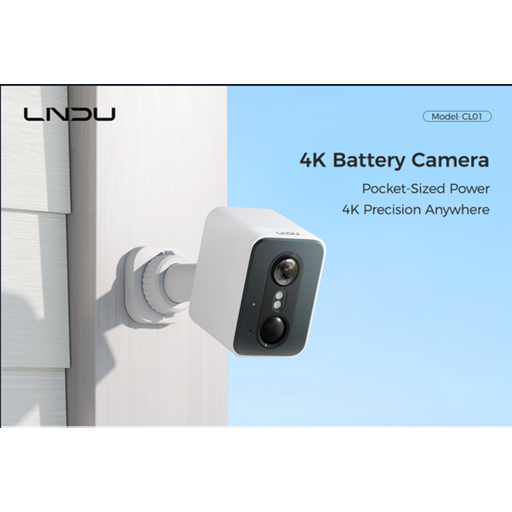 No image available
Consider this wireless outdoor camera if the mounting point has a usable 2.4 GHz Wi-Fi connection and you want the listed local-storage option.
The product name specifies 4K, 128GB local storage and a 143° field of view. Check what that wide view would record beyond your property and confirm the storage arrangement before buying.
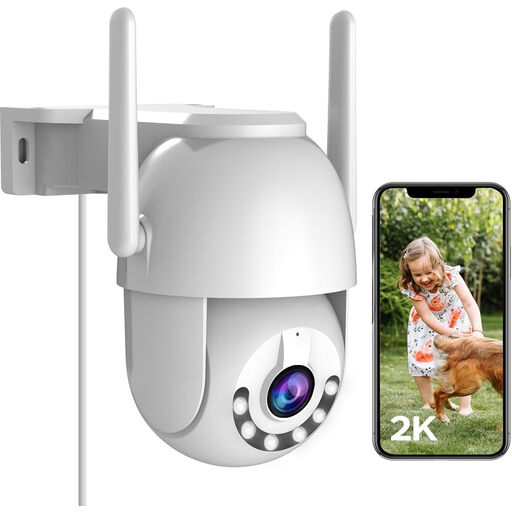 No image available
This is a local-recording option for an outdoor position with usable 2.4 GHz Wi-Fi and a suitable power connection.
The product name lists IP66, 24/7 recording and card storage from 8GB to 256GB. Check the card requirements and the camera’s actual recorded view before installation.
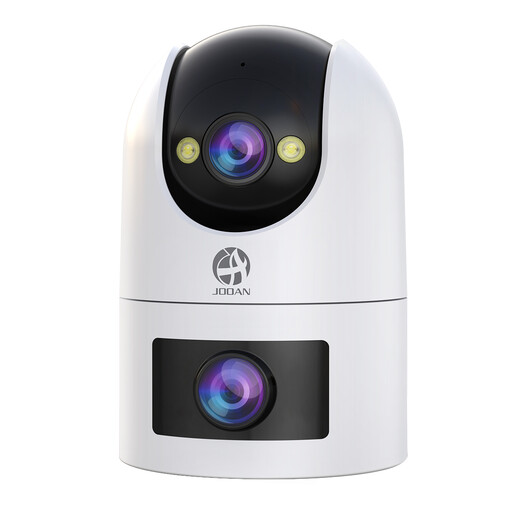 No image available
Consider this model if you want its dual-lens view and have established a usable Wi-Fi connection at the proposed position.
The product name lists 2.4 GHz and 5 GHz Wi-Fi, IP66, 24/7 recording and card storage. Confirm the power arrangement and whether suitable storage media must be obtained separately; assess what the 360° view would capture.
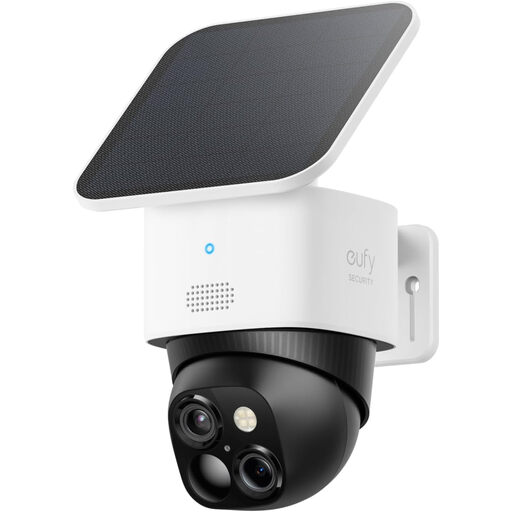 No image available
This solar-assisted wireless model is worth considering where running camera power is difficult but 2.4 GHz Wi-Fi reaches the mounting point.
The product name identifies HomeBase S380 compatibility. Confirm the equipment needed for your intended storage setup and check the exact camera’s exterior suitability and recorded view.
 No image available
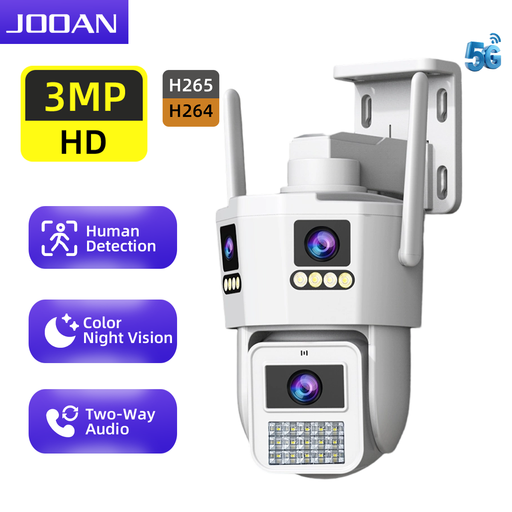
This outdoor Wi-Fi option calls for a signal check at the intended position before you rely on it.
The product name identifies a triple-lens design and 2.4 GHz and 5 GHz Wi-Fi. Confirm its power and recording arrangements for your installation, and assess the frame for unnecessary capture beyond your property.
Improve or redesign the network first if the connection is poor at the intended mounting point. TP-Link classifies RSSI below −70 dBm as poor for Tapo/Kasa devices; use the appropriate checks for the camera you intend to buy rather than treating that threshold as universal.
Only if the added node has a workable connection to the main network and the camera receives a usable signal from it. Test the proposed positions; an outdoor node also needs suitable weather protection and power.
A PoE installation needs a compatible camera, a feasible Ethernet route and suitable power-supplying network equipment. Reolink specifies Cat5e-or-higher cable and a compatible PoE injector or switch for its PoE route; check the requirements of the exact equipment you choose.
No: local storage addresses where footage is kept, while a Wi-Fi camera still needs a suitable connection for network-dependent functions you plan to use. Check the model’s recording behaviour during a connection loss as well as any card, hub or recorder requirements.
GOV.UK says UK GDPR and the Data Protection Act 2018 apply if a domestic CCTV system captures images of people outside the private domestic-property boundary. Check the actual recorded frame: the Information Commissioner’s Office advises positioning cameras to capture only your own property where possible and considering privacy blockers where appropriate.