Who is this for?

Edge-of-property camera installers

If the intended position is beside a driveway, side passage, garden boundary or outbuilding, check connectivity there rather than beside the indoor router. The choice is between improving Wi-Fi at that point and running a wired connection.

Households avoiding a long cable run

When Ethernet or mains power is difficult to route, assess the Wi-Fi signal, battery charging or solar exposure, mounting position and weather protection together. A wire-free power arrangement does not remove the need for a network connection.

Households filming near a boundary

If the likely view includes a neighbour’s property, shared space or a public area, plan the camera angle and footage handling before buying. The Information Commissioner’s Office advises capturing only your own property where possible.

What matters when choosing?

Wi-Fi camera

Choose when: The mounting point has a usable signal and running a network cable is impractical.

Trade-off: A battery model also needs a workable charging plan; neither battery power nor dual-band support fixes a Wi-Fi dead zone.

Ethernet or PoE camera

Choose when: A permanent camera position has weak Wi-Fi and a cable can reach it.

Trade-off: Reolink describes PoE as carrying power and data over one Ethernet cable, but installation needs compatible camera and network-power equipment.

Outdoor Wi-Fi extension

Choose when: You want Wi-Fi at the camera position, potentially for other outdoor devices too.

Trade-off: A wired access point needs a cable; a wireless mesh node needs a viable upstream signal where it is placed.

ConcernWhat to checkWho this matters to
Connection at the camera Test Wi-Fi at the proposed mounting point. If it is weak, check whether a wired access point or an Ethernet camera can reach that position. I need the camera to stay connected at the far side of the house, even if installation takes more work. Around 33% of consumers put connection reliability first.
Field of view Check the intended view and whether the camera can be positioned or masked to limit capture beyond your property. GOV.UK says UK data-protection rules apply if domestic footage captures people outside the private boundary. My boundary-facing view could include people beyond my property, so I need control over what is filmed and how footage is handled. Roughly 27% of consumers make this their primary concern.
Power and mounting Confirm the exact model’s power method, mount and outdoor rating; check the cable route or battery-charging arrangements for the chosen position. If there is no convenient socket or cable route, I need an installation I can maintain at that spot. Around 20% of consumers prioritise power and mounting practicality.
Recording and storage Check compatible local media or cloud options, retention settings and how footage can be found and exported. I want to know where recordings go and whether I can retrieve them without relying on an unwanted cloud plan. For roughly 20% of consumers, recording control comes first.

Buying pitfalls

  • Assuming indoor Wi-Fi reaches the camera

    A strong connection inside does not establish usable coverage at a side wall or garden edge. TP-Link notes that an outdoor access point’s actual range varies with the environment and receiving device.

    Test the connection at the intended mounting point before settling on a Wi-Fi camera; compare a wired access point or Ethernet camera if it is weak.

    Changing route later may mean installing an access point, running cable or choosing a different camera.

  • Assuming a domestic camera can film any view

    GOV.UK says the GDPR and Data Protection Act 2018 apply when a domestic system captures people beyond the private property boundary, including neighbours’ gardens, shared spaces or public areas.

    Plan the angle before mounting and minimise unnecessary capture. The Information Commissioner’s Office advises aiming at your own property where possible and considering privacy blockers where needed.

  • Treating outdoor specifications as interchangeable

    Power, weather rating, network connection and storage differ by model. A power cable labelled “wired” does not establish that a camera has an Ethernet data connection.

    Check the exact model’s connection and power requirements, outdoor installation instructions, storage compatibility and supplied mounting parts.

    Depending on the chosen system, installation may also require local storage media, a hub, a PoE injector or switch, or suitable mounting accessories.

  • Choosing storage without checking footage retrieval

    Local recording does not by itself establish how long footage remains available or how readily it can be located. The Information Commissioner’s Office advises choosing a system that can locate and extract personal information and redact third-party information where necessary.

    Check the camera’s recording settings, compatible storage, export process and any redaction tools relevant to the intended view.

Relevant brands for reference

Reolink

Reolink’s UK range provides examples of both battery Wi-Fi cameras and wired PoE systems for comparing installation routes.

  • Reolink describes PoE cameras that receive power and data through one Ethernet cable; its Argus 3 Ultra is listed with dual-band Wi-Fi and an IP65 rating.
  • Power, weather protection and storage choices vary by model; check the selected camera and its compatible recording equipment.

Tapo

Tapo has outdoor camera examples with Wi-Fi or Ethernet connection choices and model-dependent local and cloud recording options.

  • Tapo lists PoE and microSD recording for the C325WB, while its C560WS specifications list an IP66 rating and microSD support.
  • Do not assume a different Tapo model has PoE, the same weather rating or the same storage capacity.

TP-Link Omada

TP-Link Omada is an access-point option to consider when the aim is to improve Wi-Fi near an outdoor camera.

  • TP-Link lists mesh capability for the EAP610-Outdoor access point.
  • TP-Link cautions that actual outdoor transmission range varies with conditions and the receiving device; check the connection at the camera position.

eufy

eufy’s UK range offers examples for comparing local-storage arrangements across wire-free cameras and wired systems.

  • eufy describes model-dependent on-device, microSD, HomeBase and NVR recording options.
  • Check which storage method works with the exact camera and whether its retention and footage-export options meet your needs.

Joybuy outdoor camera options

These outdoor camera choices centre on Wi-Fi installation. Consider them where the signal at the mounting point is usable or can be improved; confirm the exact connection and power arrangements before treating any model as an alternative to a wired network camera.
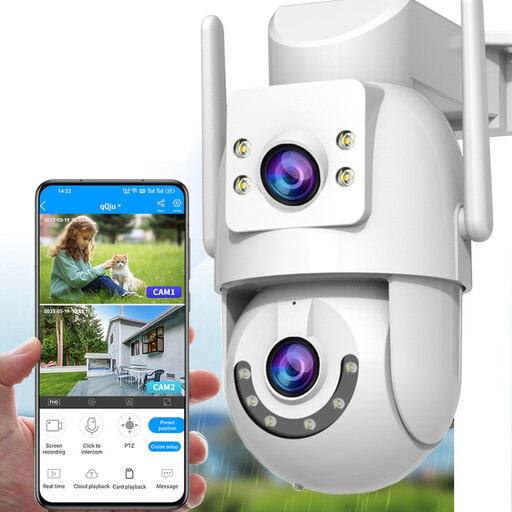
JOOAN 2K dual-lens outdoor security camera

JOOAN 2K Dual-Lens Outdoor Camera, 2.4/5 GHz Wi-Fi

Consider this camera where you can establish a usable connection at the mounting point and want to compare Wi-Fi bands. Its name lists dual lenses, 2K video, a wired mode and card or cloud storage; confirm the wired interface and required hardware rather than assuming it is Ethernet or PoE.

View on Joybuy
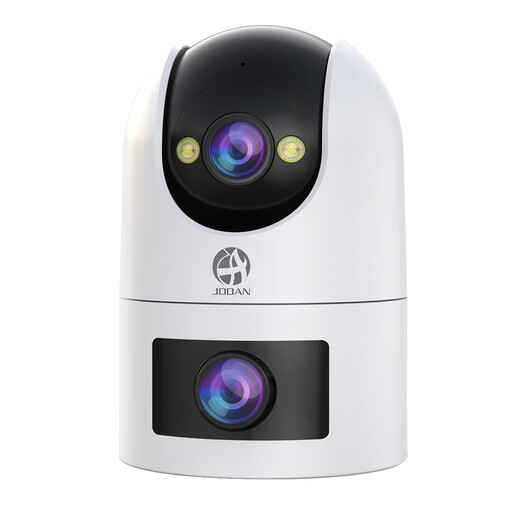
JOOAN dual-lens outdoor security camera with 2.4 and 5 GHz Wi-Fi

JOOAN Dual-Lens Outdoor Camera, 2.4/5 GHz Wi-Fi

This is a plug-in Wi-Fi option for a fixed position with a suitable signal and protected power connection. The name lists an IP66 rating, 360° viewing, 24/7 recording and card or cloud storage; check how the intended recording mode works before buying.

View on Joybuy
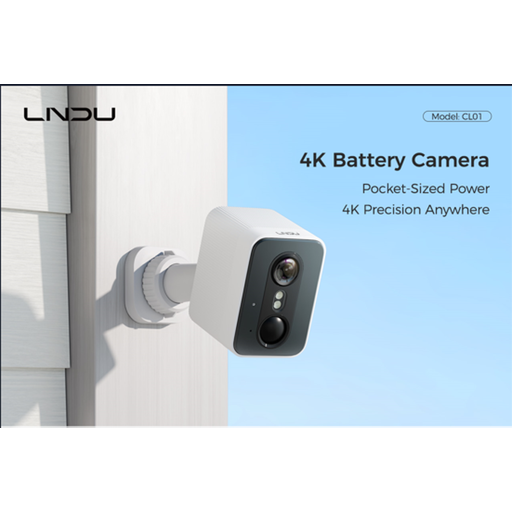
LNDU 4K outdoor security camera with a 143° field of view

LNDU 4K Outdoor Security Camera, 143° View

This battery-powered option may suit a position where cabling is awkward, provided 2.4 GHz Wi-Fi reaches it and charging is practical. The name lists 4K video, a 143° field of view and 128 GB local storage; assess what that view captures near a boundary.

View on Joybuy
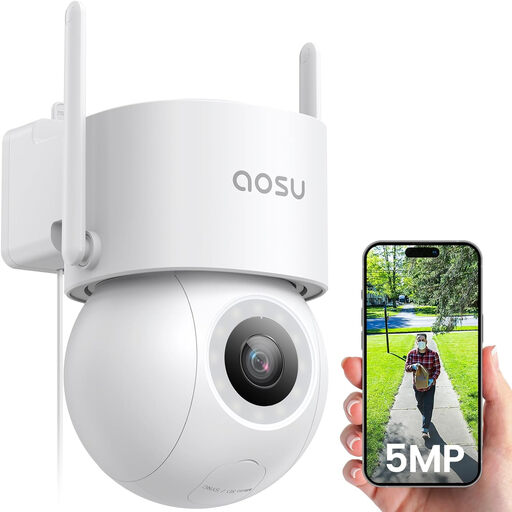
aosu 3K 5MP outdoor security camera with 360° pan and tilt

aosu 3K 5MP Outdoor Camera, 360° PTZ

Consider this powered camera for a fixed position where 2.4 GHz Wi-Fi reaches the mount; its power cable does not establish a wired data connection. The name lists 3K 5MP video, 360° pan and tilt, a spotlight and 24/7 recording. Check power-connection protection and the planned viewing range.

View on Joybuy
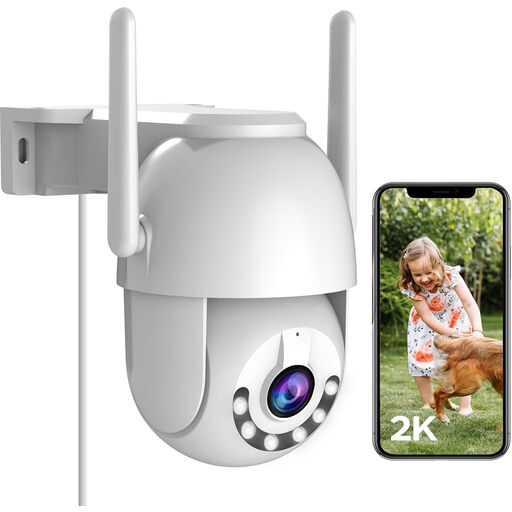
JOOAN 2K outdoor security camera labelled LAN with 2.4 GHz Wi-Fi

JOOAN 2K Outdoor Camera LAN, 2.4 GHz Wi-Fi

This plug-in outdoor camera calls for a usable 2.4 GHz Wi-Fi signal at its position. Its name lists an IP66 rating, 360° pan and tilt, 24/7 recording and card or cloud storage. Despite “LAN” in the name, confirm whether this variant has a wired data interface before planning an Ethernet installation.

View on Joybuy

Frequently asked questions

Should I add a mesh node or run PoE to a camera with weak Wi-Fi?

If a cable can reach a permanent camera position with weak Wi-Fi, PoE avoids depending on a wireless link there and carries power and data over one Ethernet cable, as Reolink describes. An access point or mesh extension makes more sense when you also need outdoor Wi-Fi; place a wireless node where its upstream connection remains usable.

Do UK data-protection rules apply if my camera records beyond my property?

Yes, if a domestic camera captures people outside your private property boundary. GOV.UK says the GDPR and Data Protection Act 2018 then apply, including when footage covers neighbours’ gardens, shared spaces or public areas. The Information Commissioner’s Office advises positioning cameras to capture only your own property where possible.

What should I check before fixing a boundary-facing camera in place?

Review its live field of view and aim it at the area you need to cover, using privacy blocking where appropriate. If the system captures people beyond the domestic boundary, the Information Commissioner’s Office also advises choosing a system that can locate and extract personal information and redact third-party information when necessary.

Can I record locally without using cloud storage?

Yes, if the exact camera supports a compatible local recording method. Tapo, Reolink and eufy describe model-dependent microSD, hub or NVR options; check the selected camera’s storage compatibility, retention settings and footage-export process.

What outdoor mounting details matter besides the camera’s weather rating?

Check the exact model’s permitted mounting position, power method and cable-sealing requirements alongside its stated outdoor rating. For example, Tapo lists an IP66 rating and several mounting options for the C560WS, but those specifications should not be assumed for another camera.