Households watching a driveway, garden or side access
An outdoor camera can cover an area beyond the immediate doorstep. The mounting position, view after dark and motion-alert settings matter as much as the camera’s headline resolution.


For monitoring a driveway, garden or side access, choose a wired PoE camera if you can run Ethernet and want the option of continuous recording; a wire-free camera avoids cable routing but needs a suitable Wi-Fi signal and a workable charging position. A mains-powered Wi-Fi camera sits between those routes. Whichever you choose, check how footage is stored, which alerts you can control and whether the camera can be aimed chiefly at your own property.
An outdoor camera can cover an area beyond the immediate doorstep. The mounting position, view after dark and motion-alert settings matter as much as the camera’s headline resolution.
If you can route cable to the mounting point, a Power over Ethernet (PoE) camera is worth considering for continuous recording. Plan for compatible cabling and a PoE injector or switch.
A wire-free battery or solar camera offers more flexibility in placement, provided the intended spot has usable Wi-Fi, a suitable view and, for a solar model, adequate light.
Start with the power route your mounting point allows, then assess the view, alerts and recording arrangements for that exact location.
Consider it: When Ethernet can reach the camera and continuous recording is important.
Allow for: Cable routing and a compatible PoE injector or switch; local recording may also require separate hardware.
Consider it: When permanent power is practical but a network cable is not.
Allow for: A safe power connection and dependable Wi-Fi at the camera’s position.
Consider it: When routing power and Ethernet is impractical.
Allow for: Charging needs, Wi-Fi coverage and sufficient light if you choose solar power.
| Priority | What to check | Your needs |
|---|---|---|
| Mounting and power | Check the route for Ethernet, permanent power or charging. Confirm Wi-Fi reception and the exact model’s outdoor rating at the intended position. | I cannot run a cable to the garden, so the battery or solar arrangement must work where the camera needs to face. |
| Useful alerts | Check motion zones, sensitivity and notification settings in the exact model’s app. Confirm any advertised person, vehicle or animal detection separately. | Activity at my side access matters; movement in an unrelated part of the view should not dominate my notifications. |
| Footage after dark | Assess low-light footage at the distance and lighting of the area you want to watch. Check whether a spotlight or visible lighting suits the location. | A resolution figure alone will not tell me whether I can make out activity at the far end of the drive after dark. |
| Recording and storage | Confirm recording modes, retention, storage capacity and included hardware. Check which video-history functions require a cloud plan. | I want to retrieve footage later, not just receive a live alert; I need to know how that works on the chosen system. |
| Account security and privacy | Check software-update and account-security options for the exact camera. Set the narrowest useful view and review audio and privacy-mask controls. | My camera needs to cover my property without unnecessarily capturing a neighbour’s space or conversations nearby. |
A Wi-Fi camera may still need permanent mains power. Which? distinguishes wireless cameras from fully wire-free ones.
Choose the power arrangement first, then check the exact camera’s connection and mounting requirements.
A mains-powered model still needs a safe route to its power connection.
Resolution does not establish how useful footage, motion alerts or the app will be in your particular exterior area. Which? assesses these aspects separately in its outdoor-camera testing.
Consider the required viewing distance and lighting, then compare detection controls, storage and account-security options.
Live viewing and notifications do not necessarily include access to recorded video history. Ring, for example, distinguishes those functions from video review, saving and sharing under its subscription terms.
Check what works without a plan, what local-storage equipment is included and how long recordings remain available.
A broad view can also capture neighbouring property or public space. The UK Information Commissioner’s Office advises positioning home cameras to capture only your own property where possible and says systems should not normally record conversations between members of the public.
Start with the smallest useful view, consider privacy masking and leave unnecessary audio recording off.
These brand examples show different installation and recording approaches; features vary by model and do not indicate which products are available on Joybuy.
Reolink’s RLC-810A illustrates a wired PoE approach with local recording options. Reolink explains that PoE carries power and data through one Ethernet cable.
eufy’s SoloCam S340 illustrates a wire-free, solar-powered approach with local storage, according to eufy’s product information.
Ring’s Spotlight Cam Pro Wired illustrates an outdoor camera with app-based live viewing and optional subscription-based video history.
These options cover wire-free battery or solar cameras and a mains-powered Wi-Fi camera for exterior monitoring. Compare each one against the power, view and recording needs of your mounting position.
 No image available
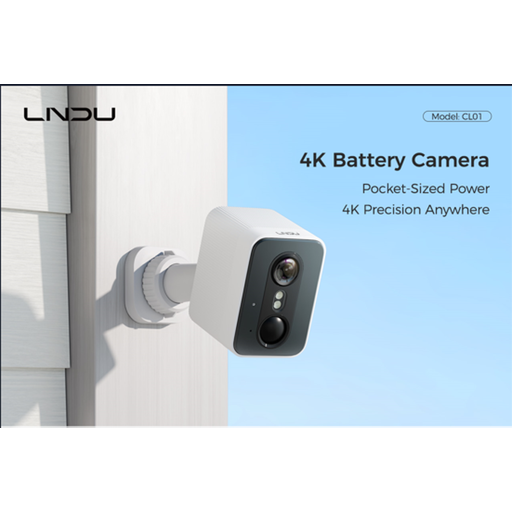
A battery-powered option for a yard or driveway where routing a cable is difficult, provided the mounting point has suitable Wi-Fi and a workable charging arrangement. The listing specifies 2.4 GHz Wi-Fi, a 143° field of view, an IP65 rating and PIR and radar detection; it also claims 128GB local storage. Check night footage at the distance you need and the camera’s account-security and software-support options.
 No image available
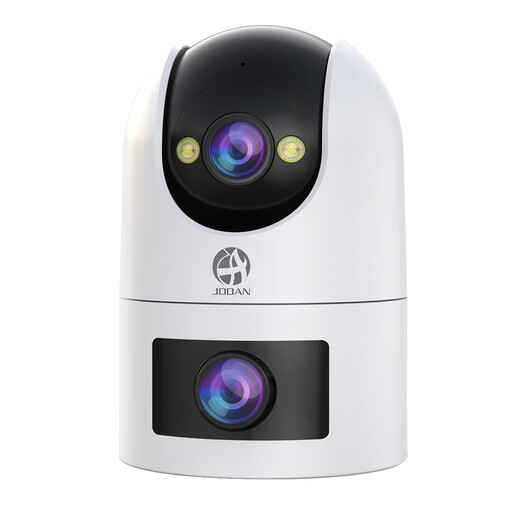
For an exterior position with a suitable DC power connection rather than a cable-free installation. The listing specifies dual-band Wi-Fi, a 360° pan-and-tilt view and IP66 water resistance, and describes continuous microSD recording alongside optional paid cloud storage. Confirm the included power and storage equipment, footage retention and the CAM720 app’s security support.
 No image available
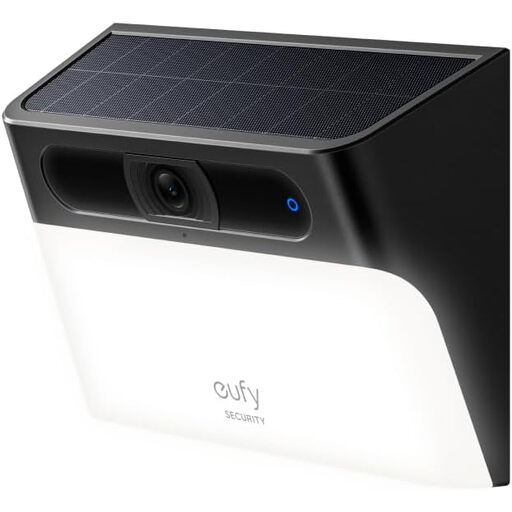
A wall-mounted, solar- and battery-powered camera with motion-activated lighting for a position that receives suitable light and Wi-Fi. The listing specifies 2.4 GHz Wi-Fi and IP65 protection and describes local event storage. Its description says 2K while its technical details say 1080p, so confirm the resolution, storage capacity and retention for this exact SKU before buying.
 No image available
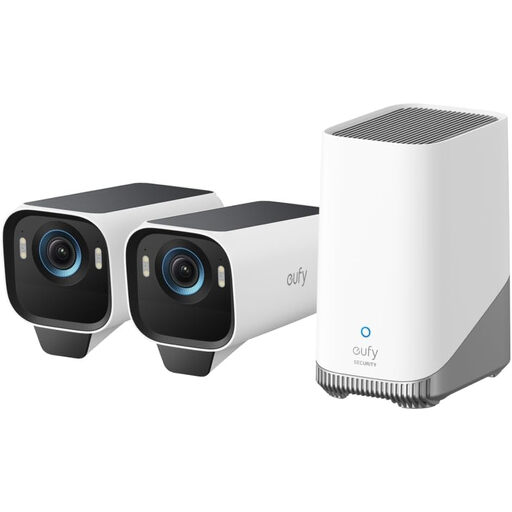
A solar-powered outdoor kit to consider for more than one exterior position, subject to light, Wi-Fi and a suitable view at each location. The listing claims 4K video, colour night vision and local storage. Confirm the exact cameras and other components in the kit, as well as the field of view and outdoor rating, before planning both mounting positions.
 No image available
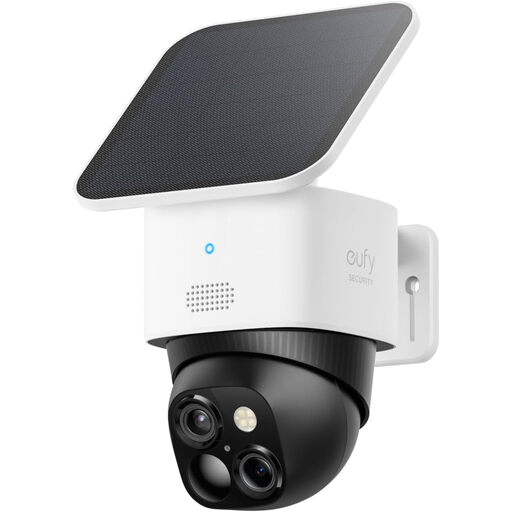
A wire-free option for a driveway or garden where cable routing is difficult. The listing describes solar and battery power, 2.4 GHz Wi-Fi, 3K video, dual views and 360° surveillance; eufy also describes local storage for this model. Check the view, solar exposure and Wi-Fi at the mounting point, plus the required storage setup, retention and alert controls.
Aim it chiefly at your own property where possible. The UK Information Commissioner’s Office advises home-camera owners to position cameras to capture only their own property where they can. Check the intended view from the mounting point and use a narrower angle or privacy masking if needed.
Leave audio off unless you have a clear reason to use it. The Information Commissioner’s Office says surveillance systems should not normally record conversations between members of the public; consider whether the view you need requires sound at all.
PoE needs an Ethernet route to the mounting point and a compatible power source such as a PoE injector or switch; Reolink explains that one cable carries both data and power. A wire-free camera avoids that cable run but still needs usable Wi-Fi and a workable battery-charging or solar position.
It can, depending on the camera and the functions you need. Check whether its card or other storage hardware is included, how much footage it retains and whether any desired remote-history features require a cloud plan. Ring, for example, says reviewing, saving and sharing video from its Spotlight Cam Pro Wired requires a subscription.
The app affects how you receive alerts and access recordings, while account controls matter when a camera can be reached online. Which? includes app use, storage, motion sensitivity and cyber-security in its outdoor-camera testing; check the exact model’s current update support and account-security options before relying on remote access.