No-socket outdoor monitor
You want to watch a shed, driveway, gate or garden area without a nearby mains socket. The decision starts with how the camera will receive power and how often you can reach it to recharge.


For an outdoor position without a nearby mains socket, choose a battery or solar-assisted camera if Wi-Fi reaches the mounting point and you can manage charging and app-based setup. If reviewing footage on a computer or recording continuously matters more, investigate a compatible hub or network video recorder (NVR), or a wired camera powered from an indoor location; these routes need more installation planning. Aim the camera within your property where possible, because UK data-protection obligations apply if it captures people beyond your private domestic boundary.
You want to watch a shed, driveway, gate or garden area without a nearby mains socket. The decision starts with how the camera will receive power and how often you can reach it to recharge.
You expect to view live video or recordings on a Windows or Mac computer. Check each task separately: a computer viewing option does not necessarily remove the need for a phone during setup or account verification.
Your proposed view may include a neighbour's property, a shared entrance or public space. Assess the camera angle before purchase so you can decide what it will capture and which privacy obligations will apply.
A location without mains power does not rule out a wired camera: it changes where power must come from. Choose the power route first, then check whether its recording and computer-access options fit the way you will use the camera.
Choose when: Running a cable is impractical, Wi-Fi reaches the camera and motion-led recording meets your needs.
Trade-off: You must allow for recharging; Reolink says its standalone battery cameras do not offer direct browser access.
Choose when: The panel can receive suitable direct sunlight, even if its position differs from the camera's viewing angle.
Trade-off: Solar support depends on light and camera activity, so keep a plan for periods when the battery needs charging.
Choose when: You can run Ethernet cable from a powered indoor location and want a compatible NVR for local recording.
Trade-off: Power over Ethernet (PoE) carries power and network traffic along one cable, but the indoor equipment still needs power and the cable needs a suitable route.
| Concern | What to check | Who this matters to |
|---|---|---|
| Power at the camera | Check the battery claim's usage conditions and the proposed panel's direct sunlight; if considering PoE, check the cable route to powered indoor equipment. | If I cannot easily reach the camera to charge it, I need a power arrangement I can maintain. Around 31% of consumers would put power autonomy first. |
| Computer access | Check live view, playback and settings for the exact model, including any hub or NVR requirement and whether setup still needs an app. | I want to review footage at my computer rather than rely on a phone for everyday viewing; around 25% of consumers would make computer access their primary concern. |
| Recording and retention | Confirm motion-only or continuous recording, storage capacity, included accessories and which local, cloud or NVR modes can run together. | When I need to revisit an incident, I want recordings retained in a form I can access. For around 25% of consumers, that recording arrangement would come first. |
| Privacy and placement | Check the view from the intended mounting height, whether audio is needed and whether the camera can avoid capturing areas beyond your boundary. | If my proposed angle reaches a shared entrance or a neighbour's property, I need to address that before mounting the camera; roughly 19% of consumers would prioritise boundary and privacy considerations. |
For a domestic camera in the UK, GOV.UK says the GDPR and Data Protection Act 2018 apply when it captures images of people outside the boundary of your private domestic property. The Information Commissioner's Office advises positioning cameras to capture only your own property where possible; the applicable steps depend on what the installed camera actually records.
A manufacturer's sunlight claim applies under its stated conditions, not automatically to a shaded wall or every season. The panel may need a different position from the camera.
Check direct sunlight at the proposed panel location. If the camera position is shaded, consider a separately mountable panel or a feasible wired power route.
An unsuitable panel position can mean additional charging visits or a separate mounting arrangement.
Reolink says standalone battery cameras lack direct browser access. TP-Link requires the Tapo app for setup, while eufy describes app involvement even for compatible cameras with browser viewing.
List the tasks you need to do on a computer—setup, live view, playback, downloads and settings—and confirm each one for the exact camera and any required hub or NVR.
The intended workflow may require a compatible recorder or continuing access to a mobile device.
TP-Link says Tapo Care, local storage and NAS/NVR/ONVIF recording cannot all operate simultaneously on the Tapo systems covered by its guidance; two of those three options can be used together.
Choose your main recording destination before selecting a card, hub or recorder, then check the exact model's supported combinations.
A view that captures people on neighbouring, shared or public land brings UK data-protection obligations into scope. The Information Commissioner's Office also cautions against recording public conversations without clear justification.
Test the framing at installation height, narrow it where possible and consider whether audio is necessary. If areas beyond your boundary remain in view, follow the applicable guidance on signage, secure footage and access requests.
Its documented options span battery cameras, Home Hub compatibility and wired PoE systems. The useful route depends on the exact camera and recorder combination.
TP-Link offers Tapo solar-assisted and battery cameras alongside wired cameras with computer or recorder connection options on compatible models.
eufy offers solar-capable outdoor cameras and describes browser viewing for compatible cameras, with a separate web route for its PoE/NVR systems.
These solar-assisted outdoor cameras suit locations where running power to the camera is difficult. Compare panel placement and the recording arrangement you need, and confirm the exact model's computer-viewing and setup options before choosing one for a desktop-led workflow.
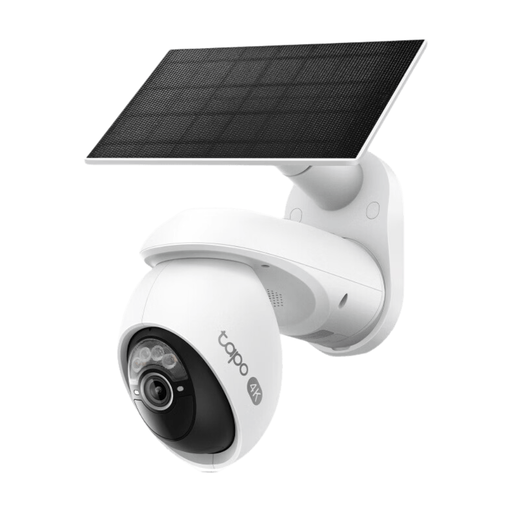 No image available
Consider this outdoor solar kit where the camera needs to operate away from a mains socket. Its Pan/Tilt designation distinguishes it from a fixed-view option; confirm that the panel position receives suitable light.
Check the recording arrangement and whether the Tapo app meets your setup needs. TP-Link says the app is not available on computers, so confirm computer viewing for this exact camera before relying on it.
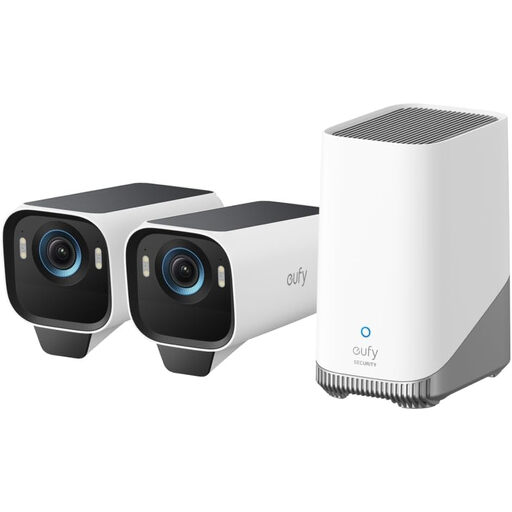 No image available
This two-camera outdoor solar kit is worth considering if you need to cover two positions without mains sockets at the cameras. The product name specifies 4K; assess each proposed panel position separately for sunlight.
Confirm the included storage components and retention arrangement. eufy describes browser viewing for compatible cameras, so check S3 Pro compatibility and which setup or account tasks still require the app.
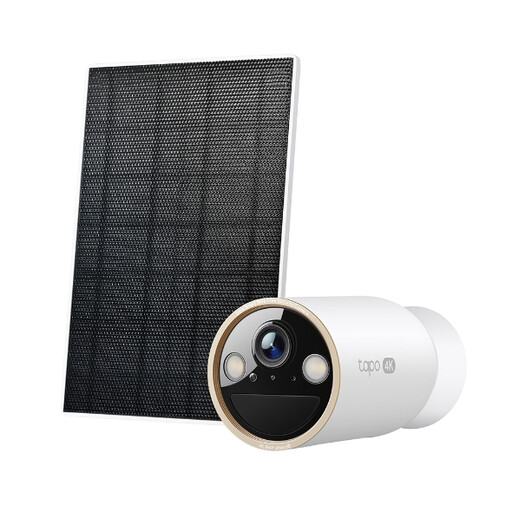 No image available
This outdoor solar kit is a single-camera option for a position without nearby mains power. Check sunlight at the intended panel location and how you will recharge the camera when light is inadequate.
Confirm the storage contents and recording modes before buying. TP-Link requires the Tapo app for setup; check whether this exact battery model can perform the computer-viewing tasks you need.
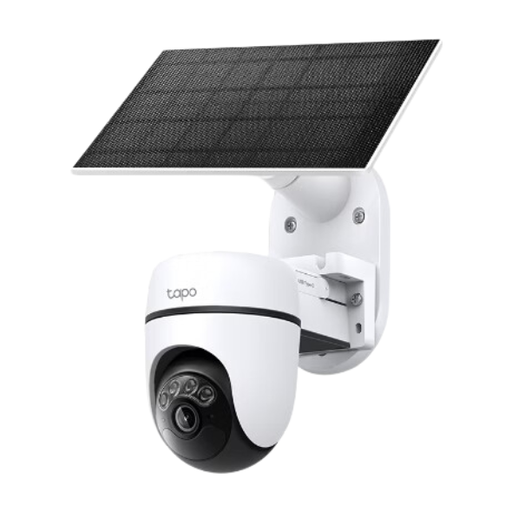 No image available
Consider this outdoor solar kit if a pan-and-tilt camera fits the area you intend to view and there is no nearby mains socket. Its viewing angle still needs to respect the property boundary.
Check the panel's sun exposure, storage contents and recording modes. Setup uses the Tapo app; confirm computer access for this exact model if phone-only viewing would not suit you.
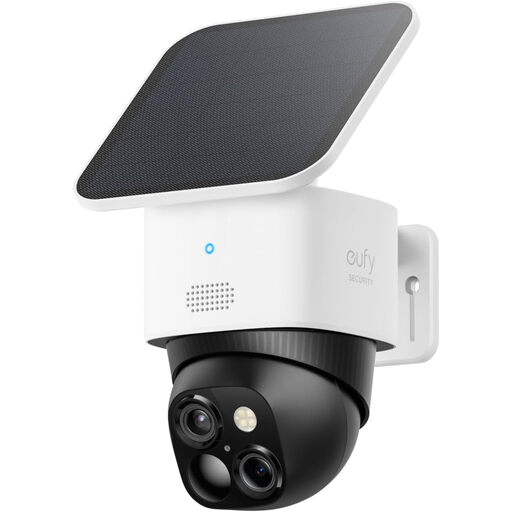 No image available
This outdoor solar camera is an option for a position without mains power. Its product name specifies 3K, 2.4 GHz Wi-Fi and HomeBase S380 compatibility; check Wi-Fi reach and sunlight at the mounting location.
Confirm which storage arrangement provides the retention you want and whether this exact model supports your computer-viewing tasks. HomeBase compatibility alone does not establish what is needed for your intended setup.
Yes, if it captures images of people outside the boundary of your private domestic property. GOV.UK says the GDPR and Data Protection Act 2018 then apply; the Information Commissioner's Office advises aiming the camera at your own property where possible. If an outside area remains in view, assess the footage it will capture and follow the applicable guidance on secure storage, signage and requests for footage.
Computer viewing is possible with some compatible cameras or recorders, but it does not necessarily eliminate phone use. Reolink says its standalone battery cameras lack direct browser access, while compatible hub or NVR arrangements can provide a browser route; TP-Link requires the Tapo app for setup, and eufy describes app-based initial setup and verification for its compatible browser route. Check setup, live view, playback and settings for the exact combination you intend to buy.
Not necessarily: charging depends on the panel's direct light and the camera's activity. Treat manufacturer sunlight figures as conditions for particular models, assess shade at the proposed panel position and retain a way to charge the battery when sunlight is inadequate.
Not on every system. TP-Link says the Tapo systems covered by its storage guidance can use two, but not all three, of Tapo Care, local storage and NAS/NVR/ONVIF recording simultaneously. Check the exact camera's recording combinations before choosing a card, cloud plan or recorder.