
24/7 Customer Support

Free returns

Same-day & Next-day Delivery

Quality Guaranteed

Unlock Your Welcome Offers: FREE Delivery | Up to 80% OFF | Free 30-day JoyPlus trial
Download the APP
Buying an outdoor security camera can improve visibility around a driveway, garden, entrance, shop or rental property. However, product listings often focus on headline features while leaving out practical details such as power requirements, storage costs and Wi-Fi limitations.
Before choosing a camera, watch for these common purchasing traps.
A wireless outdoor security camera may connect to your router through Wi-Fi but still require a permanent mains adapter. This can be suitable for a house wall or covered porch but less convenient where there is no nearby socket.
Battery-powered models offer more flexible positioning, although you will need to consider charging intervals, cold weather and recording settings. Check whether the camera supports continuous recording or only event clips.
A 4K security camera records more pixels than a 2K model, but image usefulness also depends on lens quality, lighting, field of view and digital zoom. A wide-angle camera may cover more ground but show distant faces and number plates at a smaller size.
For many gardens and entrances, a 2K security camera can provide a practical balance between detail, storage use and network bandwidth. Consider 4K when you need to inspect a wider area or capture more detail at a distance.
Some cameras include a microSD card slot, while others require cloud storage for recorded clips. Cloud plans can add to the long-term cost and subscription terms may affect retention periods or access to advanced detection features.
A security camera with local storage can reduce ongoing fees, but the card is often not included and may eventually need replacing. Check the supported capacity, whether continuous recording is available and how footage is exported.
Look for a published IP rating, such as IP65 or IP66. The first digit relates to protection against solid particles, while the second concerns water resistance under defined test conditions. IP66-rated models can resist powerful water jets, but this does not mean they can be submerged. Keep the power connection and adapter dry, even when the camera body is weather resistant.
Mount the camera securely using suitable fixings for brick, render, timber or other surfaces. Route cables away from standing water and walkways and use the supplied seals where provided.
Basic motion detection can trigger alerts when a person, animal, vehicle or moving branch enters the frame. AI person detection or vehicle detection may help reduce irrelevant notifications, but no system should be treated as infallible.
Check whether activity zones and sensitivity levels can be adjusted. A camera facing a busy pavement may generate frequent alerts unless the public area is excluded. For a front entrance, a motion detection camera with person alerts and a configurable zone may be more practical than relying on movement alone.
A colour night vision camera may use a spotlight or available ambient light to produce colour footage. Infrared night vision is less dependent on visible light but typically records in monochrome. Review the stated night-vision range and consider whether nearby walls, reflective surfaces or foliage could affect the image.
A two-way audio camera can allow you to speak to visitors through the app. Built-in sirens and audio alerts should be used considerately, particularly in residential areas. A 360° PTZ security camera can pan and tilt remotely, but moving parts and positioning still leave potential blind spots when the lens faces away from an event.
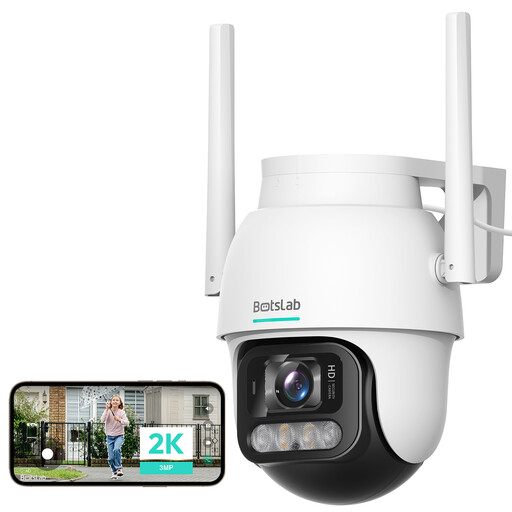
Why This Fits Their Persona: A practical starting point for monitoring a garden, driveway or entrance where remote viewing and broad coverage matter more than 4K recording.
Its 2K resolution avoids paying solely for a 4K label, while PTZ movement helps you inspect different parts of the scene remotely.
2K 3MP video, 360° coverage and human motion detection in a remotely controlled outdoor format.
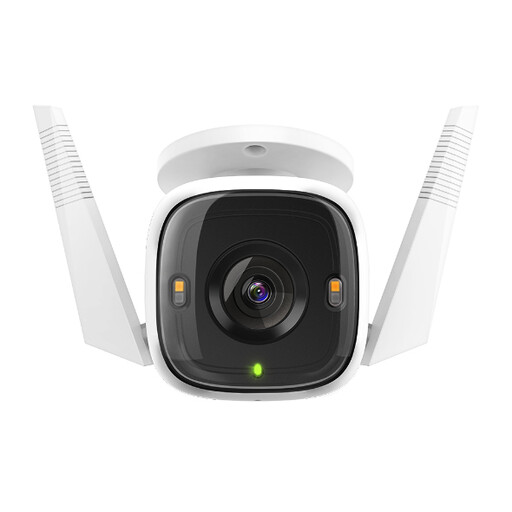
Why This Fits Their Persona: Suitable for homeowners and small businesses wanting detailed monitoring, flexible connectivity and configurable alerts.
It provides both microSD storage and optional cloud storage, helping you choose a route that suits your running-cost preferences.
2K QHD resolution, Starlight Colour Night Vision with spotlight, IP66 rating, Ethernet and dual-band Wi-Fi.
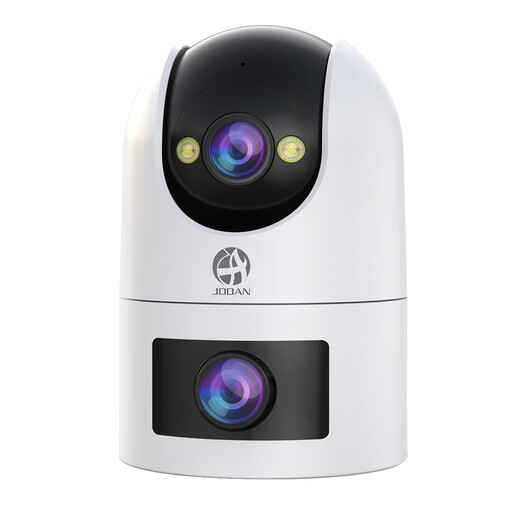
Why This Fits Their Persona: Designed for users who want multiple views, continuous recording and shared access for a larger home, shop or entrance area.
Its dual-lens design separates fixed and PTZ monitoring, while local recording helps avoid relying solely on a paid cloud plan.
2.4GHz and 5GHz Wi-Fi, 360° PTZ viewing, IP66 protection, colour and infrared night vision and microSD support up to 256GB.
We have compiled a complete, real-time list of products that fully satisfy these strict selection criteria and UK safety regulations.
Position the camera so it primarily records your own property. Avoid pointing it directly into neighbours’ windows, private gardens or areas where people reasonably expect privacy. If your camera captures beyond your boundary, review applicable UK data protection and privacy responsibilities.
Use the supplied power adapter, secure all outdoor connections and update the app or firmware where appropriate. A strong Wi-Fi signal is important: walls, metal structures and distance can cause delays or missed notifications. Test live viewing and alerts from the intended mounting position before permanently fixing the unit.
Most Wi-Fi security cameras need a network for remote mobile viewing and notifications. Some can continue recording to a microSD card if the internet connection fails, but this varies by model. Check whether local recording works offline and whether the camera requires cloud access for playback.
Running costs usually include electricity, optional cloud storage and replacement microSD cards. Plug-in cameras use continuous mains power, while battery models may require periodic charging. A camera with local storage can limit subscription costs, but storage capacity and card endurance should be checked before purchase.
Service life depends on weather exposure, power stability, software support and installation quality. Protect cables and connections from moisture, avoid direct high-pressure spray, keep the lens clean and inspect the mounting hardware periodically. IP protection helps with defined weather conditions but does not remove the need for correct installation and maintenance.