
24/7 Customer Support

Free returns

Same-day & Next-day Delivery

Quality Guaranteed

Unlock Your Welcome Offers: FREE Delivery | Up to 80% OFF | Free 30-day JoyPlus trial
Download the APP
Securing your home is a priority, but navigating the world of outdoor security cameras can feel overwhelming. With terms like 2K resolution, AI detection and solar charging, it's easy to get lost in technical specifications. This guide is designed to cut through the jargon, helping you understand the key features that matter for UK homes and highlighting some practical options to consider.
We will focus on what most homeowners are looking for: reliable performance, straightforward DIY installation and the freedom of a home security camera no monthly fee.
Before diving into specific models, let's break down the most important features to help you decide what's right for your property.
How your camera gets power determines its placement and maintenance needs.
solar powered security camera offers a "fit and forget" solution. An integrated solar panel keeps the internal battery topped up, making it ideal for locations far from a power socket. This is the core of a truly wireless cctv camera outdoor, offering maximum flexibility for installation on sheds, fences or sunny walls.floodlight camera that requires more energy.The camera's lens and lighting capabilities define its effectiveness, day and night.
security camera with light or a dedicated floodlight can provide full-colour night vision, which captures more detail and acts as a powerful deterrent.Modern cameras are more than just passive recorders.
motion activated camera.Here are a few eufy security camera models that align with the features UK residents often look for.
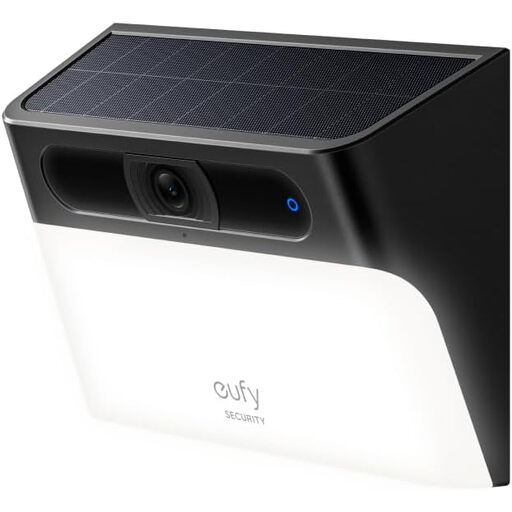
Why It Stands Out: This device cleverly combines a motion-activated wall light and a security camera into one simple, wire-free unit. The integrated solar panel provides continuous power, making it a low-maintenance choice for monitoring specific areas like doorways, side passages or patios.
Pros:
Who is it for?: Ideal for anyone needing to add both light and security to a specific entry point or outdoor area without the hassle of running wires.
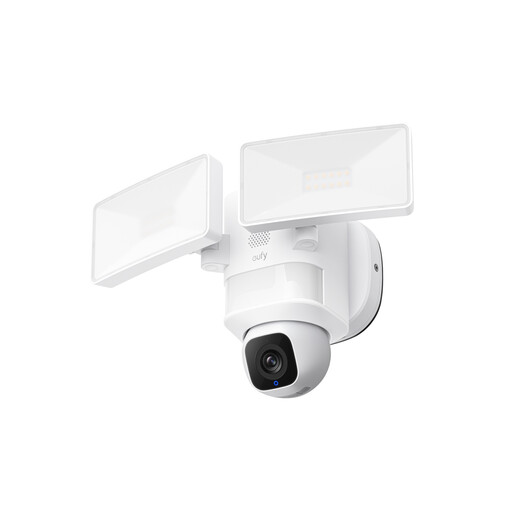
Why It Stands Out: This is a powerful surveillance tool designed for comprehensive coverage. Its mains-powered design supports bright, 2,000-lumen floodlights and 24/7 recording, while the camera's ability to pan and tilt 360 degrees ensures no corner is left unwatched.
Pros:
Who is it for?: Suited for homeowners who want to actively monitor large spaces like a back garden or a long driveway and need the reliability of a mains-powered floodlight deterrent.
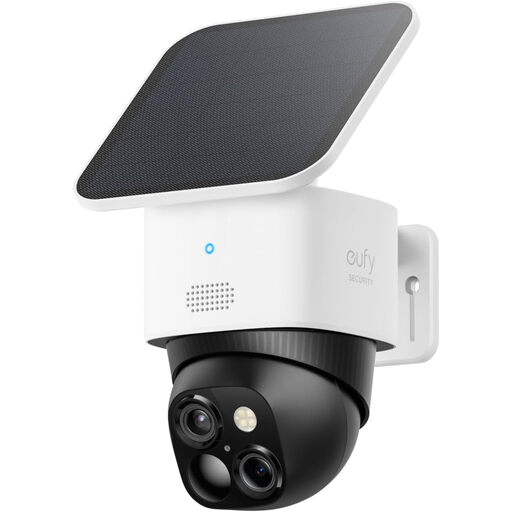
Why It Stands Out: This camera offers exceptional detail and coverage in a wire-free, solar-powered package. It features a dual-camera system—a wide-angle lens for the big picture and a telephoto lens for zooming in—all while providing a 360° view.
Pros:
Who is it for?: A great choice for the tech-savvy user who wants top-tier image quality and complete surveillance coverage without being tied to power cables.
If these recommendations don't quite match your needs, or if you require a multi-camera setup for a larger property, there are many other models available. For a wider selection, you can browse our complete collection of waterproof security camera systems.
1. Do I need permission to install an outdoor security camera in the UK? Generally, you do not need permission to install cameras on your own property. However, you must be mindful of privacy laws (GDPR). Your cameras should not capture footage of your neighbours' private property (their gardens, windows or doors) or public spaces beyond your property boundary. It is good practice to inform neighbours about your cameras to maintain good relations. For detailed guidance, refer to the Information Commissioner's Office (ICO) website.
2. Can outdoor security cameras work without Wi-Fi? Most modern smart security cameras require a 2.4 GHz Wi-Fi connection to send notifications to your phone, stream live video and upload footage. Some systems can record locally to a base station or SD card even if the internet goes down, but you will lose all remote access and smart features until the connection is restored.
3. How much data does a wireless security camera use? Data usage varies greatly depending on the camera's resolution, the frequency of motion events and whether you are streaming live video. A camera that only records motion events to local storage will use very little data. A camera that constantly uploads to the cloud at 2K or 3K resolution will use significantly more. Choosing a model with local storage is an effective way to minimise data consumption.