What matters when choosing?
Decide how you will access changing information first. Then consider where you will read the screen and whether your documents can be kept available offline.
| Concern |
What to check |
Who this matters to |
| Access to live information |
Check campsite Wi-Fi or hotspot arrangements. For direct data, confirm the tablet variant and check your intended network at the campsite postcode using Ofcom’s coverage checker. |
If my booking or route changes while I am away, I need a workable way to retrieve the update. Around 42% of consumers would put access to live information first. |
| Outdoor reading and protection |
Compare stated brightness under the manufacturer’s specified mode and check any water- and dust-resistance rating for the exact model. |
Reading plans outside matters more to me if daylight makes the screen difficult to see or the tablet may be exposed to rain and dust. For around 33% of consumers, outdoor use would be the primary concern. |
| Screen for planned documents |
Check screen size and storage for downloaded maps and documents, alongside the connection you will use when updates are needed. |
I mainly want room to read saved itineraries and bookings, and can arrange a connection separately when necessary. A comfortable screen would come first for around 25% of consumers. |
Tablets on Joybuy
These tablets offer Wi-Fi or cellular options for reviewing touring itineraries. Match the connection type to your campsite plans, and check the exact variant’s outdoor-use details before choosing.
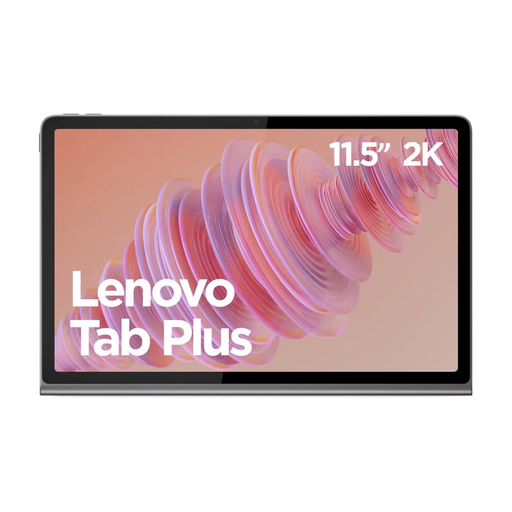 Image unavailable
Lenovo Tab Plus 128GB, Grey
Consider this Wi-Fi tablet for reading saved itinerary documents when you can use campsite Wi-Fi or a phone hotspot for updates.
Lenovo lists an 11.5-inch 2K display for the cited Tab Plus configuration. Check the box contents and your charging arrangements before travelling.
View on Joybuy
 Image unavailable
Samsung Galaxy Tab A11+ 8GB/256GB Wi-Fi, Grey
This Wi-Fi variant suits itinerary reading if you can download key information and arrange a connection for live changes.
It is listed with 8GB memory and 256GB storage. If you will read outside frequently, confirm its screen brightness and protection details for this exact model.
View on Joybuy
 Image unavailable
TECLAST ArtPad Pro 12.7-inch 2K, 256GB, 4G LTE
Consider this larger-screen option if you need the tablet itself to use mobile data, subject to a compatible plan and usable campsite coverage.
The title specifies dual-SIM 4G LTE and 5G Wi-Fi; 5G Wi-Fi does not mean 5G mobile data. Check compatibility with your intended UK network, outdoor-use specifications and whether a T-Pen is included if you need one.
View on Joybuy
 Image unavailable
TECLAST T65 Plus 13.4-inch, 256GB, 4G LTE
This large-display option is relevant if you want direct mobile-data capability for changing plans at a campsite.
The title lists a 120Hz display, dual-SIM 4G LTE and 5G Wi-Fi; the Wi-Fi designation does not establish 5G mobile service. Confirm UK network compatibility and the exact variant’s brightness, protection and carrying weight for your intended use.
View on Joybuy
 Image unavailable
Apple iPad Pro 13-inch (M5), Wi-Fi + Cellular, 1TB, Standard Glass, Silver
Consider the stated cellular variant if you want a 13-inch iPad for itinerary viewing and need direct mobile-data access.
Confirm that the product page identifies the same Wi-Fi + Cellular variant, along with a compatible data plan and network coverage for your campsite. Check its outdoor-use specifications if you expect to read in bright light or exposed conditions.
Purchase link unavailable
Common questions
Is a Wi-Fi-only tablet enough for a touring itinerary?
Yes, if you can save essential routes and bookings before travelling and have a workable Wi-Fi connection or phone hotspot for updates. If the tablet must retrieve changes independently, consider a cellular variant and check your intended network at the campsite postcode.
Will a 5G tablet have a signal at the campsite?
Not necessarily. Ofcom says its postcode-based coverage results are a guide and that local features, including trees and buildings, can affect reception. Keep essential itinerary information available offline even when you plan to use mobile data.
What matters most when reading itineraries outside?
Check the exact tablet’s stated brightness and any water- and dust-resistance rating against where you expect to use it. Samsung states up to 800 nits in High Brightness Mode and an IP68 rating for the Galaxy Tab S10 FE line, but those specifications should not be assumed for other models.
Will a charger or protective case be included?
Check the exact model’s box contents and retailer listing rather than assuming either accessory is included. Samsung’s UK Galaxy Tab S10 FE purchase information says the S10 FE and S10 FE+ do not include a travel adapter; check the compatibility of any charger, case or stand you plan to take.


