Small-desk oval-racing practiser
You want one screen for practising racing lines and watching nearby traffic, but need to leave room for your controls. A 27-inch QHD monitor is the single-screen route to assess against your desk measurements.


For oval-racing practice at a small desk, start by assessing whether one 27-inch QHD monitor fits your space and whether your PC can make useful use of a 180Hz-class refresh rate. A higher-refresh screen is worth considering when motion clarity is your priority and your PC can deliver suitably high frame rates; a future triple-screen plan calls for separate checks on space, connections and matching displays.
You want one screen for practising racing lines and watching nearby traffic, but need to leave room for your controls. A 27-inch QHD monitor is the single-screen route to assess against your desk measurements.
You place particular importance on fast-moving traffic and already have a PC capable of high frame rates. A higher-refresh QHD monitor is relevant if your graphics card and connection can make use of it.
You are starting with one monitor but may later move to a wider racing setup. iRacing Support’s three-monitor guidance makes display resolution, physical arrangement and configuration important parts of that plan.
Measure the desk and control layout before selecting a screen size. Then check QHD performance in your racing sim and the refresh rate available through the port you intend to use; consider triple-screen requirements separately if expansion is a realistic plan.
| Concern | What to check | Who this matters to |
|---|---|---|
| Desk fit | Measure usable width and depth, the stand footprint and the space needed for your racing controls. Check mounting options if a stand would obstruct them. | I need one screen that leaves room to position my wheel and sit at a workable viewing distance; around 36% of consumers put desk fit and simple single-screen use first. |
| Motion clarity | Check the refresh limit for your chosen input and whether adaptive sync works with your graphics setup. Treat overclocked modes as conditional. | When cars are close together, I want motion that remains easy to follow without prioritising screen width. Roughly 29% of consumers make motion clarity their primary concern. |
| PC and QHD fit | Try the sim at 2560×1440 and assess the frame rate and image quality you can accept. iRacing Support says lower render resolution can reduce GPU processing demand but lowers image quality. | I would rather balance image detail with the performance my PC can actually deliver; around 21% of consumers chiefly need that QHD-and-GPU fit. |
| Future expansion | Measure the proposed three-screen space and check GPU outputs and matching resolutions before committing to an expansion plan. | I can start with one display, but I do not want to overlook what a later three-monitor arrangement requires; approximately 14% of consumers put that upgrade path first. |
The available rate can depend on the input. LG UK specifies DisplayPort 1.4-capable graphics hardware and cable for the 27GS75QN-B’s 200Hz overclock, while Dell UK lists 180Hz at QHD over DisplayPort but up to 144Hz over HDMI for the G2725D.
Check the exact monitor, graphics-card output and cable together before treating an advertised maximum as the rate you will use.
A monitor cannot create frames that the PC has not rendered. iRacing Support says resolution scaling can ease GPU processing demand, but it reduces image quality and does not reduce CPU load.
Assess performance at native QHD in the sim, then decide whether graphics-setting or resolution-scaling changes are acceptable.
Three displays require more physical space and a separate configuration step. iRacing Support describes both windowed spanning and a GPU-created combined display, with monitor details entered in its Display settings.
If expansion is likely, record the first monitor’s full model and resolution, check suitable GPU connections and measure where all three screens would sit.
The supplied power arrangement and applicable documentation matter for the exact monitor being ordered. GOV.UK describes safety requirements for electrical equipment placed on the Great Britain market and the recognition of CE marking alongside or instead of UKCA marking under relevant product regulations; a model name alone does not establish an individual item’s conformity.
Check the exact listing, supplied plug or power arrangement, marking and documentation with an identifiable seller before purchase.
These model lines illustrate different specifications to compare; a brand’s inclusion does not establish that a particular monitor fits your desk or is available from a given retailer.
The LG UK 27GS75QN-B is a 27-inch, 2560×1440 IPS option specified at 180Hz natively, with a 200Hz overclock.
The ASUS ROG UK XG27ACS is a 27-inch, 2560×1440 Fast IPS model specified at 180Hz, with USB-C video and hub functionality.
The Samsung UK Odyssey G6 G60F LS27FG606EUXXU is a 27-inch QHD Fast IPS model specified at 350Hz for a motion-priority setup.
The Dell UK G2725D is a 27-inch QHD model that illustrates why the intended input matters when choosing a refresh rate.
These single-screen choices include 27-inch QHD models for a constrained desk, larger QHD alternatives that need more space, and a 27-inch Full HD option. Measure the complete setup and check your PC connection rather than assuming that screen size or a listed refresh rate settles the choice.
 No image available
Consider this single-screen option if high refresh is a priority and your PC can deliver the frame rates you want at QHD.
The product name specifies a 27-inch QHD OLED display and 240Hz. Compare the stand dimensions with your desk, and confirm the exact supplied power variant and documentation before ordering.
 No image available
This is another 27-inch single-screen option to assess if QHD and high refresh matter more to you than planning a wider display.
The product name specifies 2560×1440 and 220Hz. Check the stand footprint and confirm which rate your intended GPU port and cable can deliver.
 No image available
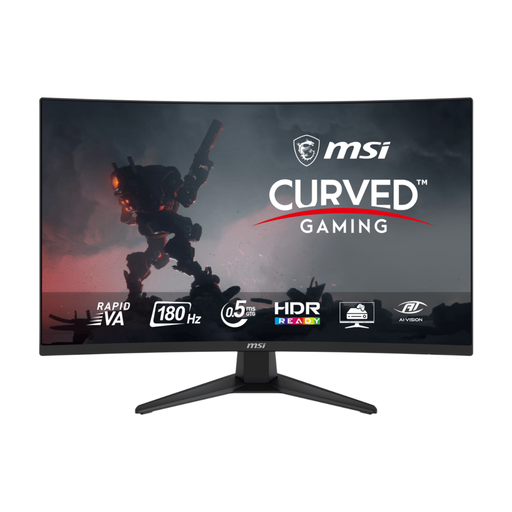
Consider this curved single screen only if you can accommodate its larger format alongside your racing controls.
The product name specifies 32-inch WQHD and 180Hz. Check the full stand footprint and viewing distance; if you need 180Hz, confirm the DisplayPort connection, as the listed HDMI limit is 144Hz.
 No image available
This larger curved option needs a careful desk-fit check before it makes sense for small-desk practice.
The product name specifies 2560×1440, a VA panel and 180Hz. The listed QHD maximum is 180Hz over DisplayPort and 144Hz over HDMI; confirm adaptive-sync support if you need it.
 No image available
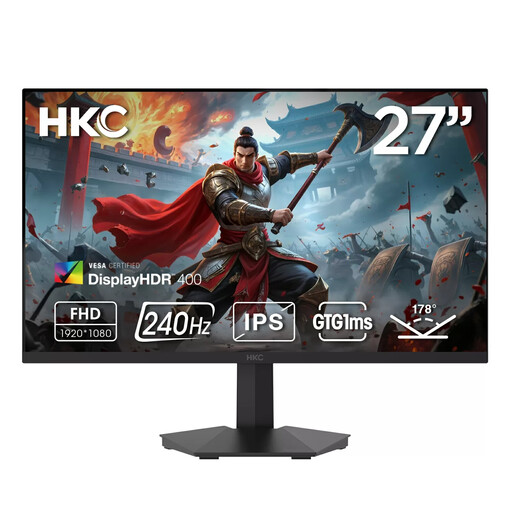
This retains the 27-inch single-screen format if Full HD suits your PC and you do not need the QHD detail discussed above.
The product name specifies 1920×1080. Confirm the refresh rate for this exact item before buying: the title states 180Hz, while other listing details state 240Hz.
Not necessarily: a 27-inch QHD monitor is a single-screen route worth measuring for this setup. Check the stand footprint, available depth, wheel position and your viewing distance rather than judging fit from diagonal screen size alone.
No fixed refresh rate is required for practice. A 180Hz-class QHD monitor is a starting point to assess; consider 240Hz or more if motion clarity is your priority and your PC and connection can deliver frame rates that make use of it. Samsung UK notes that the stated results for its 350Hz G60F model depend on the input source, content and settings.
Configure iRacing for your actual display arrangement and measured viewing position rather than copying someone else’s field-of-view setting. For three monitors, iRacing Support describes windowed spanning or a GPU-created combined display and instructs users to enter monitor information in the Display settings.
Test iRacing at native QHD first, then decide whether lower render resolution is an acceptable compromise. iRacing Support says its resolution scaling can reduce GPU processing demand, but lowers image quality and does not reduce CPU load.
Check the exact item’s supplied power arrangement, applicable marking and documentation with the seller. GOV.UK states that Great Britain recognises CE marking alongside or instead of UKCA marking under relevant product regulations and sets safety requirements for electrical equipment placed on the GB market; neither a familiar model name nor a marking on a different regional variant establishes the status of the item you will receive.