Overhead board-game demonstrators
You need the board, cards and hands to stay in frame while viewers follow the details. Check the view from your actual mounting height and use support that holds the camera still.


For a fixed overhead board-game explanation, start with secure mounting and a camera-and-lens setup that frames the whole board while keeping its components clear. An interchangeable-lens camera gives you more ways to adjust framing as projects change; a compact fixed-lens camera is worth considering if its view works at your available mounting height. Plan for clear narration and lighting as well as the camera.
You need the board, cards and hands to stay in frame while viewers follow the details. Check the view from your actual mounting height and use support that holds the camera still.
You will explain the game while filming it, so consider how you will capture and check your voice without disrupting the tabletop shot.
If this film is the start of a broader portfolio, compatible lens choices and recording features for later edits may justify a more involved setup.
Decide how to frame your largest board before choosing recording features. Interchangeable lenses offer options when the table or mounting height changes; with a fixed lens, check that the available overhead position gives you the view you need.
Consider when: You expect to change board sizes, shooting distances or the kinds of shots used in later portfolio work.
Trade-off: You must choose a suitable compatible lens and still provide secure overhead support.
Consider when: A smaller camera appeals and its fixed view covers your board from the height available.
Trade-off: You cannot change the lens if that view makes the board too small or cuts off the play area.
| Concern | What to check | Who this matters to |
|---|---|---|
| Board coverage and detail | Frame the largest board at your available mounting height; inspect small components in a test shot. | I need viewers to see both the full play area and the pieces I am discussing. Around 45% of consumers put clear overhead framing first. |
| Narration and solo workflow | Check the intended microphone connection and how you will monitor or review speech. | When I explain the rules alone, my voice needs to be understandable without interrupting the demonstration. Clear narration comes first for around 33% of consumers. |
| Future portfolio work | Consider compatible lenses and recording features you would use in later projects. | I may film projects beyond this game and want room to change my shots or editing approach. Around 22% of consumers prioritise that flexibility. |
Resolution cannot correct a board that is too small in frame, missed focus or glare across printed pieces.
Lay out the largest board and typical cards, then test framing, focus and lighting from the intended camera position.
Reaching a usable position may also call for different overhead support, lighting or a lens suited to the shot.
A fixed field of view cannot be changed by swapping lenses. DJI specifies a fixed 20 mm-equivalent lens for Osmo Pocket 3, so the available camera height matters to a full-board shot.
Measure the usable height above the table and check whether the whole board and its smaller pieces remain clear from there.
A gimbal or in-camera stabilisation does not hold a camera in place above a board during a static explanation.
Choose stable overhead support and arrange cables so they cannot pull on the camera.
A portfolio video may reproduce artwork, rulebook text, music or other protected material. GOV.UK explains that using copyright material requires permission, ownership or a licence unless a relevant exception applies.
Identify what will appear in the published film and check the publisher's terms. If permission or an exception is unclear, seek appropriate advice before publishing.
The ZV-E10 II is an interchangeable-lens option when you want to adjust framing for this board and future projects.
The EOS R50 and video-focused EOS R50 V offer two interchangeable-lens approaches to a narrated explanation.
The LUMIX G100D offers a Micro Four Thirds interchangeable-lens route if 4K recording up to 30p suits the planned film.
Osmo Pocket 3 is a compact fixed-lens option to assess when portability matters alongside the tabletop film.
These camera choices include interchangeable-lens kits and compact alternatives for filming a board-game explanation. For any of them, check the actual overhead view, mounting arrangement and narration setup before deciding.
 No image available
Consider this kit if you want to adjust overhead framing and expect to use an interchangeable-lens camera for later films.
The product name specifies an APS-C camera, a 16–50 mm f/3.5–5.6 lens, 26 megapixels, 4K 60p video and 4:2:2 10-bit recording.
Check the full-board view and small-component detail with the kit lens at your mounting height. Arrange compatible storage and secure overhead support.
 No image available
Consider this interchangeable-lens kit if you want to try different framing for the board rather than commit to one fixed view.
The product name specifies a 16–50 mm power zoom lens. Test whether the board fits and its smaller components remain clear at your intended height; check storage and overhead-support requirements too.
 No image available
Consider this compact option if a fixed view gives you the board coverage you need from your overhead position.
The product name describes a 1-inch sensor and an ultra-wide lens. Check both the legibility of small pieces and compatibility with your intended mount before choosing it.
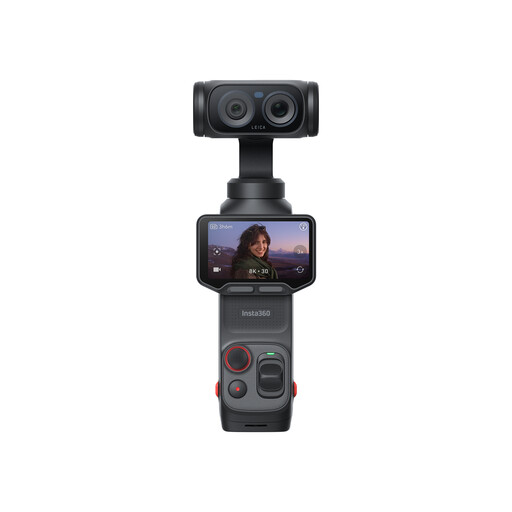 No image available
If this bundle interests you for solo filming, check its camera controls, overhead framing and how you would record narration.
Confirm the bundle contents and that your planned mount holds the camera securely above the board.
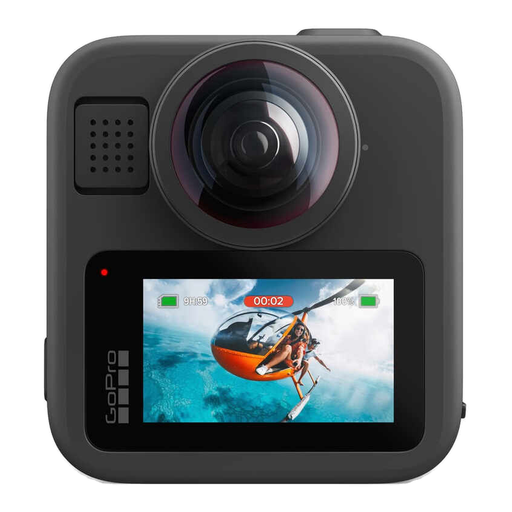 No image available
For a board-game explanation, assess this camera by the shot you can actually produce from a fixed overhead position.
Check whether the intended view keeps small pieces clear, how you would capture narration, and what secure mounting accessories the setup requires.
4K is a useful capability if you want room to crop a board-game shot, but it does not guarantee that card text will be readable. Test the actual board at your intended mounting height, with the focus and lighting you plan to use.
An interchangeable lens is worth considering if board sizes or mounting heights may change, because you can choose a different compatible lens for the framing you need. A fixed-lens camera can also work if its view covers the whole board and preserves the necessary detail from your available position.
Prepare stable overhead support, suitable lighting and compatible storage, then decide how you will capture clear narration. Check the contents of the particular camera kit before relying on any lens, card or accessory being supplied.
You can publish it only where your use of any protected artwork, text, music or other material is authorised or falls within an applicable exception. GOV.UK explains that buying a copy does not itself grant permission to copy copyright material; check what your film reproduces and seek appropriate advice if the position is unclear.