Creators filming against a dark backdrop
Bright paper, reflective surfaces and a dark background make exposure and light placement important. Test the real paper and ink under your intended lighting rather than relying on automatic exposure alone.


Choose a camera and lens that can frame the whole writing surface from a secure overhead position, then test exposure with your actual paper, ink and dark backdrop. Sony’s ZV-E10 II offers 4K recording up to 60p; Canon’s EOS R50 offers UHD 4K/30p and a microphone input; Panasonic’s LUMIX G100D is available as a 12–32 mm kit. None removes the need to plan the mount and lighting.
Bright paper, reflective surfaces and a dark background make exposure and light placement important. Test the real paper and ink under your intended lighting rather than relying on automatic exposure alone.
You need to see the full writing area while keeping the camera and support clear of your moving hand. Check framing from the planned mounting height and whether you can view the screen from beside the desk.
A supplied lens and a practical way to record narration may simplify the camera choice. You will still need to plan how to support the camera above the page and light the writing surface.
Check the frame and exposure with your actual work surface before deciding which recording modes and accessories matter to your lessons.
| Concern | What to check | Who this matters to |
|---|---|---|
| Exposure and lighting | Check manual exposure options and test the paper, ink and backdrop with positioned, diffused lights. | When I film bright paper against a dark backdrop, I want the strokes and paper highlights to remain visible. Around 33% of consumers put exposure control first. |
| Overhead framing | Check the lens’s coverage at your mounting height and record a full writing motion beneath the support. | When I write beneath the camera, I need the whole page in view without the rig obstructing my hand. Around 27% of consumers prioritise framing and clearance. |
| Narration and recording | Check the required 4K frame rate and whether your planned microphone can connect. | I want viewers to hear the instruction as well as see each stroke, without choosing a recording mode I do not need. Roughly 20% of consumers put narration and recording workflow first. |
| Complete setup | Confirm the supplied lens and plan the mount, memory card, lighting and any audio equipment. | If I want a compact setup, I need to know what comes with the camera before planning the rest of the rig. About 20% of consumers prioritise the equipment needed to get started. |
Suitable video modes will not help if the lens misses part of the page or the support obstructs your writing hand.
Measure the work area and planned camera height, then record a complete writing motion in a temporary overhead setup before settling on a lens and mount.
A different lens or sturdier support may be needed if the initial arrangement does not cover the page safely.
Bright paper against dark surroundings can make exposure difficult to judge, while a harsh light can leave a moving hand shadow across the work.
Test exposure and white balance with your own materials. Ulanzi suggests two diffused lights on opposite sides as a starting position; adjust them while filming an actual stroke.
The Sony ZV-E10 II and Canon EOS R50 manufacturer listings considered here are body-only, while the Panasonic LUMIX G100D kit includes a 12–32 mm lens.
Check the exact package you intend to buy and plan the lens, overhead support, lighting, memory card and narration equipment needed for a complete lesson.
GOV.UK guidance says most uses of copyright material require permission from the copyright owner; a published lesson should not be assumed to be an exception.
Use original audio or music whose permitted use covers your lesson and publication platform.
Replacing unsuitable music after editing can mean reworking the finished lesson.
The ZV-E10 II is an interchangeable-lens option for creators considering 4K recording up to 60p.
The EOS R50 is an APS-C option with a vari-angle screen for checking an overhead composition from beside the desk.
The LUMIX G100D offers a Micro Four Thirds route available with a 12–32 mm kit lens.
These Sony options include two interchangeable-lens kits and two compact cameras to consider for an overhead lesson. Check each camera’s view of your page at the intended mounting height, and plan the support and lighting alongside it.
 No image available
For an overhead lesson, check whether its ultra-wide lens includes the whole writing surface at your mounting height.
The product is described with an ultra-wide lens. Confirm the exact sensor specification before making a decision based on the dark setting.
 No image available
Consider this kit if 4K/60p recording matters to your demonstrations, but test whether its supplied lens frames the full page from your overhead support.
The product title specifies a 16–50 mm f/3.5–5.6 Power Zoom lens and 26-megapixel camera. Sony lists 4K recording up to 60p for the ZV-E10 II.
 No image available
This lens kit is an option if you want to start with an interchangeable-lens camera; check the full-page view and how you will manage exposure against the dark backdrop.
The product title specifies a supplied 16–50 mm Power Zoom lens.
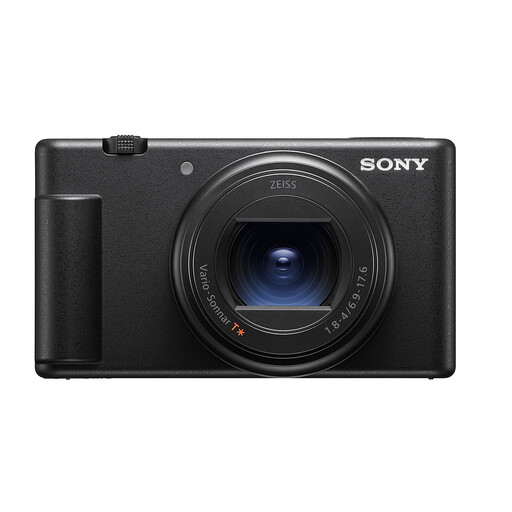 No image available
If you prefer a compact camera with a zoom lens, check that its screen can be viewed from your overhead position and that the lens covers the page.
The product title specifies a 1-inch stacked sensor, 20-megapixel stills and 4K video; those specifications alone do not establish the result under your lighting.
No: 4K/30p can serve a real-time lesson if it suits your recording workflow. Canon lists UHD 4K/30p for the EOS R50 and Panasonic lists 4K/30p for the G100D; Sony lists up to 4K/60p for the ZV-E10 II if a higher capture frame rate matters to your demonstrations.
Start by placing diffused lights on opposite sides of the writing surface and testing them while you write. Ulanzi suggests positions roughly 45 degrees from the work area, with the camera centred above it; adjust the lights for your paper, available space and writing hand.
Choose a kit only if its lens frames your complete work area from the planned overhead height. A body-only purchase needs a separate suitable lens, and either package still needs an overhead support and lighting for this lesson setup.
Do not assume you can use it without permission. GOV.UK guidance says most uses of copyright material require permission, while exceptions depend on the particular use; check that your licence or other permission covers the lesson and where you publish it.