Detail-focused portfolio makers
If fine cuts, hand placement and finished layers all need to be legible, start by working out the view you need of the mat. The lens and camera position matter alongside the recording mode.


For a paper-cutting lesson filmed mainly from above, choose the lens and mounting position together so the full work area fits in frame and fine cuts remain visible. An interchangeable-lens camera gives you options as projects change, while the DJI Osmo Pocket 3 suits moving clips as well as desk footage only if its fixed 20 mm-equivalent lens works from a safe overhead position. In either case, plan a secure mount and a way to check the frame while you work.
If fine cuts, hand placement and finished layers all need to be legible, start by working out the view you need of the mat. The lens and camera position matter alongside the recording mode.
If you teach and operate the camera at the same time, a screen you can see from your working position helps you check whether your hands and tools remain in frame.
If you also record moving or behind-the-scenes clips, a pocket gimbal may serve both uses. Check its fixed-lens view at your desk before making portability the deciding factor.
Set the overhead frame first; then decide whether changing lenses or carrying a smaller camera matters more for your other portfolio footage.
Consider it when: You want to choose a lens for your mounting height or change lenses for different-sized projects.
Trade-off: A body alone does not establish the overhead view; check the exact lens, package and support you will use.
Consider it when: Moving and handheld clips are an important part of the same portfolio.
Trade-off: The DJI Osmo Pocket 3 has a fixed 20 mm-equivalent lens, so changing its overhead view means changing the camera position.
| Concern | What to check | Who this matters to |
|---|---|---|
| Overhead framing | Check the full mat and smallest important cuts with the chosen lens at your available mounting height. | I need the whole cutting area visible without losing the action at its edges. Around 36% of consumers would put framing control first. |
| Portfolio detail | Compare the recording mode you intend to use, then assess the paper, lighting and camera position together. | Fine edges and finished layers need to remain clear in my portfolio footage; around 29% of consumers would make image detail their primary concern. |
| Solo operation | Check whether you can see the screen while cutting and how you will record spoken instruction. | When I demonstrate a cut alone, I need to catch a framing mistake without stopping repeatedly. For around 21% of consumers, operating the lesson themselves would come first. |
| Filming on the move | Consider the camera’s size and whether its lens still frames the desk from a secure position. | I also want to film clips away from the worktable, but the desk lesson still has to fit. Portability would be the main concern for around 14% of consumers. |
Canon’s EOS R50 body listing does not include a lens, and Sony identifies a separate 16–50 mm kit configuration for the ZV-E10 II. Neither a body nor a kit-lens name alone tells you how your mat will fit at your mounting height.
Measure the work area and available height, then check the exact lens view, close-focus behaviour and package contents.
The setup may also need a compatible lens, secure overhead support, recording card or audio equipment, depending on the package.
4K recording cannot bring a cropped hand back into frame or remove glare from the paper. DJI’s fixed 20 mm-equivalent lens and an interchangeable-lens setup also give you different ways to adjust the view.
Check a sample frame with your actual mat, paper and tools from the planned camera position before filming the full lesson.
The DJI Osmo Pocket 3 lens cannot be swapped if its view does not suit the cutting area. Its three-axis stabilisation does not replace a secure mount for a stationary lesson.
Confirm that you can position and support the camera safely while keeping the required work area in frame.
GOV.UK says using copyright music online may require a licence; unlicensed use can infringe copyright.
Use your own audio or check that the music rights cover the way you plan to publish the portfolio lesson.
The EOS R50 is an interchangeable-lens option for a solo overhead setup.
The ZV-E10 II offers an interchangeable E-mount lens route when your projects may call for different framing.
The LUMIX G100D kit is another interchangeable-lens route for a stationary creator setup.
The Osmo Pocket 3 is a compact option when moving clips matter alongside the paper-cutting lesson.
These cameras offer different ways to film a paper-cutting lesson: interchangeable-lens kits for adjusting the setup across projects, and compact fixed-lens options that also suit footage away from the desk. Check the actual overhead frame and package before choosing.
 No image available
Consider this kit if you want to adjust lens choice as your craft projects change. Its title specifies an APS-C camera, a 16–50 mm f/3.5–5.6 lens and 4K/60p recording. Check the lens view at your mounting height and the support and memory card needed for your setup.
 No image available
This interchangeable-lens kit is worth considering if your projects need framing options. Its listed package names a 16–50 mm power-zoom lens. Check whether that lens covers your mat from the available height, along with the package contents and overhead support.
 No image available
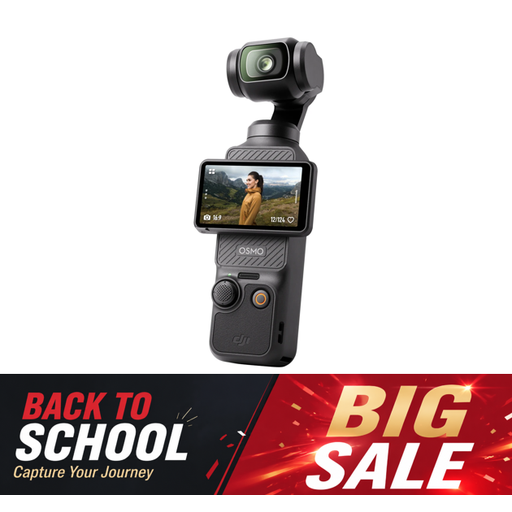
Consider this version if you want to make moving clips as well as the desk lesson. DJI specifies a fixed 20 mm-equivalent lens for the Osmo Pocket 3, so confirm that your cutting area fits from a safe mounting position. Check the exact Creator Combo contents before relying on its accessories for audio or support.
 No image available
This compact camera is an option if you also film away from the worktable. DJI specifies a rotatable screen and a fixed 20 mm-equivalent lens for the Osmo Pocket 3. Check both the desk view and how you will support it securely overhead.
 No image available
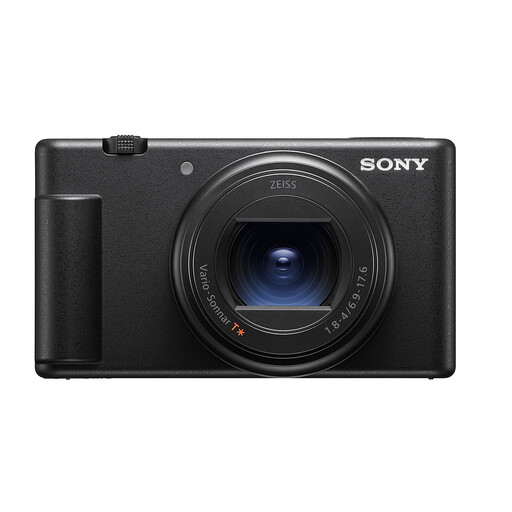
Consider this compact-camera option if you prefer a built-in zoom for your planned desk position. Its title specifies a wide-angle zoom lens and 4K video. Check the actual view of your mat, how you will monitor the frame and which overhead support suits the camera.
Secure mounting matters more for the stationary shot. The stabilisation DJI specifies for the Osmo Pocket 3 and Panasonic lists for the G100D may also be useful if you move the camera, but check the overhead support and lens view first.
That depends on the exact camera package. Canon’s EOS R50 body-only listing does not include a lens, while Sony identifies a ZV-E10 II kit with an E PZ 16-50mm F3.5-5.6 OSS II lens. For either route, check the chosen lens against your mat and mounting height.
No: an educational or portfolio purpose does not itself establish permission to use copyright music. GOV.UK says online use may require a licence and warns that unlicensed use can infringe copyright. Check that your music rights cover the planned publication, or use audio you have the rights to use.
Take it to an appropriate battery collection point rather than putting it in household rubbish. GOV.UK also advises that lithium-battery terminals should ideally be taped before disposal.