Joybuy product choices
These displays offer conventional document-work layouts, including 4K options and one WQHD option. If portrait review or one-cable laptop use is central to your choice, confirm those features for the exact model before ordering.
 No image available
BenQ MA270UP 27-inch 4K USB-C monitor
Consider this conventional landscape format if you arrange parallel documents on a 27-inch screen. The product name specifies a height-adjustable stand; check pivot capability separately if portrait proofing matters to you.
Confirm that your laptop supports video through the required connection and that the monitor’s charging capability meets its needs.
View on Joybuy
 No image available
MSI MD272UPSW 27-inch 4K Smart Monitor with Google TV
This 27-inch 4K option may suit a desk where document work and the named smart-monitor features will both be used. Its product name specifies USB-C with 65W power delivery; compare that figure with your laptop’s requirements and check video compatibility.
If you plan to rotate long documents into portrait view, confirm the stand’s pivot function for this exact model.
View on Joybuy
 No image available
MSI MAG 275UPD E14 27-inch 4K gaming monitor
If you also want the named gaming modes, check how you will switch between them and your document layout. The product name distinguishes UHD at 144Hz from FHD at 288Hz; choose the UHD mode when the 4K workspace is the reason for considering it.
Confirm the stand adjustment and laptop connections you need for your desk setup.
View on Joybuy
 No image available
LG 27UP650K 27-inch 4K IPS monitor, white
For a conventional 27-inch document display, this model’s product name specifies HDMI and DisplayPort connections. Check which output your computer offers and whether you need an adapter or a separate laptop charger.
Confirm pivot and stand adjustments for the exact model if portrait review is part of your workflow.
View on Joybuy
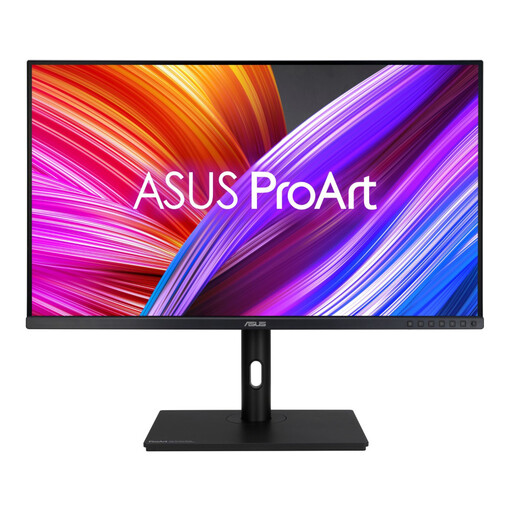 No image available
ASUS ProArt PA328QV IPS WQHD monitor
Consider this WQHD option if 4K resolution is not a requirement for your document layout. Check its dimensions against your desk, and confirm pivot and connection options if portrait review or laptop docking matters.
View on Joybuy
Frequently asked questions
Should I choose a tall monitor or an ultrawide for parallel texts?
Choose a tall monitor if your source, target and notes usually stack vertically; choose an ultrawide if documents need to stay side by side. LG UK lists the DualUp 28MQ780-B as a 16:18, 2560 × 2880 format example, while Dell UK lists the U3425WE as a 21:9, 3440 × 1440 example; LG marks that particular DualUp model as discontinued.
Is a 27-inch 4K monitor suitable for document formatting?
A 27-inch 4K monitor is a flexible option when you want a conventional landscape workspace and occasional portrait review. Check pivot and height adjustment on the exact product: Dell UK lists them for the U2725QE, and BenQ UK lists them for the PD2705U, but they should not be assumed for every 27-inch 4K model.
Can one USB-C cable connect and charge my laptop?
One cable can do both only when the laptop supports video through the relevant port and the monitor supplies enough power for it. BenQ UK lists 65W power delivery for the PD2705U and GW2790QT, while LG UK lists up to 90W for the DualUp 28MQ780-B; compare the exact monitor and laptop specifications before relying on a single cable.
When is a display-screen workstation assessment required at work?
The UK Health and Safety Executive says employers must carry out a workstation assessment for employees who use display screen equipment daily as part of normal work, continuously for an hour or more. The assessment covers the whole workstation and the work being done; buying an adjustable monitor does not complete it.


