What to check before buying
Start with how and where the child will use the device, then check that the household’s account system can manage it. A home-network filter is an additional layer, not a replacement for account and device settings.
| Priority |
What to check |
Your needs |
| Age-appropriate access |
Check the child account or profile, app permissions, content settings and the store used for downloads. Review browser, search and communication settings separately. |
I want settings that reflect my child’s age and the apps, websites and services they actually use. |
| Time and bedtime boundaries |
Look for daily limits, downtime or bedtime tools within the chosen account system. Check how calls or other necessary access work when a limit applies. |
Our household needs predictable device boundaries that still allow necessary communication where relevant. |
| Family-system compatibility |
Confirm the parent and child devices, operating systems and accounts work with the intended controls. Check whether the child must join a family group and whether software updates are needed for settings to synchronise. |
I need to manage the device from the system our household already uses, especially when replacing an existing device. |
| Layered supervision |
Set device and account controls first, then assess home-broadband filtering for the household connection. Check mobile-data, other Wi-Fi networks, browsers and apps separately. |
I want a practical combination of settings, review and clear conversations rather than relying on one filter. |
Joybuy tablet options
Joybuy tablet options for a first connected device used mainly on home Wi-Fi. Set up the relevant child account, app and content controls before the device is handed over.
 No image available
Alldocube Kido Children’s Tablet, 8-inch Android 15, 3GB/32GB
For a first home-Wi-Fi tablet for apps, video and games; the listing states that Child Lock manages content and screen time.
Stated specifications include 32 GB storage, Wi-Fi, dual speakers, a 3.5 mm socket, front and rear cameras, and a blue protective case.
No adapter is included. Confirm that the intended parent account, child account, app store and required apps can be configured before handover.
Joybuy
 No image available
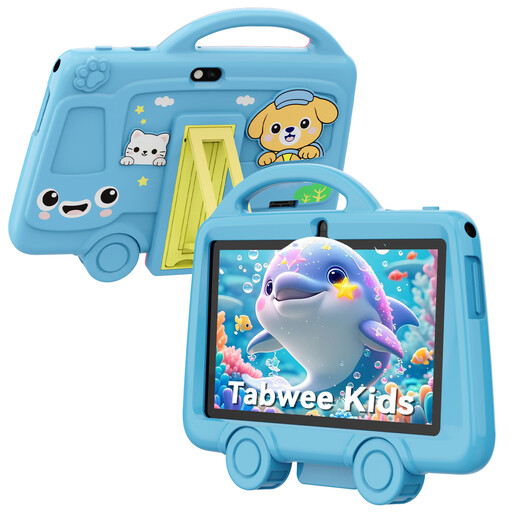
TABWEE K8 Kids’ Tablet, 7-inch, 3GB/32GB, Blue
For supervised home learning, games or approved communication where a compact Wi-Fi tablet and protective case suit the household routine.
Stated features include a 7-inch IPS display, Wi-Fi, Bluetooth 4.2, a 3.5 mm headphone jack, 3000 mAh battery, cameras and a protective case; the listed weight is 285 g.
Confirm the child-profile or family-management route before buying. The listing gives conflicting RAM information, so check the exact configuration; it also says adult supervision is required and that it is not suitable for children under 3 years.
Joybuy
Questions families often ask
Should a first connected device be a tablet or a smartphone?
Choose a tablet when the child mainly needs home-Wi-Fi access for apps, video, reading, games or approved communication. Choose a smartphone when independent calling, messaging, travel coordination or mobile connectivity is a real requirement, then configure the child account, app store, communications, content and time settings before handover.
Can a parent manage an Apple child device remotely?
Yes, according to Apple, remote Screen Time management requires Family Sharing, individual Apple Accounts and a Child Account for children in the family group. Check that family devices have compatible updated software for the newest controls and setting synchronisation.
Can Google Family Link supervise an iPhone or iPad used by a child?
No. Google states that iPhones and iPads cannot be supervised with Family Link. A parent can use a compatible iPhone or iPad to run the Family Link app, but the child’s Apple device is not a supervised Family Link device.
Do home-broadband parental controls work away from home?
Do not assume so. Broadband controls are an additional connection-level layer, so confirm coverage with the specific provider and separately configure the child’s device, account, browser, app and mobile-network settings.
Do parental controls prevent all online harms?
No. UK Government guidance says parental controls are helpful but cannot fix everything. Check that controls work, review them regularly and have ongoing conversations about online safety and what to do if something upsetting happens.


