Choose a console ecosystem whose child-account setup your household can maintain. PlayStation and Xbox offer child-specific family-account controls, while Nintendo Switch restrictions are chiefly set for the whole console, with eShop purchases managed separately through Nintendo Account settings. Before choosing, check who will sign in, which games and subscriptions the family already uses, and how you will manage communication, spending and playtime.
Who needs which controls?
Parents managing a child’s own online profile
If you need different communication, content, spending and playtime settings for a child and an adult, look at the child-account arrangements documented by PlayStation and Xbox. Each child needs the appropriate account and adult-managed family setup.
Families sharing one console
If children and adults will use the same Nintendo Switch, account for restrictions that apply to the console rather than to each user. Nintendo UK says these parental controls affect everyone using that console.
Households managing chat, purchases and routines
If online play is part of the plan, check communication and spending settings alongside content and playtime controls. Ofcom also advises parents to talk regularly with children about the games they play and who they play with.
What to check before choosing
Nintendo Switch
Consider it when: The family can manage shared console restrictions and wants app-based playtime oversight.
Account for: Nintendo UK says console restrictions apply to all users; eShop purchase settings and Switch 2 GameChat need separate attention.
PlayStation
Consider it when: You want family-manager settings tailored to each child’s games, communication, spending and playtime.
Account for: PlayStation UK says each child needs a separate child account for online services; playtime rules also depend on that account’s time-zone setting.
Xbox
Consider it when: You can manage a Microsoft family group and want app controls for screen time, content and online interaction.
Account for: Xbox Support says the child account must be linked to an adult account, and purchase approval does not prevent spending funds already in the child’s account.
For families choosing a connected games console for a child, start with the account arrangement you can maintain, then check the child’s intended games and online features.
| Concern |
What to check |
Who this matters to |
| Child accounts |
Identify each user and the adult who will manage settings; check whether the platform needs a separate child account or uses shared console restrictions. |
If I need different rules for my child and other users, I need an account setup I can administer without relying on an adult profile. Around 31% of consumers put child-specific account management first. |
| Online interaction |
Check the intended games’ chat and multiplayer features, who can contact the child, and any separate feature settings such as Switch 2 GameChat. |
When my child plays online, I want to decide which conversations and multiplayer interactions are allowed without overlooking a separate chat feature. Around 25% of consumers make interaction safeguards their primary concern. |
| Content and spending |
Review age settings, game access, Store permissions and funds already available to the child account; a purchase-approval setting may not cover every way to spend. |
I want the child’s game choices and downloads to fit our household rules, without an unplanned purchase slipping through. For around 25% of consumers, content and spending controls come first. |
| Existing games and accounts |
Check owned games, subscriptions, family-group membership and saved-data arrangements for the platform under consideration. |
If our family already uses one gaming ecosystem, I need to know what the child can keep using before we change consoles. Around 19% of consumers prioritise that continuity. |
Setup mistakes to avoid
-
Using an adult profile or entering the wrong age
Ofcom advises registering a child with their correct age so platform settings can reflect it. PlayStation and Xbox child-specific controls also depend on the child using the appropriate family account.
Create the child account with the correct date of birth, link it to the adult-managed family setup and protect the adult sign-in separately.
-
Assuming one setting covers every online feature
On Nintendo Switch, console restrictions and eShop purchase settings are managed separately; Switch 2 GameChat needs its own review. Family, Store and privacy settings can also be separate on other platforms.
Check content, chat, multiplayer, playtime, Store permissions and account privacy before the child starts using the console.
-
Treating Xbox purchase approval as a complete spending lock
Xbox Support says a child can still make purchases with gift cards or funds already in their Microsoft account.
Review the child account’s balance and gift-card access as well as the Ask to buy setting.
-
Choosing by age rating or hardware alone
An age rating helps with game selection, but an online game can also involve communication and in-game purchases. The console’s account settings affect how a family manages those features.
Check the games the child intends to play, including their online modes, before deciding which household controls you will maintain.
Console brands for reference
Nintendo
Nintendo Switch and Switch 2 offer a shared-console parental-control approach alongside Nintendo Account family settings.
- Nintendo UK describes app-based playtime oversight, activity history and age-related restrictions.
- Nintendo UK says console restrictions apply to every user. eShop purchase settings are separate, and Switch 2 GameChat needs its own review.
PlayStation
PlayStation’s family-manager model is relevant when the household wants settings for an individual child account.
- PlayStation UK documents controls for games and apps, communication, spending and playtime through its family tools.
- Each child needs a separate child account for online services, and playtime setup depends on the child account’s time zone.
Xbox
Xbox Series X|S uses Microsoft family groups and the Xbox Family Settings app for child-account management.
- Xbox Support documents screen-time, age-based content, communication and multiplayer settings.
- The child account must be linked to an adult account for Xbox services; Ask to buy does not block spending existing account funds or gift cards.
Console choices on Joybuy
These PlayStation, Xbox and Nintendo console listings illustrate the child-account and shared-console setups discussed above. Compare the edition or bundle with games your family already owns, then check the relevant controls before choosing.
 No image available
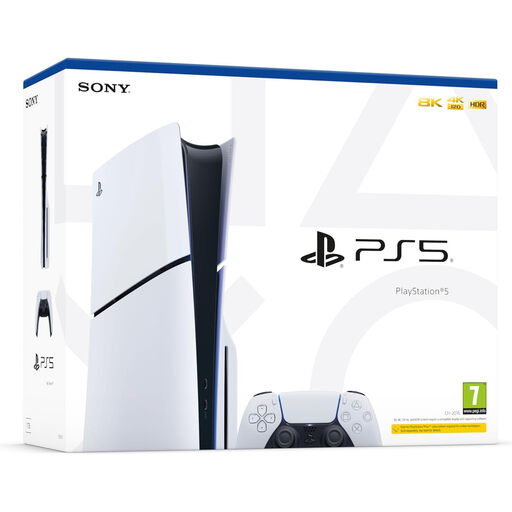
Sony PlayStation 5 Slim Disc Edition
Consider this PlayStation console if your household wants settings tied to a separate child account. This listing is the Slim Disc Edition; check your existing games and subscriptions before choosing it.
PlayStation UK says each child needs a child account for online services, and playtime rules depend on that account’s time-zone setting.
View on Joybuy
 No image available
Sony PlayStation 5 Slim Digital Edition
Consider this Digital Edition if your household wants PlayStation’s child-account controls and its existing games fit the edition you choose. Check how any games you own on discs would be used before deciding.
PlayStation UK says each child needs a child account for online services; configure playtime rules using the child account’s time-zone setting.
View on Joybuy
 No image available
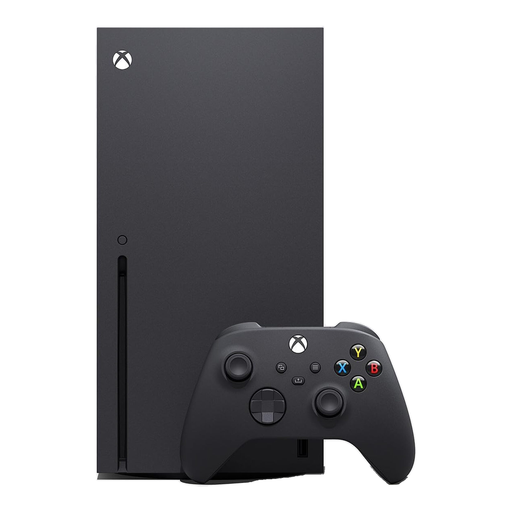
Xbox Series X 1TB Black
Consider this Xbox Series X if an adult can manage the child through a Microsoft family group. The listed variant is black with 1TB storage.
Xbox Support documents app controls for screen time, content and communication. Its purchase-approval setting does not prevent spending funds already in the child’s account.
View on Joybuy
 No image available
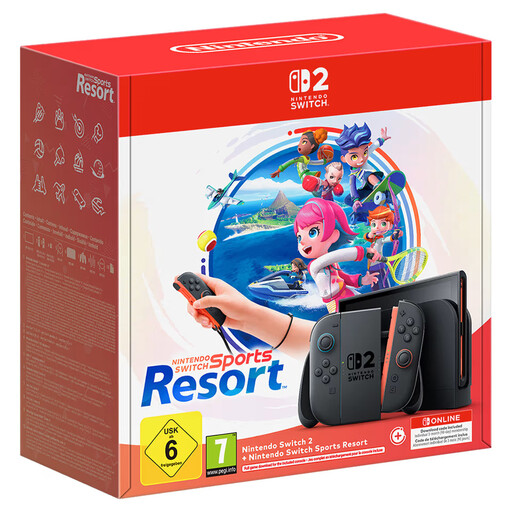
Nintendo Switch 2 Console + Nintendo Switch Sports Resort
Consider this named console-and-game bundle if shared-console restrictions suit your household and the included game is relevant to your plans.
Nintendo UK says parental restrictions apply to the console rather than separately to each user. Review Nintendo Account eShop settings and Switch 2 GameChat separately.
View on Joybuy
 No image available
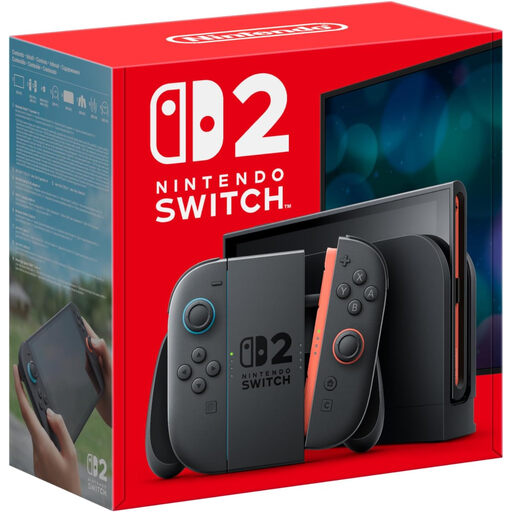
Nintendo Switch 2 Console (UK Version)
Consider this Switch 2 listing if your family can use shared console restrictions. Check the games and subscriptions you intend to use with it before choosing.
Nintendo UK says console restrictions apply to all users; eShop purchase restrictions and Switch 2 GameChat require separate settings.
View on Joybuy
Questions families ask
Do parental controls replace supervision when a child plays online?
No. Ofcom advises parents to check settings, register a child with their correct age and talk regularly about the games they play and who they play with. Review chat and multiplayer features in the particular games your child wants to use.
Can my child use an adult account if I set console restrictions?
An adult account is not a substitute for a child account when you need child-specific PlayStation or Xbox controls. PlayStation UK says each child needs a separate child account for online services, while Xbox Support says a child account must be linked to an adult account for Xbox services. Nintendo Switch console restrictions apply to all users, with eShop restrictions managed separately through Nintendo Account settings.
Will Xbox purchase approval prevent every purchase?
No. Xbox Support says a child account can still make purchases using gift cards or funds already in its Microsoft account. Check the account balance and gift-card access alongside Ask to buy.
How should I set up a shared Nintendo Switch for children of different ages?
Set Nintendo Switch console restrictions with the youngest user in mind, because Nintendo UK says they apply to everyone using that console. If the children need substantially different restrictions, compare that arrangement with separate child-account controls on PlayStation or Xbox before buying.


