
24/7 Customer Support

Free returns

Same-day & Next-day Delivery

Quality Guaranteed

Unlock Your Welcome Offers: FREE Delivery | Up to 80% OFF | Free 30-day JoyPlus trial
Download the APP
Choosing between PC cases can be more complicated than comparing colours and prices. A case must physically fit your motherboard, graphics card, power supply and cooling system, while also providing suitable airflow and enough room for tidy cable routing.
For UK buyers, three common purchasing traps deserve attention:
The motherboard format determines the minimum internal space required. ATX PC cases usually support full-size ATX boards and often accommodate Micro-ATX and Mini-ITX models. A mid-tower PC case is a practical format for many gaming, workstation and content-creation builds.
A MATX PC case is smaller and suits Mini-ITX or Micro-ATX motherboards. Its small footprint can save desk space, but it is not suitable for a full-size ATX board. Always check the exact supported formats rather than relying on the phrase “mid tower”.
Some larger cases also support E-ATX motherboards. This can be useful for workstation users, but E-ATX dimensions vary, so compare the board size with the case specification before ordering.
A high-airflow PC case normally uses a mesh front panel or other vented sections to improve air intake. This does not remove the need for correct fan positioning: front fans generally draw air in, while rear or top fans help exhaust warm air.
Look for:
A PC case with pre-installed fans can reduce the number of separate components needed for a first build. However, confirm the included fan layout and connector type. PWM fans allow speed control through a compatible motherboard header.
For builders considering a liquid-cooling PC case, radiator clearance is only part of the calculation. A front-mounted radiator can reduce the space available for a graphics card, so check both measurements together.
Graphics cards continue to vary considerably in length and thickness. Compare the card manufacturer’s dimensions with the case’s maximum GPU clearance, then allow for front fans, radiators and power cables.
Cable-management space behind the motherboard tray also affects the building experience. Around 20mm of routing space, Velcro straps and cable channels can make it easier to close the side panel without placing pressure on cables.
Material and design are also practical considerations. A tempered glass PC case can display components and lighting, but the panel needs careful handling during installation. A white PC case can create a clean visual style, although dust and marks may be more visible than on a darker finish. An open-frame PC case provides a different approach, with more flexible access but greater exposure to dust and the surrounding environment.
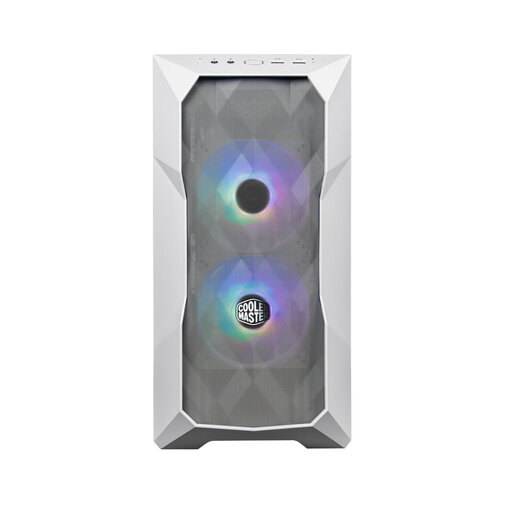
Why This Fits Their Persona: Its compact, small-footprint format suits first-time builders using Mini-ITX or MATX motherboards, while the included fans reduce additional shopping.
The mesh front and three included 120mm PWM fans address the common problem of buying a compact case with limited ventilation or no fans.
Supports graphics cards up to 360mm, 360mm front radiators and tool-free drive trays for two 3.5-inch and two 2.5-inch drives.
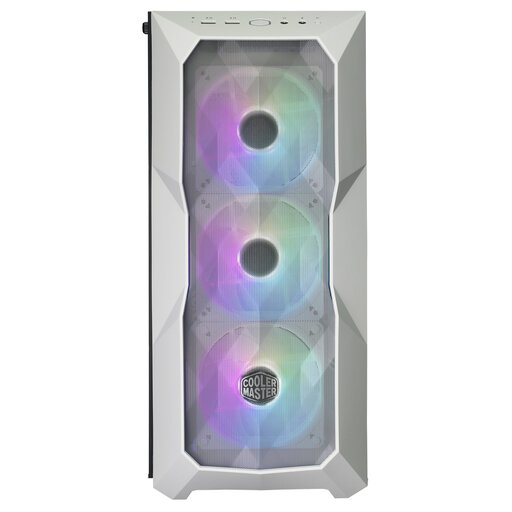
Why This Fits Their Persona: This white mid-tower combines a display-friendly tempered glass panel with broad motherboard support for a polished gaming or workstation build.
Its mesh front avoids relying solely on appearance, while three pre-installed PWM fans and detachable filters support a more practical maintenance routine.
Accepts Mini-ITX through E-ATX motherboards, graphics cards up to 410mm and 360mm radiators, with front USB 3.2 Type-C.
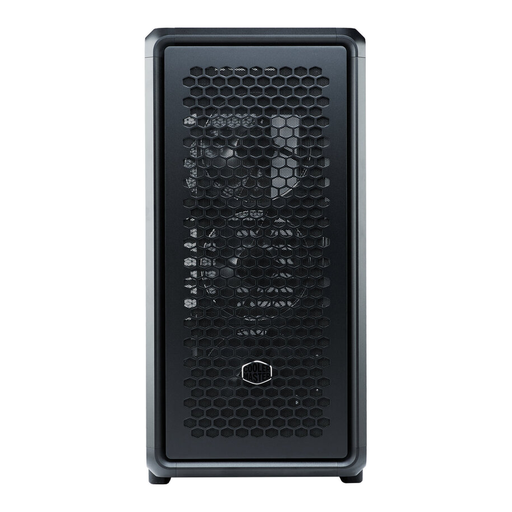
Why This Fits Their Persona: Its spacious open-frame layout is suited to high-performance builders planning large graphics cards, extensive radiator configurations or frequent component changes.
The open structure provides more accessible component planning than a cramped chassis, while the included GPU bracket addresses sagging concerns.
Supports graphics cards up to 485mm, Mini-ITX through E-ATX motherboards and triple 360mm or 420mm radiator configurations.
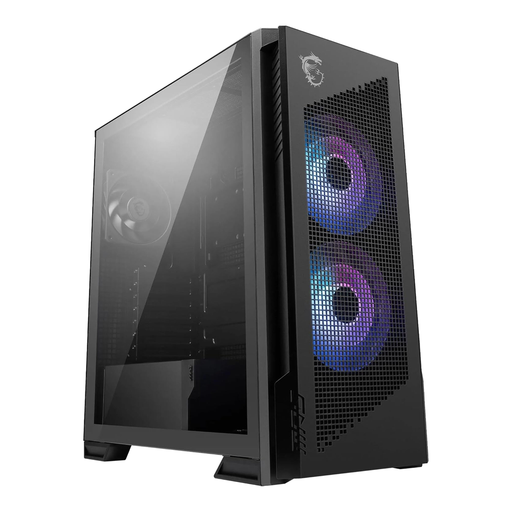
Why This Fits Their Persona: This MSI PC case is aimed at users who want an ATX-compatible gaming layout, visible components and multiple cooling options.
The mesh front and vented design prioritise air intake, while the dedicated cable-routing system helps keep internal paths less obstructed.
Supports ATX motherboards, multiple fan configurations and radiators up to 360mm, with a tempered glass side panel.
We have compiled a complete, real-time list of products that fully satisfy these strict selection criteria and UK safety regulations.
A steel PC case can remain usable for many years if it is kept dry, cleaned periodically and not damaged during upgrades. Fans, filters and front-panel connectors may need attention sooner than the chassis itself. Check that replacement fans and compatible components remain available before committing to an unusual format.
Not necessarily. Many gaming systems can use an appropriately sized air cooler. A liquid-cooling PC case is useful when your chosen CPU cooler requires a radiator, but verify radiator position, GPU clearance and motherboard compatibility together before purchase.
They can suit enthusiasts who value access and flexible layouts, but an open-frame PC case exposes components to more dust and accidental contact than a conventional enclosure. Place it on a stable, unobstructed surface and clean it regularly, particularly in rooms with carpets or pets.