Windows-first explorers
If you mainly want familiar controls on a Windows PC, Microsoft lists Windows PC and Bluetooth support for the Xbox Wireless Controller. Check the connection and power options for the particular package you choose.


Choose a controller by checking its Windows connection and support in the exploration games you play. An Xbox Wireless Controller offers a straightforward Bluetooth route; DualSense is worth considering when your games support its distinctive features and you can use USB for PC haptics; the 8BitDo Ultimate 2C suits a desk set up for 2.4 GHz or wired play and extra remappable controls.
If you mainly want familiar controls on a Windows PC, Microsoft lists Windows PC and Bluetooth support for the Xbox Wireless Controller. Check the connection and power options for the particular package you choose.
DualSense may appeal if your exploration games support its haptic feedback or adaptive triggers. PlayStation says PC haptic feedback requires USB, so a Bluetooth-only desk setup will not deliver that feature.
The 8BitDo Ultimate 2C Wireless Controller offers remappable extra bumpers and Windows play through 2.4 GHz or a wired connection, according to 8BitDo. Its stated Bluetooth mode is for Android, not Windows.
Check Windows and game support first, then decide whether a cable-free desk, supported tactile effects or extra controls should shape your choice.
| Concern | What to check | Who this matters to |
|---|---|---|
| PC and game compatibility | Confirm the exact model’s Windows connection and your game’s controller support. | If I want to start exploring without changing my PC setup, the controller needs to connect as intended and work with my game. Around 33% of consumers put compatibility first. |
| A cable-free desk | Check whether Windows uses Bluetooth or a 2.4 GHz receiver, and whether the required port is free. | Keeping cables off my home-office desk matters more to me than features that require a wired connection. For around 25% of consumers, wireless desk use is the primary concern. |
| Supported tactile features | Check the game’s DualSense feature support; PlayStation says PC haptics require USB. | I would choose DualSense for its tactile effects only if my games support them and I can use the required connection. Around 25% of consumers prioritise those supported features. |
| Configurable controls | Compare the exact model’s remappable buttons and adjustment options with the controls you would use. | I want to tailor movement or shortcuts, so extra controls matter more to me than a simpler setup. Configurability is the leading concern for around 17% of consumers. |
PlayStation says adaptive triggers depend on game support and PC haptic feedback requires USB. Bluetooth pairing alone does not establish that the feature you want will work.
Check your game’s DualSense support and whether you have a suitable USB Type-C cable before making haptics the reason for your choice.
8BitDo specifies 2.4 GHz or wired use on Windows for the Ultimate 2C Wireless Controller, while its Bluetooth mode is stated for Android.
If you want wireless PC play with that model, check the receiver and reserve a suitable USB port at your desk.
A controller’s listing can remain visible when it is unavailable, and a similar-looking listing may describe a different colour or bundle.
Check current availability, the exact variant, package contents and delivery terms before ordering.
A Windows-oriented route spanning a standard Bluetooth controller and more specialised adjustable controls.
A route for players choosing DualSense features in PC games that support them.
A route for Windows players considering the Ultimate 2C Wireless Controller’s extra controls and 2.4 GHz or wired connection.
These controllers offer wired or wireless routes for playing at a PC desk. Choose by the connection your setup can accommodate, then check any game-specific features and the exact package contents.
 No image available
Consider this controller if adjustable controls matter to your fixed PC setup. Confirm the Windows connection method and included accessories for this exact package before ordering.
 No image available
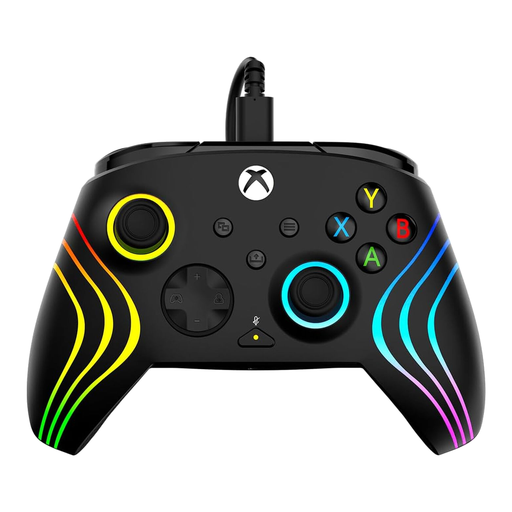
Consider this wired controller for a desk where a cable is acceptable. It is not a choice for cable-free play; confirm the connection and Windows compatibility for your setup.
 No image available
This wired PC controller fits a desk where you can leave a cable connected. If keeping the desk cable-free is your priority, choose a wireless route instead.
No image available
Consider this model for a straightforward wireless Windows setup: Microsoft documents Bluetooth PC support for the Xbox Wireless Controller. Check the power arrangement and contents of this particular package.
 No image available
Consider DualSense if your PC games support the features you want. Sony says adaptive triggers depend on game support and PC haptic feedback requires USB; check your games and whether this package includes a suitable cable.
Use a connection that the exact controller supports on Windows and that your desk can accommodate. Microsoft and Sony document Bluetooth PC connection for their respective Xbox Wireless Controller and DualSense models; 8BitDo specifies 2.4 GHz or wired Windows connection for the Ultimate 2C. Check the required ports and receiver before ordering.
Plan to use USB if PC haptic feedback is important to you: PlayStation says it requires a USB connection. Adaptive triggers also depend on support in the particular game, so check that game before choosing DualSense for either feature.
For an applicable sales contract, regulation 30 of the Consumer Contracts Regulations 2013 says the cancellation period ends 14 days after the day you, or a nominated person other than the carrier, receive the goods. Check whether an exception applies and follow the retailer’s return instructions; cancellation for a change of mind is distinct from remedies for faulty or misdescribed goods.
Use an appropriate electrical recycling route rather than general waste. Oxfordshire County Council classifies items with electrical parts or batteries as waste electrical equipment; check your local authority’s collection instructions, including how to recycle removable batteries.