What to prioritise
Start with the frame rates your PC can sustain in your main games, confirm the monitor’s mode on your chosen input, then weigh image detail and desk fit against that requirement.
| Concern |
What to check |
Who this matters to |
| Motion clarity and useful refresh rate |
Check frame rates in your main games, independent response-time and overshoot measurements, and the rated mode on your intended input. |
If I mainly play fast-paced games, I want clean motion at a refresh rate my PC can actually reach; around 36% of consumers put motion clarity first. |
| Resolution and detail |
Compare your PC’s performance in the games and settings you use with the monitor’s native resolution and the resolution-and-refresh mode available on your chosen port. |
If I value a sharper game image or readable text as well as responsive play, I need a workable balance with the frame rates my PC can deliver; around 29% of consumers prioritise that detail-and-speed balance. |
| PC, port, cable and adaptive sync |
Identify your GPU’s output, check the monitor’s per-port modes and variable-refresh support, and confirm the cable is suitable for the mode you want. |
When I want to use my existing PC and connection, I need to know they support the display mode I choose; around 21% of consumers prioritise connection compatibility. |
| Desk fit and mixed use |
Measure the desk with the stand in place, consider viewing distance, and inspect text rendering and the specific model’s care and warranty terms if choosing OLED. |
If I also use the screen for text or have limited desk space, I want a size and panel that suit both uses; around 14% of consumers put fit and mixed-use comfort first. |
Joybuy product choices
These Joybuy options include high-refresh QHD and ultrawide-resolution models, alongside dual-mode 4K displays. Check your PC’s output and the monitor’s input specifications to confirm which resolution and refresh mode suits your setup.
 No image available
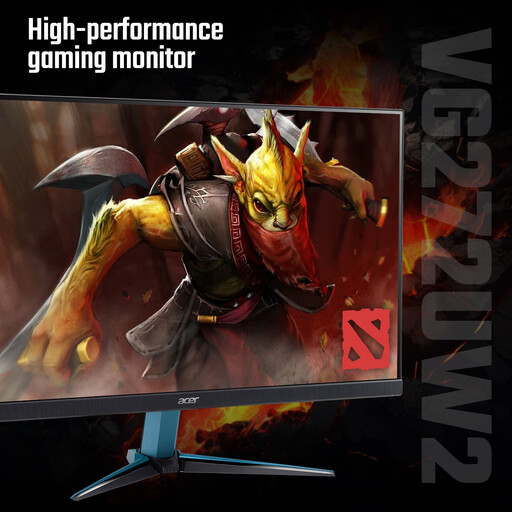
Acer Nitro VG272UW2bmiipx 27-inch QHD 240Hz Gaming Monitor
A 27-inch QHD option for players weighing image detail against a high refresh rate.
2560 × 1440 resolution; 240 Hz refresh rate; IPS panel; HDMI and DisplayPort connections.
Joybuy
 No image available
MAG 272QP QD-OLED X50 27-inch QHD 500Hz Gaming Monitor
A 27-inch QHD model for players considering a particularly high rated refresh rate; confirm that your PC and chosen input can use the mode you want.
2560 × 1440 resolution; 500 Hz refresh rate; AMD FreeSync listed in the product name.
Joybuy
 No image available
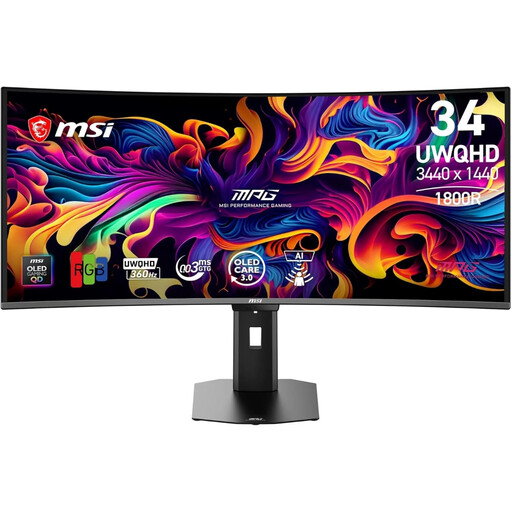
MPG 341CQR QD-OLED X36 34-inch UWQHD 360Hz Gaming Monitor
A 34-inch ultrawide-resolution option for players with enough desk space and a PC suited to their chosen display mode.
3440 × 1440 UWQHD resolution; 360 Hz refresh rate; Adaptive-Sync listed in the product name.
Joybuy
 No image available
LG UltraGear OLED 32GS95UV-B 32-inch Dual-Mode Gaming Monitor
Its listed dual modes let buyers compare a higher-resolution setting with a higher-refresh Full HD setting.
32-inch display; 4K at 240 Hz or Full HD at 480 Hz; DisplayPort and HDMI 2.1 listed in the product name. The higher refresh mode is at the lower resolution.
Joybuy
 No image available
LG UltraGear G8 27G850A 27-inch Dual-Mode Gaming Monitor
A 27-inch model for comparing its listed 4K mode with a higher-refresh mode at 1080p.
4K at 240 Hz or 1080p at 480 Hz; DisplayPort 2.1 and HDMI 2.1 listed in the product name. The higher refresh mode is at the lower resolution.
Joybuy
Frequently asked questions
Will a monitor’s advertised maximum refresh rate work through any GPU port or cable?
No; check the GPU output, the monitor’s resolution-and-refresh table for that input, and the cable together. Dell UK lists the AW2525HM at 1080p and 320 Hz via DisplayPort versus 1080p and 255 Hz via HDMI. A connector’s name alone does not establish that the full mode is available.
Do I need a 240 Hz-plus monitor if I rarely play fast competitive games?
Not necessarily. A higher refresh rate can be relevant to fast motion, but if you rarely play fast-paced games, resolution, screen size or other needs may matter more than the highest available Hz. Match the choice to your games and the frame rates your PC can achieve.
Does a FreeSync or G-SYNC Compatible label guarantee the same result with every PC?
No. AMD describes FreeSync operation with compatible Radeon graphics, while NVIDIA describes G-SYNC Compatible as its validation of a baseline variable-refresh experience. Check your GPU, the exact monitor and the connection you intend to use.
What should I check if I use my monitor for a lot of text as well as gaming?
Inspect text on the exact display rather than assuming all OLED panels render it alike. TFTCentral explains that pixel layouts can affect text fringing; for an OLED model, also read the manufacturer’s care instructions and warranty terms.
What UK rights apply if an online monitor is the wrong fit or is faulty?
For most online purchases, GOV.UK explains that consumers can normally cancel within 14 days of receiving the item, even if it is not faulty; statutory remedies for faulty or misdescribed goods are separate. The Consumer Rights Act 2015 provides a short-term right to reject nonconforming goods, generally within 30 days under its stated conditions. Check the seller’s process without confusing a voluntary policy or warranty with statutory rights.


