What should you check first?
Use your game list to identify the limiting requirement, then decide whether a compatible upgrade, a replacement laptop or cloud access addresses it.
| Priority | What to check | Your needs |
|---|
| Game compatibility |
Compare each publisher’s current processor, graphics, memory, operating-system and storage requirements with the exact laptop configuration. Electronic Arts lists 8 GB RAM and 100 GB storage for EA SPORTS FC 27; Microsoft’s Windows 11 minimum of 4 GB RAM is a different requirement. |
I want to play particular games, not just run Windows. I need to know whether the device meets those games’ requirements before choosing a laptop. |
| Storage or memory upgrade |
Check the exact laptop model’s supported memory and drive type, available slot, interface and capacity. Crucial notes that an M.2 SSD requires an M.2 slot; confirm the specific drive’s compatibility rather than relying on the M.2 name alone. |
If lack of space is my only obstacle, a compatible drive could address it. If the processor or graphics falls short, I need another route. |
| Replacement configuration |
For a new or refurbished laptop, confirm the exact processor, GPU, installed RAM, storage and operating system against your games. For a refurbished unit, also check its stated condition and the seller’s warranty and return terms. |
I would rather choose a laptop that suits my actual games than assume every model in a gaming range has the same components. |
| Cloud-game access |
Check the current game catalogue, ownership or subscription conditions, supported controls and your usual connection. NVIDIA specifies 15 Mbps for GeForce NOW HD and 25 Mbps for FHD; Xbox Support specifies at least 20 Mbps for its Windows cloud-gaming setup. |
Cloud play appeals if I can access the games I want and my connection works where I play. I need to check those conditions before relying on it instead of local hardware. |
Joybuy options for replacing a laptop
These laptops are options to examine if you decide to replace your current device for locally installed games. Compare each exact configuration with your game list before choosing; a storage upgrade or cloud service may be more relevant if it resolves your particular constraint.
 No image available
Lenovo LOQ Essential 15ARP11, Ryzen 7 170, RTX 5050
Consider this replacement route if you want to install games locally. The product name specifies an AMD Ryzen 7 170, GeForce RTX 5050, 16GB RAM, a 1TB SSD and a 15.6-inch 144Hz FHD display. Compare the processor and graphics with each game’s current requirements, and check the free space available for installation; the display refresh rate alone does not establish game performance.
View on Joybuy
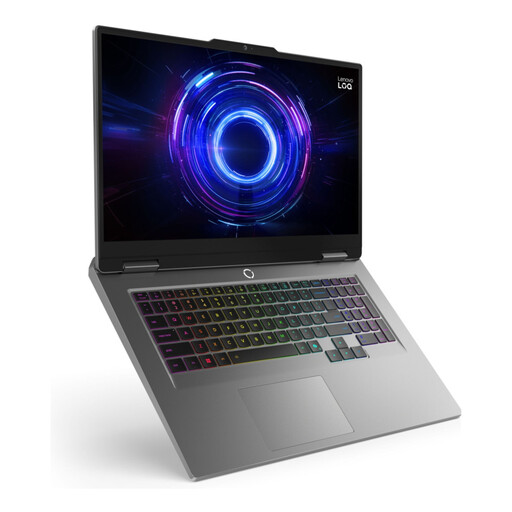 No image available
LOQ 17IRX10, i7-13650H, 24GB, 1TB, W11H
This is another laptop to assess for locally installed games. Its product name identifies an i7-13650H, 24GB memory, 1TB storage and W11H. Check its exact graphics configuration and your games’ current requirements, as well as the free storage available for installation.
View on Joybuy
Frequently asked questions
Is a laptop with 4 GB RAM enough for casual PC gaming?
Not for every casual game. Microsoft lists 4 GB as the Windows 11 minimum, but Electronic Arts lists 8 GB RAM for EA SPORTS FC 27. Check each intended game’s current requirements, along with the laptop’s graphics and free storage, rather than treating the operating-system minimum as a gaming specification.
When should I upgrade storage instead of replacing my laptop?
Consider a storage upgrade when capacity is the obstacle and the laptop otherwise meets your games’ requirements. Confirm the exact model supports the drive: Crucial notes that an M.2 SSD requires an M.2 slot. If graphics or processor compatibility is the obstacle, added storage will not resolve it.
Can cloud gaming replace a new gaming laptop?
It can be an alternative if your intended games are available, you meet the service’s access and device conditions, and your usual connection is suitable. NVIDIA says GeForce NOW users need access to supported games through supported stores; Xbox Support specifies an internet connection of at least 20 Mbps for its Windows cloud-gaming setup. Check the particular service before committing to it.
What matters when buying a refurbished laptop for games?
Obtain the exact model and its processor, graphics, installed memory and storage before comparing it with your games’ requirements. Also inspect the seller’s description of battery condition, charger, operating-system status, warranty and return process. Citizens Advice notes that a warranty adds to legal rights rather than replacing them.
Does an RTX label prove a laptop will run my game?
No. Identify the exact GPU and compare the full laptop configuration with the game publisher’s current requirements. Electronic Arts, for example, lists separate graphics, memory and storage minimums for EA SPORTS FC 27; a graphics-family label does not address all three.


