
24/7 Customer Support

Free returns

Same-day & Next-day Delivery

Quality Guaranteed

Unlock Your Welcome Offers: FREE Delivery | Up to 80% OFF | Free 30-day JoyPlus trial
Download the APP
Navigating the market for a new PC monitor can feel overwhelming. With a dizzying array of technical specifications and marketing terms, it is easy to make a purchase you later regret. As the Joybuy Product Recommendation Officer, my role is to help you sidestep common purchasing errors and identify the features that genuinely matter for your needs, whether you are setting up a home office monitor, a competitive gaming rig or a creative workstation.
This guide will highlight the most frequent pitfalls UK buyers encounter and break down the essential parameters to check before you buy.
Many shoppers focus on screen size and price alone, only to be disappointed by the performance. Here are three costly mistakes to avoid:
To make an informed choice, focus on these three key areas. Understanding how they interact will ensure your new monitor meets your expectations.
The sharpness of your display depends on the relationship between its resolution (the number of pixels) and its physical size.
These two specifications are crucial for motion clarity, especially for gaming.
The type of panel used in a monitor dictates its colour performance, contrast and viewing angles.
Instead of a one-size-fits-all approach, we have matched some standout models to specific user needs, helping you find a monitor that truly fits your lifestyle.
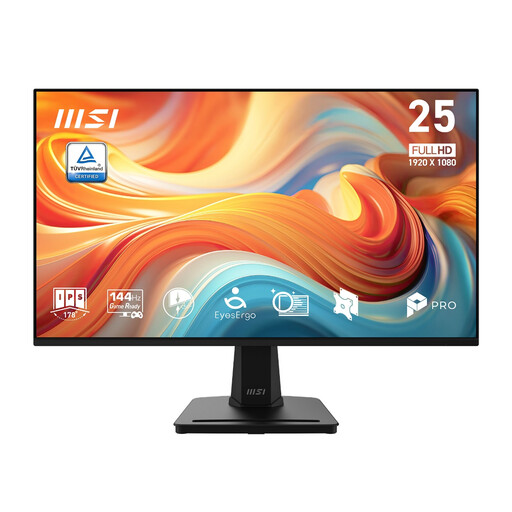
Why This Fits Their Persona: This monitor is an ideal home office monitor. The 24.5-inch size is perfect for most UK desks, while the 144Hz refresh rate makes everyday tasks like scrolling documents and browsing feel exceptionally smooth. Its certified eye-care technologies are designed to reduce strain during long study or work sessions.
It sidesteps the "Refresh Rate Mismatch" by offering a high refresh rate that enhances general productivity, not just elite gaming, at an accessible price point. The IPS panel also avoids the "Panel Type Gamble" with good colours for all-round use.
A superb balance of performance (144Hz), eye comfort (T?V-certified) and value. The slim bezels make it a great option for a clean, modern dual-monitor setup.
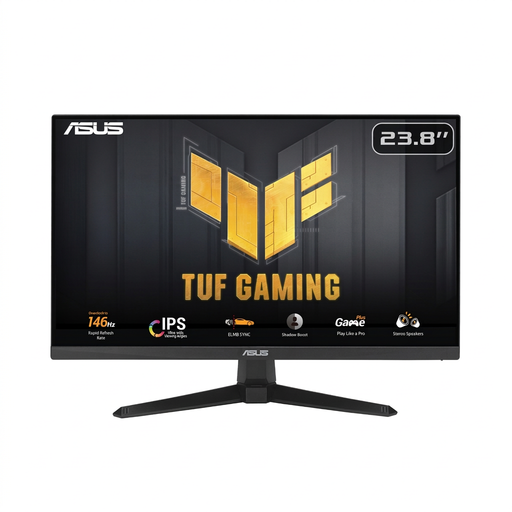
Why This Fits Their Persona: This is a purpose-built affordable gaming monitor. For players of fast-paced games like CS2 or Valorant, the high refresh rate, extremely low response time and adaptive sync technologies are non-negotiable for gaining a competitive edge.
It directly counters the "Panel Type Gamble" by using a Fast IPS panel. This gives you the speed needed for competitive play without sacrificing the vibrant colours that make games immersive, a common compromise in older, cheaper gaming monitors.
It offers an extremely fast 200Hz refresh rate and a 0.3ms response time. It is also both G-Sync compatible and features FreeSync Premium, ensuring tear-free gaming with almost any graphics card.
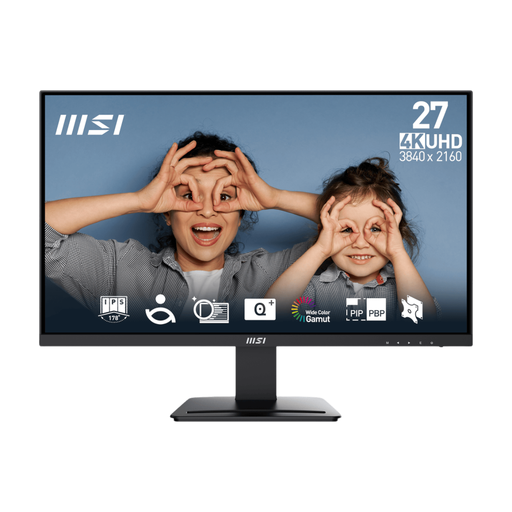
Why This Fits Their Persona: For designers, photographers and video editors, pixel-perfect detail is paramount. This 4K monitor delivers incredible sharpness on a 27 inch screen, while its IPS panel and wide colour gamut coverage (98% DCI-P3) ensure that colours on screen are accurate and true-to-life.
This is a prime example of how to avoid the "Panel Type Gamble." It prioritises what matters for creative work: the superior colour accuracy and clarity of a high-resolution IPS panel, rather than chasing refresh rates that are unnecessary for this use case.
It delivers professional-grade 4K UHD resolution and excellent colour space coverage. The inclusion of Picture-in-Picture (PIP) and Picture-by-Picture (PBP) modes is a practical bonus for multitasking.
We have compiled a complete, real-time list of products that fully satisfy these strict selection criteria and UK safety regulations.
A quality PC monitor should typically last between 5 to 8 years with regular use. The lifespan is primarily determined by the backlight, which gradually dims over thousands of hours of use. Factors like brightness settings and daily usage hours will influence its longevity. Most modern LED-backlit monitors are very durable.
Yes, for many people it is. While not essential, a higher refresh rate makes all motion on screen—from moving your cursor to scrolling through documents and web pages—appear significantly smoother and more fluid. This can make the entire user experience feel more responsive and may help reduce the perception of eye strain for some users.
For general tasks like emailing and word processing, a 4K monitor is not a necessity; a 1080p or QHD monitor is perfectly adequate. However, if your work involves viewing large spreadsheets, coding, graphic design or having multiple windows open simultaneously, the extra sharpness and screen real estate of a 4K display can be a major productivity booster. The text clarity is exceptional, which can make long reading sessions more comfortable.