
24/7 Customer Support

Free returns

Same-day & Next-day Delivery

Quality Guaranteed

Unlock Your Welcome Offers: FREE Delivery | Up to 80% OFF | Free 30-day JoyPlus trial
Download the APP
Choosing a new PC monitor can feel like navigating a minefield of technical jargon. With terms like "HDR," "refresh rate" and "panel type" thrown around, it is easy to either overspend on features you will never use or end up with a screen that disappoints. As a Joybuy Product Recommendation Officer, my role is to help you sidestep the marketing jargon and focus on what truly matters for your specific needs, whether you are working from a home office, diving into a gaming session or editing creative projects.
Before you add any display to your basket, let’s look at the common pitfalls that catch many UK shoppers out.
To make a smart choice, you only need to focus on a few key parameters. Let's break them down into plain English.
The sharpness of your screen depends on the relationship between its resolution (the number of pixels) and its physical size.
The technology behind the screen itself determines its colour performance, contrast and viewing angles.
Instead of a generic list, we have matched our recommendations to specific user profiles to help you find the right fit for your daily life.
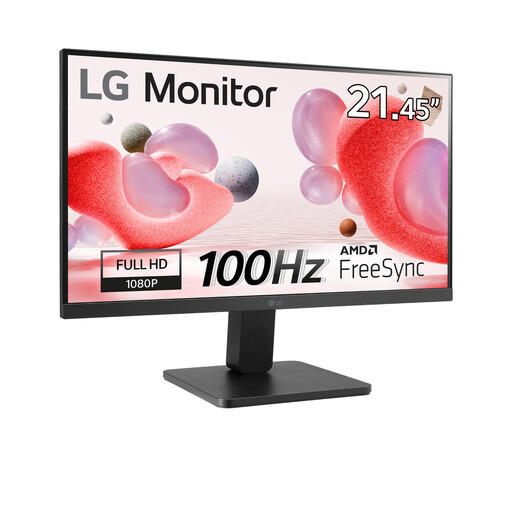
Why This Fits Their Persona: This is a practical and affordable choice for studying, browsing and streaming. Its compact 22-inch size is perfect for a small footprint in student accommodation or home offices, while the Full HD resolution is sharp enough for everyday tasks.
It avoids the trap of overpaying for unnecessary features. Instead of a costly 4K panel, it focuses on delivering a solid 100Hz refresh rate, which makes general use feel noticeably smoother than a standard 60Hz screen, without the premium price tag.
The 100Hz refresh rate and VA panel offer a great combination of smooth motion and strong contrast for a value-for-money monitor, enhancing both productivity and entertainment.
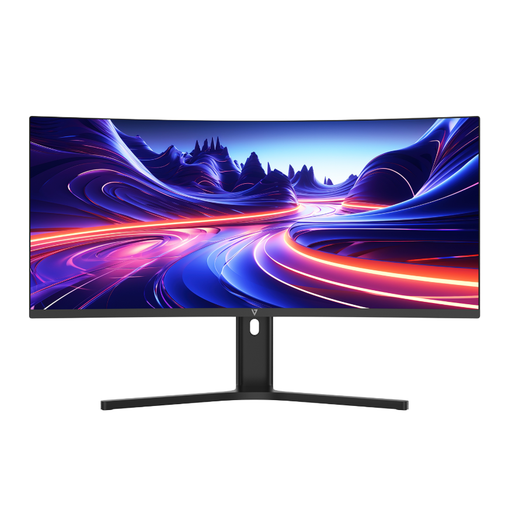
Why This Fits Their Persona: This ultrawide monitor is built for productivity. The expansive 21:9 screen allows for multiple documents to be viewed side-by-side without compromise, making it a perfect office monitor. The gentle curve helps keep everything within your field of view, reducing neck strain.
It directly solves the connectivity trap. The inclusion of a USB-C port with 65W Power Delivery means you can connect your laptop with a single cable for video, data and charging, creating a clean, minimalist desk setup without a mess of dongles.
Its main advantage is the combination of a 34-inch WQHD ultrawide screen with a single-cable USB-C solution and a height-adjustable stand for superior ergonomics and productivity.
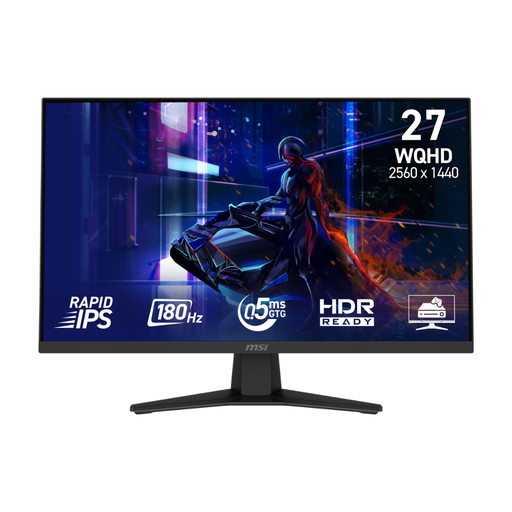
Why This Fits Their Persona: This gaming monitor is built for speed. The combination of a 180Hz refresh rate and a 0.5ms response time provides the fluid motion and instant feedback needed to gain an edge in competitive online games. The 27-inch QHD screen offers a perfect balance of size and detail.
It delivers genuine high-performance specifications, not just marketing buzzwords. The Rapid IPS panel ensures you do not have to choose between speed and colour quality, offering both fast response times and vibrant visuals, a common compromise in older gaming displays.
The combination of a 180Hz refresh rate and a 0.5ms response time on a QHD Rapid IPS panel provides an exceptionally smooth, sharp, and responsive gaming experience.
We have compiled a complete, real-time list of products that fully satisfy these strict selection criteria and UK safety regulations.
A quality PC monitor should typically last between 5 to 8 years with regular use. Most manufacturers in the UK offer a warranty of 2 to 3 years, which covers manufacturing defects. Signs that a monitor may be nearing the end of its life include flickering, dead pixels (small dots that are permanently off) or a significant decrease in brightness that cannot be fixed by adjusting the settings.
A curved monitor is designed to match the natural curvature of the human eye, which can create a more immersive viewing experience, especially on larger or ultrawide screens. Some users find this reduces eye and neck strain as it keeps the entire screen at a more consistent focal distance. However, the effect is most noticeable on screens 27 inches or larger and is largely a matter of personal preference. It is not a medical solution for eye conditions.
The primary differences lie in performance-related features. A gaming monitor prioritises a high refresh rate (typically 144Hz or more) for smoother motion and a low response time (5ms or less) to reduce motion blur. They also often include adaptive sync technology (like AMD FreeSync or NVIDIA G-Sync compatibility) to prevent screen tearing. A regular office monitor usually has a 60-100Hz refresh rate and focuses more on colour accuracy, viewing angles and ergonomic comfort.