What to check before choosing
Direct HDMI connection
Consider it when: A permissible cable path can connect the study PC directly to the TV at your intended display mode.
Trade-off: It avoids dependence on streaming-network conditions, but a long run needs careful cable selection and still leaves controller access to solve.
Local-network streaming
Consider it when: You want occasional play without a permanent display cable and have a compatible client beside the TV.
Trade-off: Picture, sound and controller input depend on the client and network; Steam recommends a wired connection for the host PC.
For occasional controller gaming from a study PC on a separate-room TV, settle the cable-route or network question before choosing display and peripheral equipment.
| Concern |
What to check when buying |
Who this matters to |
| Consistent response |
For streaming, check whether the host PC can use Ethernet and whether the client offers network diagnostics. |
If I notice interruptions during a controller game, I want a connection I can test before settling on a streaming setup; roughly 31% of consumers put consistent response first. |
| Minimal property changes |
Compare a compatible TV-side streaming client with the proposed cable path; check tenancy or lease terms before alterations. |
When drilling or a long visible cable is impractical, I would rather use the existing PC through a client beside the TV. Around 38% of consumers make avoiding property changes their main concern. |
| Intended display mode |
Match the PC output and TV input to the exact HDMI cable category, model and length; check direction and power for an active cable. |
If I am planning to use a particular resolution and refresh rate, I need the whole direct connection to accommodate that mode; about 23% of consumers prioritise display capability. |
| Controller and audio access |
Confirm the exact controller connection, client-side USB or Bluetooth support and intended audio output. |
A picture on the TV is not enough if my controller or sound setup will not work from the sofa; approximately 8% of consumers put peripheral and audio compatibility first. |
Powerline products on Joybuy
These powerline kits are network equipment for connecting devices across rooms when a new Ethernet run is impractical. For PC games on the TV, you also need a compatible streaming client at the television; test the network link at the sockets you intend to use.
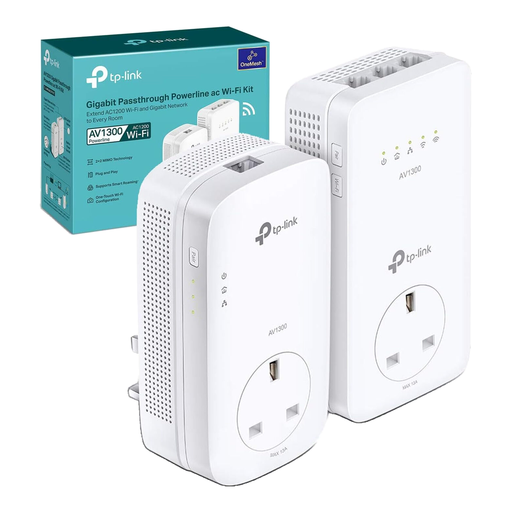 Image unavailable
TP-Link TL-WPA8631P KIT AV1300 Gigabit powerline Wi-Fi extender kit
Consider this for a network connection between rooms without a new Ethernet run. Test it at the intended sockets before relying on it for streaming; it does not replace the TV-side streaming client.
View on Joybuy
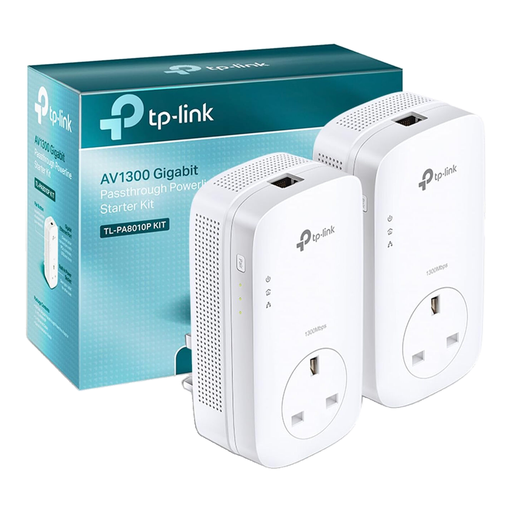 Image unavailable
TP-Link TL-PA8010P KIT AV1300 Gigabit passthrough powerline adapter kit
Consider this kit if you want to provide a wired network connection in another room using existing electrical wiring. Test it at the intended sockets, and confirm that a compatible streaming client is available beside the TV.
View on Joybuy
Frequently asked questions
Should I use Ethernet rather than Wi-Fi for local game streaming?
For Steam Remote Play, Steam Support strongly recommends connecting the host PC directly to the router by Ethernet because wireless interference can make streaming choppy. Use the app's performance diagnostics to assess your own connection; wiring the PC does not guarantee interruption-free play.
Can powerline adapters replace an Ethernet cable between rooms?
They may provide a network route where a new Ethernet run is impractical, but test the pair in the intended sockets. TP-Link says its cited UK kit needs adapters on the same electrical circuit, while actual throughput and range vary with the home's electrical conditions.
What matters when buying a long active or fibre HDMI cable?
Match the exact cable and length to the video mode you want, then check its source and display ends and any power requirement. HDMI Licensing Administrator specifies Ultra High Speed HDMI for configurations including 4K at 120 Hz and says active cables are directional.
Can I route a cable through a wall in a rented home?
Check the tenancy terms and the proposed work before drilling or concealing a cable. Shelter England advises renters in England to get the landlord's agreement in writing before making improvements; GOV.UK also explains that work affecting a party wall in England or Wales can involve notification requirements. Fixed electrical work or alterations to shared or concealed building fabric call for advice appropriate to the property and its location.
Will my controller work with any living-room streaming client?
Controller compatibility depends on the exact client and connection method. Steam Link documents selected controllers and USB input options, so check your controller model and whether the TV-side device accepts it by Bluetooth or USB before choosing accessories.


