
24/7 Customer Support

Free returns

Same-day & Next-day Delivery

Quality Guaranteed

Unlock Your Welcome Offers: FREE Delivery | Up to 80% OFF | Free 30-day JoyPlus trial
Download the APP
A Phomemo portable label printer can make storage, stock control, study notes and creative projects more manageable without needing a full-size office printer. However, compact label makers vary considerably in label width, app functions, refill compatibility and battery design.
Before choosing a Bluetooth label maker or mini label printer, look beyond the product photographs. A low purchase price can become less attractive if the required paper is difficult to find, the printer only accepts narrow labels or the app lacks the functions needed for your work.
“Thermal printer paper” is not a universal format. Label width, roll diameter, adhesive type and printer compatibility all matter. A refill designed for a T02 or Q02E may not fit a D30 or M110.
Check the exact model list before buying Phomemo label tape or sticker paper refill packs. Also consider whether you need plain, coloured, transparent, continuous or pre-sized labels.
A pocket-sized printer is convenient for occasional labels, but a narrow format may be unsuitable for product descriptions, address labels or stock information. A 0.59-inch label width can work well for folders, cables and small containers, while business users may need a wider roll.
For retail, markets and home businesses, check the supported width range rather than choosing solely on portability.
Most wireless label printer models rely on an app for design and printing. Useful functions may include templates, symbols, barcode creation, QR code support, image import and batch printing. If you regularly print from spreadsheets, confirm whether the app supports Excel imports or similar data handling.
Bluetooth pairing is generally convenient, but the phone or tablet still needs a compatible operating system and the correct application. Downloading the required app before starting a project can help avoid set-up delays.
Label width is one of the most important practical measurements:
The Phomemo D30 is specified for labels up to 0.59 inches wide, making it oriented towards compact household and office labelling. The M110 supports label widths from 20mm to 50mm, giving it a broader working range for small-business applications.
A thermal label printer uses heat-sensitive material instead of liquid ink. An inkless label maker therefore does not require ink cartridges or toner, which simplifies maintenance. You will still need compatible thermal paper or label tape, so compare refill pricing and roll length before purchasing.
Direct thermal labels can be affected by excessive heat, moisture or prolonged exposure to strong light. For everyday indoor organisation, filing and temporary product labelling, this may be suitable. For long-term outdoor or high-heat use, check the material specification carefully rather than assuming all thermal labels have the same durability.
A rechargeable label printer is useful when moving between rooms, classrooms, market stalls or craft tables. Look for a built-in battery if you want to avoid disposable cells and check whether printing is supported from iOS, Android, tablets or computers.
For more detailed work, app functions such as OCR, Excel import, batch printing, barcodes, QR codes, logos and custom layouts can save time. These features are particularly relevant to retailers, teachers, small-business owners and users managing multiple storage categories.
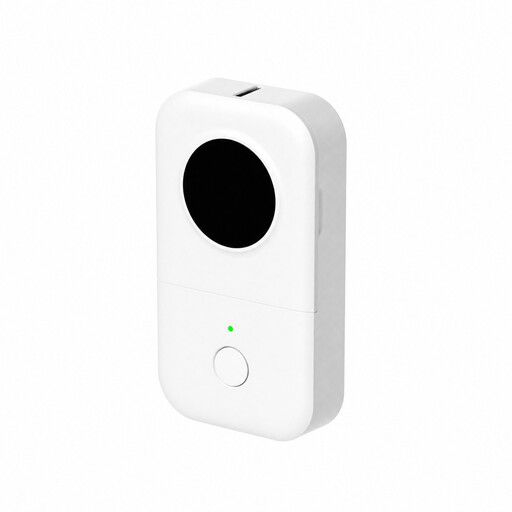
Why This Fits Their Persona: Its mini-size, pocket-friendly design and 0.59-inch label width suit first-time users organising drawers, files, cables, pantry containers or small office supplies.
The stated label width makes its intended compact use clear, helping buyers avoid expecting wide product or address labels from a narrow-format printer.
Bluetooth connection, built-in rechargeable battery and app functions including symbols, frames, QR codes, barcodes, OCR and Excel import.
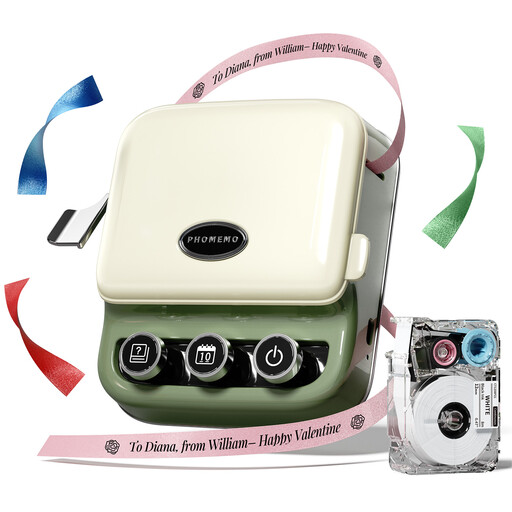
Why This Fits Their Persona: Gift makers, crafters and users preparing personalised packaging may value its combination of label printing and customised gift ribbon printing.
The listing identifies the included blank label tape and states that ribbon tape is available separately, making ongoing accessory costs easier to plan.
Inkless operation, Bluetooth support for mobile devices, tablets and PCs, plus gift-ready packaging.
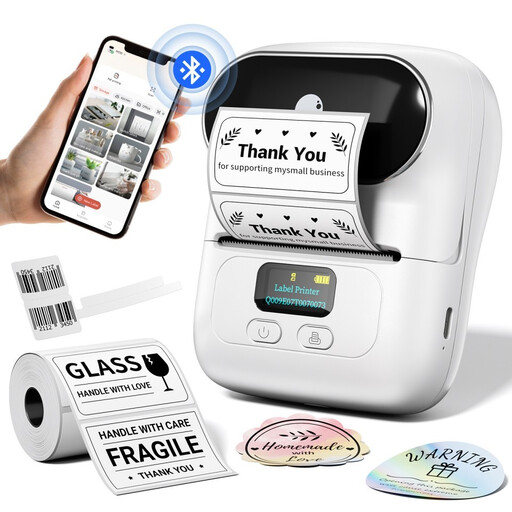
Why This Fits Their Persona: Retailers, market sellers, boutiques, bakeries and small-business owners can use its wider label support for price tags, inventory, logos, barcodes and QR codes.
Its stated 20mm–50mm label range is clearer for commercial buyers who need more than a narrow household label format.
Built-in rechargeable battery, Print Master app, batch printing, Excel import, OCR and support for custom logos and QR codes.
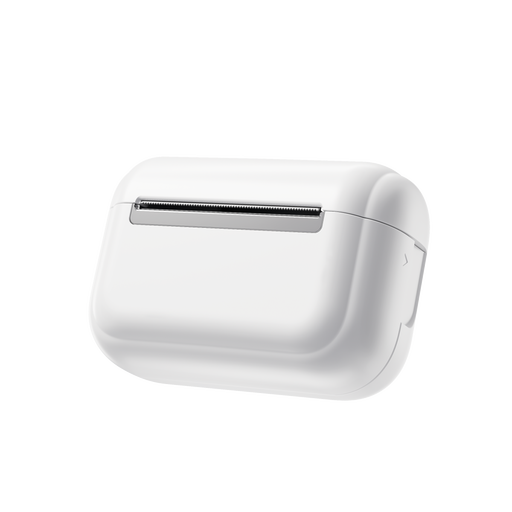
Why This Fits Their Persona: Students, teachers, scrapbookers and gift makers may prefer a pocket thermal sticker printer for notes, labels and DIY projects.
Using a dedicated sticker printer format helps separate creative paper projects from buyers who actually need wider commercial labels.
Pocket-sized design, thermal inkless printing and compatibility with self-adhesive sticker media.
Running costs depend largely on the media you select. For compatible T02, Q02E, M02X and M02L models, the Phomemo T02 Self Adhesive Thermal Paper provides three white rolls measuring 50mm by 3.5m each.
For craft and colour-coded organisation, the Phomemo T02/Q02E/M02L/M02X Sticker Paper Refill Pack contains three coloured transparent rolls. Always match the refill to the precise printer model and confirm whether the roll is adhesive, continuous or pre-cut.
We have compiled a complete, real-time list of products that fully satisfy these strict selection criteria and UK safety regulations.
Charge the built-in battery, install the relevant Phomemo printing app, load compatible label media and enable Bluetooth on your phone or tablet. Open the app, select the printer, create a test label and adjust the layout before printing a larger batch.
The listed thermal models use inkless thermal printing, so they do not require ink cartridges or toner. They do require heat-sensitive paper, label tape or sticker media designed for the specific model.
Lifespan varies with the paper material and storage conditions. Heat, moisture and direct sunlight can affect thermal print. Store unused rolls in a cool, dry place and choose media suited to the intended indoor or commercial application.