Who needs which adjustments?
Age UK notes that vision, hearing and mobility difficulties can affect how someone uses a phone or tablet; the useful adjustment depends on the task that is difficult.
People who need clearer on-screen communication
If messages, contacts or call controls are hard to see, try larger text, display scaling, magnification and read-aloud tools in the apps used to keep in touch. A tablet is worth considering when more physical screen space would help with reading or home-based video calls.
Hearing-aid or implant users
Captions and visual alerts may be useful alongside audio, but direct streaming needs a separate compatibility check. RNID advises confirming that the specific hearing device and phone can work together for streaming; also check the intended calling app and software version.
People who find touch controls difficult
Consider whether a switch, keyboard, voice control or stable stand would make calls and messages easier to manage. Apple documents Switch Control for iPhone and iPad, but the intended input method still needs checking against the chosen device.
How should you choose?
Adapt the current device
Consider it when: the main obstacle is text size, sound, reading content or touch navigation rather than the device itself.
Keep in mind: changing settings does not establish compatibility with a particular hearing device, switch or app.
Choose a smartphone
Consider it when: calls, contacts and messages need to travel with you.
Keep in mind: a phone screen may remain uncomfortable for longer reading or video calls even after enlargement.
Choose a tablet
Consider it when: more viewing space matters chiefly for reading and video calls at home.
Keep in mind: check how it will be positioned and connected, particularly for calls away from Wi-Fi.
Test the communication apps you actually use, then check accessories and software support on any device you shortlist.
| Priority |
What to check |
Your needs |
| Readable controls |
Try text and display scaling in the messaging and calling apps. Check magnification or read-aloud controls, and compare the usable viewing area at a comfortable distance. |
I want to read messages and recognise call controls without struggling with small labels. For calls mainly at home, more tablet screen space may matter to me. |
| Hearing and alerts |
Check captions and visual notifications on the exact device. For direct hearing-device streaming, confirm the hearing-device model, pairing method, software version and app compatibility; RNID says phone and hearing aid compatibility is necessary. |
Visual alerts would help me notice a call, or I need my existing hearing device to handle its audio. Those are different requirements to test. |
| Alternative input |
Try the intended switch, keyboard or voice controls with the calling app. If using a stand or mount, check its fit with the device and case and whether the camera position works. |
Tapping accurately or holding a device through a video call is difficult for me, so I need a way to control and position it comfortably. |
| Software support |
Check the delivered operating-system version, the required accessibility feature and the exact model’s remaining update support. Google notes that Android feature names and availability can vary by device and market. |
I rely on communication apps and accessibility controls, so I want to know how the device I buy will continue to receive software support. |
| Call connection |
Test Wi-Fi where calls will take place. For video calls away from Wi-Fi, check the device’s connection option and the mobile-data allowance; Age UK warns that video calling can use substantial data. |
Will I mostly call from home, or do I need to stay in touch while out? My answer affects which connection to check. |
Which brand features are worth checking?
These are examples of documented accessibility routes, not a guarantee that every model or accessory will meet the same needs.
Apple
iPhone and iPad offer built-in options to examine if simpler navigation, switch input or compatible hearing-device support is important.
- Apple Support describes larger on-screen items and more focused features in Assistive Access on iPhone, and documents Switch Control for iPhone and iPad.
- Apple says its Made for iPhone hearing-device route requires a compatible hearing device that meets the applicable system requirements; do not assume any Bluetooth hearing aid qualifies.
Google Pixel
A Pixel is an Android phone route to examine alongside Google’s accessibility guidance and the support details for the exact model.
- Google documents Android accessibility tools, including screen-reading, magnification and alternative controls; check which ones work on the Pixel model and apps you intend to use.
- Google says feature names and availability can vary by device and market. Google Store UK’s seven-year update statement for Pixel 10a should not be applied to other models.
Samsung
Galaxy phones and tablets offer models in both form factors, so compare the required controls and software support on the particular device.
- Samsung Newsroom U.K. states that the Galaxy S24 series offers seven generations of OS upgrades and seven years of security updates.
- Samsung UK states that the Galaxy Tab S11 series is eligible for up to seven generations of Android OS upgrades and seven years of security updates from global launch. Neither statement establishes the same term for every Galaxy device.
Joybuy phone and tablet options
These tablets offer larger screens to consider for video calls and reading; the phones offer a more portable way to stay in touch. Check the accessibility functions and accessory compatibility needed for the person who will use the device.
 No image available
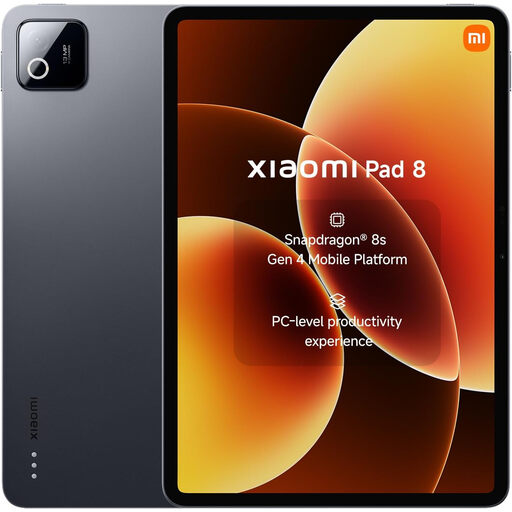
Xiaomi Pad 8, 8GB RAM, 128GB Wi-Fi, Grey
A Wi-Fi tablet to consider when video calls and reading mainly happen where a connection is available. Check how the required display, hearing-device or alternative-input controls work on this exact model before choosing it.
View on Joybuy
 No image available
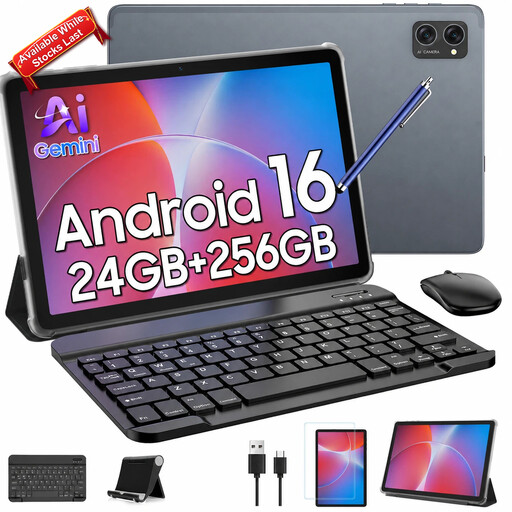
TABWEE T20, 10.1-inch, 24GB (8+16) RAM, 256GB
A tablet option for set-down video calls; the named bundle includes a keyboard, mouse and stylus. Check whether those controls suit the user and confirm the delivered Android version before relying on a particular accessibility feature, as the product information gives conflicting version details.
View on Joybuy
 No image available
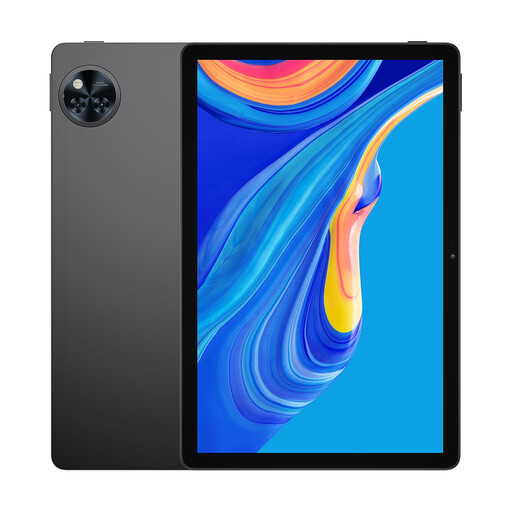
DOOGEE U11 PRO, 11-inch, 30GB RAM, 256GB, Black
The 11-inch tablet format is worth comparing if a larger viewing area matters for calls. Confirm that the required Android accessibility controls, hearing device or switch work with this exact model; the listed memory figure alone does not answer those questions.
View on Joybuy
 No image available
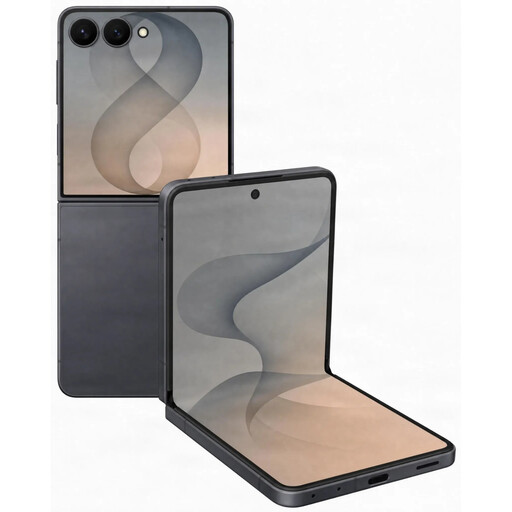
Samsung Galaxy Z Flip 8 5G, 256GB, Graphite
A foldable smartphone to consider when portable calls matter and a set-down position would help with video calling. Check the call controls and any required hearing or input accessory on this exact model. The listing says a charger is not included, so check whether you already have a compatible one.
View on Joybuy
 No image available
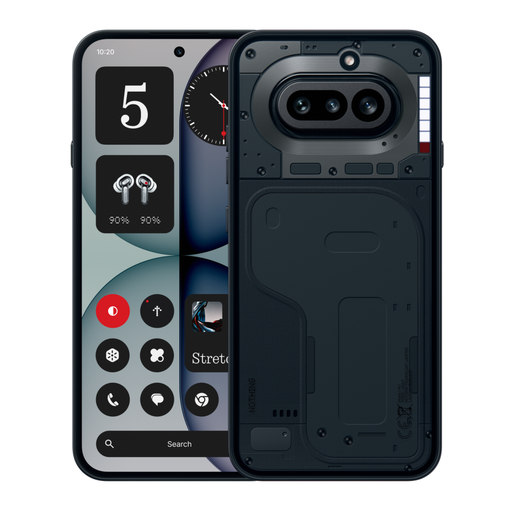
Nothing Phone (4a), 12+256GB, Black
A portable phone option if visible incoming-call alerts are useful; the product information describes rear Glyph lights for calls. Those alerts do not establish caption, screen-reading or hearing-device compatibility, so test the particular functions needed before buying.
View on Joybuy
Questions about staying in touch
Could settings on my current device be enough?
They may be, particularly when text size, reading content aloud, sound or navigation is the main difficulty. Age UK describes accessibility adjustments for existing phones and tablets; try them in the messaging and video-calling apps you use before deciding to replace the device.
What should I check for someone who uses a hearing aid?
Confirm the exact hearing-device model, phone or tablet, software version, pairing method and required app together. RNID says streaming depends on compatibility between the phone and hearing aid; Apple’s dedicated Made for iPhone route also has hearing-device and system requirements.
Is a tablet preferable to a phone for video calls?
A tablet is worth considering when more screen space would help with seeing people or reading controls, especially for calls at home. A phone may suit calls away from home better; for either device, check how it will be held or positioned and how it will connect.
What connection do video calls need?
Check that the device can connect where calls will take place, using Wi-Fi where practical. If calls will use mobile data, check the allowance: Age UK warns that video calls use substantial data and that exceeding an allowance can lead to network charges.


