Long-day commuters and day-trippers
If you rely on your phone for travel information, navigation, payments and contact while away from a socket, consider how much stored power you need and whether the cable fits your phone.


Choose a power bank if you need stored power while away from sockets; choose a compatible charger and cable if you can use mains power for a top-up. A case addresses the risk of damage, while a vehicle mount serves a different need: hands-free navigation. Check your phone’s connector and charging requirements, and check airline rules before flying with a power bank.
Ofcom describes phones being used for live travel updates and GPS navigation. The accessory worth carrying depends on what could interrupt your own day out.
If you rely on your phone for travel information, navigation, payments and contact while away from a socket, consider how much stored power you need and whether the cable fits your phone.
If your phone travels with earbuds, a watch, tablet or laptop, check the ports and how a charger allocates power when several devices are connected. Google’s published guidance for its Pixel Flex dual-port charger illustrates that output can depend on the connected devices.
If you use navigation on foot or in a vehicle, exact-phone case fit, grip and a suitably positioned mount may matter more to you than charging speed. GOV.UK says hands-free use while driving must not obstruct the view of the road, and the driver must remain in control.
Start with the point at which your phone setup could let you down: no socket, an unsuitable charging connection, too few ports or a risk of damage. Then check the exact accessory against that need.
| Concern | What to check | Who this matters to |
|---|---|---|
| Power away from sockets | Compare capacity, output, connector arrangement and carry weight. If flying, check the watt-hour rating and your airline’s rules. | If I will need maps and travel updates throughout a day without dependable mains power, stored energy is my priority; around 36% of consumers would put portable power first. |
| Charging compatibility | Match the phone’s connector and charging guidance to the charger and cable; check output with one device connected. | When I have only a short chance to plug in, I want a combination suited to my own handset rather than relying on a wattage printed on the charger; roughly 29% of consumers would prioritise charging fit and speed. |
| Several devices at once | Check the port mix and the manufacturer’s output allocation with multiple ports in use. | If I carry a phone alongside other devices, I would rather plan one workable charging setup than assume every port delivers its maximum at once; around 21% of consumers would make multi-device convenience their primary concern. |
| Protection and mounting | Confirm a case fits the exact handset. For a vehicle mount, check phone attachment and a position that does not obstruct the road view. | On a journey where drops or hands-free navigation worry me most, I need the phone to fit its case or mount securely; about 14% of consumers would put protection or mounting first. |
Capacity does not tell you its output, connector arrangement or whether it meets the conditions for your flight. The UK Civil Aviation Authority says power banks belong in cabin baggage, not checked baggage.
Check watt-hours alongside capacity and output, then confirm the airline’s current carriage rules before you travel.
A matching plug shape is not enough to establish a charging rate: the handset, charger and cable all matter. Apple says a 20W-or-higher USB-C adapter can provide faster charging for iPhone 15 and later, but charging time varies with settings and environmental factors.
Use the phone maker’s charging guidance to check the standard and cable required for your model.
Output can change when another device is plugged in. Google says its Pixel Flex dual-port charger allocates power according to connected devices and their requested power; those rules are specific to that charger.
Read the output table for the combination of ports you expect to use together.
A mount can hold a screen in view, but it does not remove the driver’s obligation to keep the road visible and remain in control. GOV.UK says a device used hands-free must not block the view of the road and traffic ahead.
Set navigation before moving, position the mount clear of the road view and stop safely before handling the phone.
These brands illustrate different accessory ranges and device-specific guidance; check the exact model rather than assuming a feature applies across a range.
Anker presents a range of power banks for travel and work on the move.
Belkin’s power-bank range covers compact phone backup and options intended for several devices.
OtterBox offers phone-case series with different approaches to grip, edges and port coverage.
Apple’s support guidance is a starting point for checking iPhone cables and chargers.
Google’s Pixel charger guidance provides a device-specific example of dual-port power allocation.
These choices cover portable charging for time away from sockets, mains charging where a socket is available, an iPhone 16 case and an air-vent mount for vehicle navigation. Choose by the job you need the accessory to do, then check fit and charging requirements.
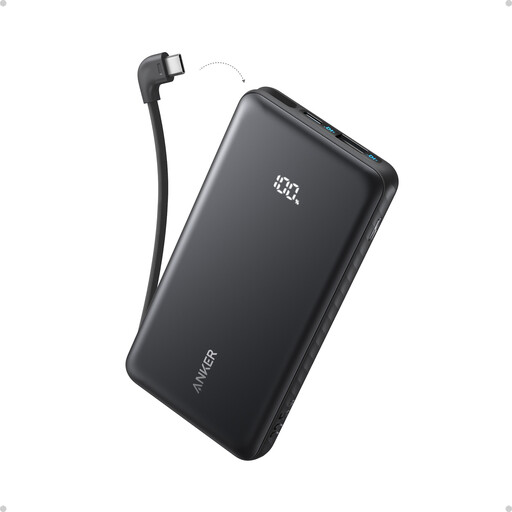 No image available
Consider this if you need a charging backup away from sockets and your phone uses USB-C.
For a flight, check its watt-hour rating and your airline’s rules; also check the weight if you will carry it all day.
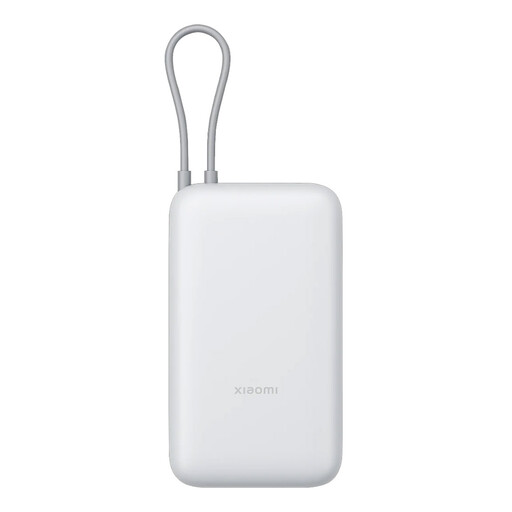 No image available
The stated capacity makes this a different option to consider for longer periods away from mains power; confirm that the integrated cable fits your phone.
Check the watt-hour rating against airline rules before flying, and the weight against what you are comfortable carrying.
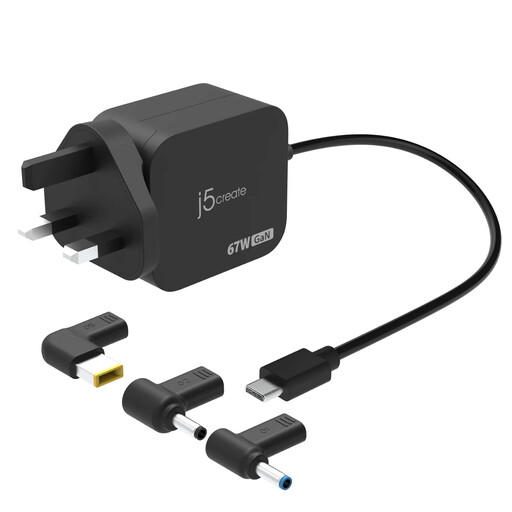 No image available
This is a mains-charging option for stops where a UK socket is available, not a source of stored power.
Its title also specifies three types of DC connector. Check your phone’s charging requirements and cable, and use a DC connector only with a device whose input requirements match.
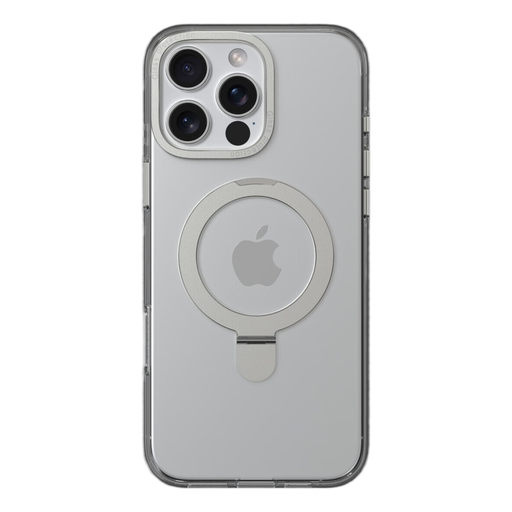 No image available
Consider this if you want a case and a built-in viewing bracket for an iPhone 16.
Confirm your exact handset model before buying. The bracket is not a vehicle mount.
 No image available
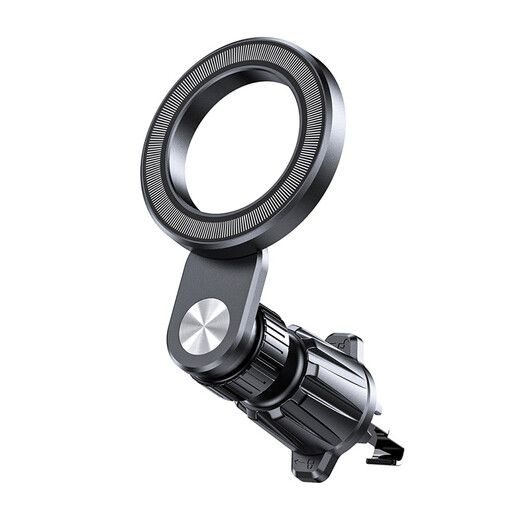
Consider an air-vent mount if you use hands-free navigation in a car; check that your vent and phone’s magnetic attachment setup suit it.
The product name specifies dual locking and 360° rotation. Position the phone without blocking the road view, and do not handle it while driving.
Keep it in cabin baggage rather than checked baggage: that is the UK Civil Aviation Authority’s guidance for power banks. Check its watt-hour rating and your airline’s current carriage and approval rules before travelling.
Match the phone’s connector first, then check its maker’s charging guidance against the charger and cable. Apple says iPhone 15 and later use USB-C and that a 20W-or-higher USB-C adapter can provide faster charging; the wattage on an adapter alone does not establish the result for every phone.
Do not assume it will: check the charger’s combined-output table for the ports you intend to use together. Google says output on its Pixel Flex dual-port charger depends on connected devices and their requested power, so its headline wattage does not describe every two-device arrangement.
You can use a device hands-free under GOV.UK driving guidance, provided it does not obstruct your view of the road and traffic ahead and you remain in full control. A mount does not permit you to hold and use the phone while driving; set the route before moving and stop safely if you need to handle it.
Confirm the exact model, phone compatibility and the seller’s return terms before ordering. For a charger or power bank, keep the order and product details so you can identify the item if you need support; do not assume that a feature or manufacturer warranty described for a range applies to every variant.