Choose automatic cloud backup if you want a recent copy without routinely connecting your phone to another device, but check account capacity, backup conditions and which data it covers. A computer or removable drive can provide a separate local copy of photos and files; before choosing one, confirm the connection and copying process, then check that you can open or restore what matters to you.
Who needs which backup?
The right route depends on whether you need a phone restore, a separate copy of individual files, or both.
iPhone or iPad owners replacing a device
If you need to restore a replacement device, check that iCloud Backup is enabled and has completed recently. Apple Support also describes a computer backup as an alternative, so decide which files and device data you need to recover before relying on either route.
Android users with growing photo and video libraries
Check both your Google Account backup settings and your photo backup settings. Google says photos and videos kept in Original quality count towards account storage, so the size of your library matters when choosing capacity.
People who want an offline copy
A computer or removable drive can hold a separate copy of photos and files. The National Cyber Security Centre identifies removable media as a backup location; choose a copying process that works with your phone and check that you can open the saved files.
What should you check before choosing?
Automatic cloud backup
Choose when: You want your phone to make backups without a routine cable connection.
Keep in mind: Backup still depends on the account, available storage and the conditions required by your phone.
Computer backup
Choose when: You have a suitable computer and want to keep a local backup that you can use in your device restore process.
Keep in mind: Check the backup contents and how you would restore them; a computer backup should not be assumed to contain every cloud-synced item.
Removable storage
Choose when: You want a separate local copy of photos, videos or exported files.
Keep in mind: A drive needs a compatible connection and a workable way to copy and retrieve the files; buying one does not itself set up phone backup.
| Priority |
What to check |
Your needs |
| Capacity and contents |
Compare available account or drive space with the photos, videos, files and device data you intend to keep. For Google Photos, Original quality counts towards Google Account storage. |
I want enough room for the files that matter, without assuming that a photo copy also covers my phone settings or app data. |
| Recent backups |
Check that automatic backup is enabled, which data is selected and when it last completed. Apple Support says automatic iCloud Backup requires power, Wi-Fi and a locked screen. |
If I lose my phone, a copy from months ago would leave out recent photos and files. |
| Restoration |
Identify how you would retrieve files or restore a device. Check the backup contents and the steps required on the replacement phone or computer. |
I need to know whether I can recover individual photos, the device data I rely on, or both. |
| Local compatibility |
Check the phone or computer port, cable, external-storage support and file-copying method. If you intend to use a drive directly with a phone, confirm that exact combination before buying. |
A separate offline copy appeals to me, but it must work with the devices I actually use. |
Backup mistakes to avoid
-
Assuming a photo copy backs up the whole phone
Photos, files and device data may follow different backup and restoration routes. Google Help describes Android account backup for content, data and settings, while Google Photos has its own photo and video quality setting.
Make a short list of what you would need after losing the phone, then check each category against the backup you have enabled.
-
Setting up automatic backup and never checking it
Automatic backup still needs its operating conditions to be met. Apple Support says an iPhone or iPad must be connected to power and Wi-Fi with its screen locked for automatic iCloud Backup.
Check the last completed backup and selected contents, especially before a repair, reset or device change.
-
Choosing a drive by headline transfer speed alone
Samsung says the T7 Shield's maximum transfer speeds require a USB 3.2 Gen 2 host and cable with UASP enabled. That specification alone does not establish how a particular phone-to-drive transfer will work.
Confirm your connection and copying method first, then consider capacity and whether you can retrieve the saved files.
-
Leaving the only copy on the phone
Loss, damage or deletion can make files on the original device inaccessible. The National Cyber Security Centre describes a backup as a copy kept in a separate safe location, such as cloud storage or removable media.
Keep a separate copy of important files and occasionally check that it can be opened or restored.
Relevant brand and platform references
These references help explain backup routes and product conditions; they are not a list of brands available in every Joybuy category.
Apple
Relevant to iPhone and iPad owners comparing iCloud Backup with a computer backup.
- Apple Support documents both iCloud and computer backup routes and the conditions for automatic iCloud Backup.
- Check the contents and restore procedure for the route you choose rather than assuming the two backups are interchangeable.
Google
Relevant to Android account backups and Google Photos storage settings.
- Google Help documents backing up Android content, data and settings to a Google Account.
- Google says photos and videos backed up in Original quality count towards account storage; check that alongside the other data you need to retain.
Samsung
The T7 Shield is one example of a portable SSD for a local file-copy route.
- Samsung UK documents the host, cable and UASP conditions for reaching the T7 Shield's maximum stated transfer speeds.
- Those speed conditions do not establish compatibility or a backup and restore process for your particular phone.
Joybuy options for a local copy
These USB flash drives and portable drives are options for keeping a separate local copy of phone photos and files, either through a compatible phone or through a computer. Check the transfer and retrieval process for your devices; file storage is not by itself a complete device backup.
 No image available
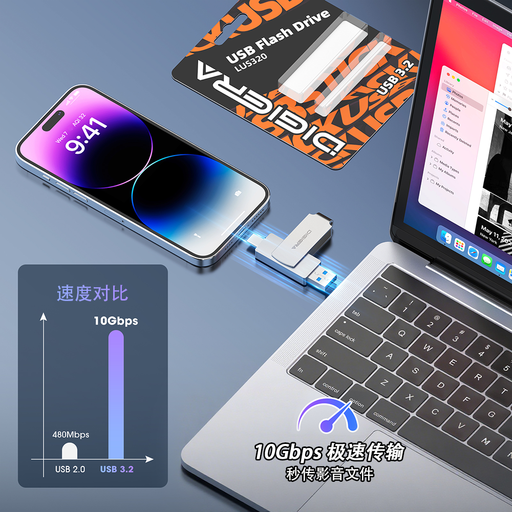
DigiEra LUS320 128GB USB-A and USB-C flash drive
A compact option for copying files to separate storage if your phone or computer supports the connection. The stated capacity is 128GB, with USB-A and USB-C connectors and a swivel casing. Confirm your phone's external-storage and file-transfer support before choosing it.
View on Joybuy
 No image available
MOVESPEED YSUSP05-512GSR 512GB USB flash drive
For a portable local file copy, this model states 512GB capacity and USB-A and Type-C interfaces. Its listing describes use with Type-C Android and iOS devices; check support and the transfer steps for your exact phone rather than assuming it can make a full device backup.
View on Joybuy
 No image available
Samsung Portable SSD T7 2 TB Blue
This portable SSD is an option for a separate local file copy. Its listing states 2 TB capacity, Android compatibility and USB-C and USB-A cables. Confirm that your exact phone supports the drive and that you have a workable way to copy and retrieve the intended files.
View on Joybuy
 No image available
Samsung T7 Shield Portable SSD 1 TB Blue
For a portable local file copy, this model states 1 TB capacity, USB 3.2 Gen 2 connectivity and Android compatibility. The listing states IP65 protection; check your phone's connection and copying process, and do not treat the drive as an automatic phone-backup service.
View on Joybuy
 No image available
Western Digital Elements portable 4TB drive Black
This 4TB drive is listed for a computer-based copy of photos and videos, rather than direct phone use. It has a USB-A connection; the listing states that reformatting may be required for Mac or other systems. Check your computer and phone transfer process before using it for a local archive.
View on Joybuy
Phone backup questions
When can an iPhone or iPad back up automatically to iCloud?
Turn on iCloud Backup and check that it completes. Apple Support says the device needs to be connected to power and Wi-Fi with its screen locked; check the most recent backup before relying on it for a device change.
Can a computer backup help restore an iPhone or iPad?
Yes. Apple Support describes restoring a backup from a computer over a USB connection. Check which data your backup contains and keep the computer and connection available for the restore.
What should Android users check in Google backup?
Check that backup is enabled, which content and device data it covers, and whether a recent copy exists in the intended Google Account. Google Help documents account backup for Android content, data and settings; check your important apps and files separately before relying on a replacement-phone restore.
Does Google Photos Original quality use account storage?
Yes. Google One Help says photos and videos backed up in Original quality count towards Google Account storage. Include that library when checking whether your account has room for the backup you want.
Will a USB drive or SSD back up any phone directly?
Do not assume so. Check the exact phone's connection and external-storage support, the cable and the method for copying files. If you plan to use a computer instead, confirm that you can transfer files from the phone to that computer and then open them from the drive.


