What matters when choosing?
For a phone bought without a suitable plug, establish its charging requirements before comparing adapters, cables or alternative charging arrangements.
| Concern |
What to check |
Who this matters to |
| Phone charging mode |
Find the exact model's supported wired mode and required charger output in the manufacturer's specifications. Do not rely on maximum wattage alone. |
If I want faster wired charging, I need the adapter and cable to work with the mode my phone actually supports. About 36% of consumers put that model-specific match first. |
| Safety and traceability |
Identify the manufacturer or responsible seller and model number; check the plug and electrical ratings, then look for current safety alerts. |
When replacing a missing plug, I want to know which product and seller I can identify if a safety concern arises. For about 29% of consumers, traceability is the primary need. |
| Cable fit and capability |
Match both cable ends to the phone and charger, and check any cable rating specified for the phone's charging mode. |
If I need a replacement cable, a connector that fits is only the start: its capability must suit the charging setup. About 21% of consumers prioritise that cable match. |
| Wireless or shared charging |
For wireless charging, check model support and the relevant standard. For multiple ports, check output while other devices are connected. |
I may prefer putting my phone on a pad or charging several devices at one desk, provided the arrangement works for them. Convenience is the main concern for about 14% of consumers. |
Wired chargers on Joybuy
These UK-plug wired adapters are options to assess after checking your phone's charging requirements. Choose a compatible cable separately where needed, and compare each adapter's stated output with the mode your handset supports.
 No image available
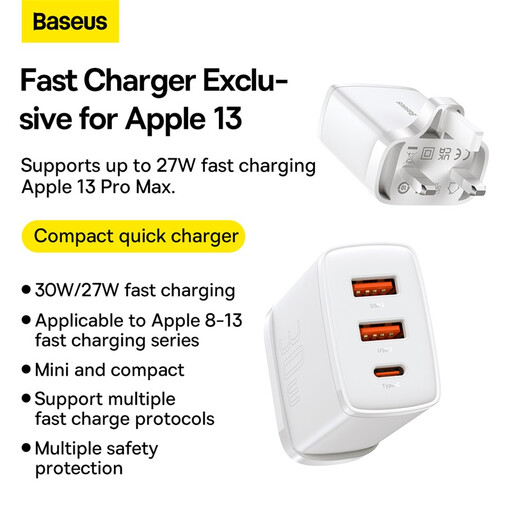
Baseus Quick Charger 2U+C 30W, three-port UK adapter
Consider this adapter if you want to connect a phone and other devices at one wall socket. The product name specifies three ports, a UK plug and a 30W maximum; check the output available when several ports are in use and whether its charging mode matches your phone.
View on Joybuy
 No image available
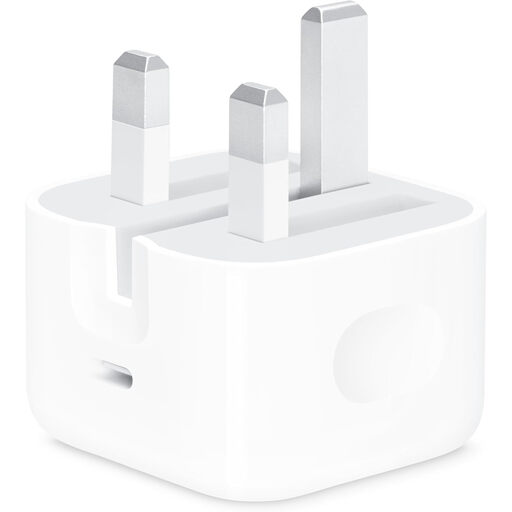
Apple 20W USB-C Power Adapter
This single-port adapter is worth considering for an iPhone setup that matches Apple's model-specific guidance. Its stated maximum is 20W, and the listing says a charging cable is not included; check whether your phone needs USB-C-to-USB-C or USB-C-to-Lightning.
View on Joybuy
 No image available
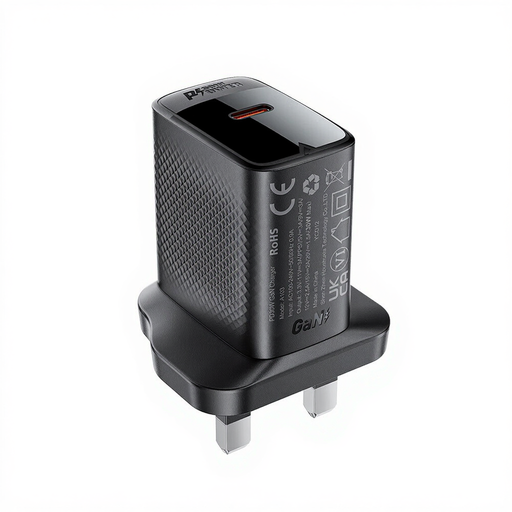
ACEFAST PD30W GaN USB-C Charger, black
This is a wired USB-C option to assess if you need a UK-plug replacement. The product name identifies a 30W charger; confirm its output profiles against your phone's requirements and check whether a suitable cable comes with the variant you select. Listing claims about safety markings alone do not establish the safety of an individual charger.
View on Joybuy
Charger and cable questions
Can I choose a phone charger by its wattage alone?
No: match the charger's charging mode and output to your exact phone, then check the cable. Apple, Samsung and Google give model-specific guidance, so a higher adapter rating alone does not establish the charging speed your handset will use.
Do all USB-C cables support the same charging setup?
No. The USB Implementers Forum says cable capabilities differ; its certified USB-C-to-USB-C cables use 60W or 240W power-capability markings. Follow any more specific phone-maker requirement, such as Samsung's 5A E-marked cable requirement for its stated 45W setup.
Will a wireless charger work with any new phone?
No. Check wireless support for the exact model before choosing a pad. Google notes that support varies among Pixel phones and that the charger, case, alignment and temperature can affect charging.
Is a safety mark enough to choose a marketplace charger?
A mark alone cannot establish that an individual listing is genuine or that the charger is safe. Identify the model and responsible seller, check its electrical ratings and look for current safety alerts; the UK Office for Product Safety and Standards has reported serious risks in particular USB charging products.


