For checking flight connections, prioritise a phone that works with your mobile plan, lets you read updates comfortably and has a charging setup suited to your journey. A compact handset may be easier to handle alongside travel documents, while a long travel day makes battery life and access to charging more important. Check coverage, SIM arrangements and airline-app access before departure.
Who is this for?
Travellers who need timely updates
If gate changes and onward-travel information are your priority, check your mobile-network and SIM arrangements and have an airport Wi-Fi fallback where one is available. Ofcom offers a UK mobile-coverage checker; Heathrow Airport confirms free Wi-Fi in its own terminals, but arrangements differ between airports.
Travellers facing long airport days
Delays and long layovers can mean repeated use of maps, messages and airline apps. Compare battery information alongside the charger and cable you can use during the journey, rather than treating a manufacturer runtime claim as a promise for your trip.
Travellers carrying documents and luggage
If you expect to check a boarding pass or gate while your hands are occupied, consider whether the screen is readable and the phone is comfortable to hold. Manufacturer specifications for the iPhone 17, Galaxy S26 and Pixel 10 give different weights and display characteristics to compare.
What matters when choosing a phone?
Start with access to flight updates, then weigh charging, screen handling and the work involved in setting up your airline app.
| Concern |
What to check |
Who this matters to |
| Connection and travel SIM |
Check the exact phone variant against your carrier and intended physical-SIM or eSIM plan. Use Ofcom’s checker for relevant UK locations. |
I need to see a gate change while moving through the airport, so my chosen plan and a possible Wi-Fi fallback matter most. Around 36% of consumers put connection access first. |
| Battery and charging |
Compare the exact model’s battery information and confirm that your charger and cable are suitable; manufacturer runtime claims are not guarantees for travel use. |
If a connection is delayed, I may need maps and airline updates throughout the day without depending on frequent charging. Around 29% of consumers prioritise battery endurance. |
| Screen and handling |
Compare display size, stated brightness and weight, then consider whether you can use the phone comfortably with a case fitted. |
When I am carrying luggage and documents, I want to read an update without struggling to hold the phone. Roughly 21% of consumers put manageable, readable handling first. |
| Airline-app continuity |
Check the airline app on your intended operating system and make sure you can sign in and receive relevant notifications. |
Before a trip, I would rather keep access to my booking and familiar app setup than learn a new one at the airport. Around 14% of consumers make continuity their primary concern. |
Buying pitfalls
-
Assuming a bright phone guarantees a connection
Screen specifications do not determine mobile reception. Ofcom cautions that buildings and other local factors can affect the coverage shown by its checker.
Check the underlying network used by your provider in places relevant to your trip, and find out whether your airport offers usable Wi-Fi as a fallback.
-
Choosing dual-SIM hardware before checking the plans
A physical-SIM and eSIM arrangement is useful only if the exact phone variant and both providers support the plans you intend to use.
Confirm the phone’s SIM configuration, whether it can be used with your chosen providers, and how a travel plan is activated before departure.
-
Reading a battery claim as an airport-use guarantee
Actual runtime changes with factors such as screen use, apps and signal conditions. Google’s Pixel 10 charging claim also specifies a compatible 30 W USB-C PPS charger or higher.
Plan charging around your expected use and take a suitable genuine charger and cable.
The charger specified for Google’s Pixel 10 fast-charging claim is sold separately.
-
Travelling with damaged charging equipment
London Fire Brigade warns that damaged lithium batteries and unsuitable charging practices can present a fire risk.
Do not use a swollen, damaged or overheating battery. Use appropriate genuine charging equipment and check your airline’s instructions for battery accessories.
Relevant smartphone brands
Apple
The iPhone 17 is a compact option to consider if you already use iOS and want a phone for frequent checks of travel information.
- Apple’s iPhone 17 specifications list a 6.3-inch display, 177 g weight and up to 3,000 nits outdoor peak brightness.
- Confirm your intended carrier or eSIM arrangement and airline-app access separately; display brightness cannot resolve a weak signal.
Samsung
The Galaxy S26 is worth comparing if you want a 6.3-inch Android phone and may use separate home and travel plans.
- Samsung lists the Galaxy S26 at 167 g, with physical-SIM and eSIM configurations and Wi-Fi 802.11be support.
- Those specifications do not establish whether a particular travel plan, airport Wi-Fi sign-in or local mobile network will work for you.
Google
The Pixel 10 is relevant if you are comparing stated battery capability and display brightness for a long travel day.
- Google lists a 4,970 mAh typical battery, a 24+ hour battery-life claim and up to 3,000 nits peak display brightness for Pixel 10.
- The 24+ hour figure is Google’s claim, not an airport-use guarantee. Its specified fast-charging result requires a compatible charger sold separately.
Joybuy phones for connection checks
These Android phones offer different model and storage choices for checking flight connections. Compare the exact variant’s SIM arrangement, handling and charging requirements against your travel plans.
 No image available
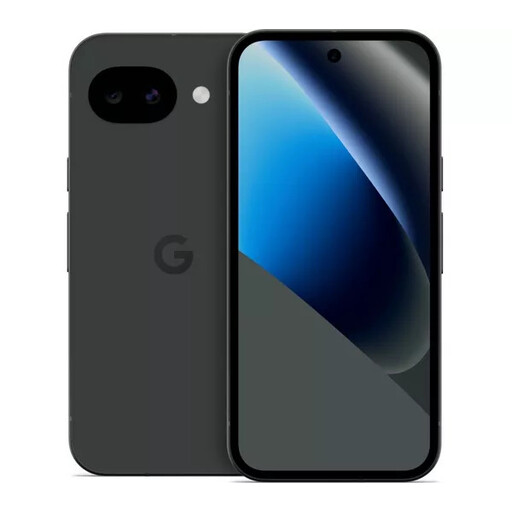
Google Pixel 10a 128GB Obsidian
Consider this model for airport updates if its SIM and charging arrangements suit your trip. This is the 128GB Obsidian variant; confirm carrier compatibility and airline-app access before travelling.
View on Joybuy
 No image available
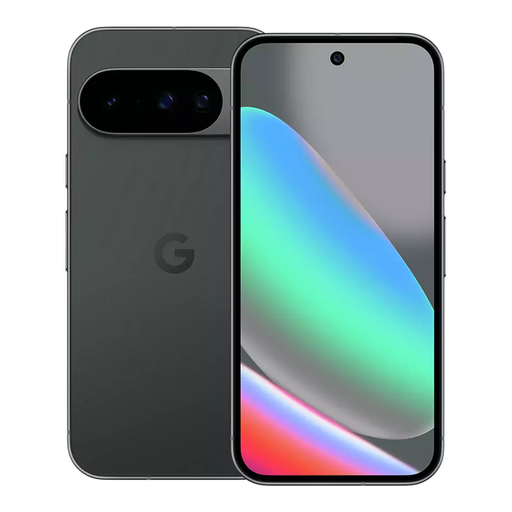
Google Pixel 10 128GB Obsidian
Consider the Pixel 10 if a stated battery-life claim matters for a long airport day, while allowing for variation in actual use. Google lists a 4,970 mAh typical battery, a 24+ hour battery-life claim and up to 3,000 nits peak display brightness for this model. This is the 128GB Obsidian variant; check your carrier, travel plan and airline app.
View on Joybuy
 No image available
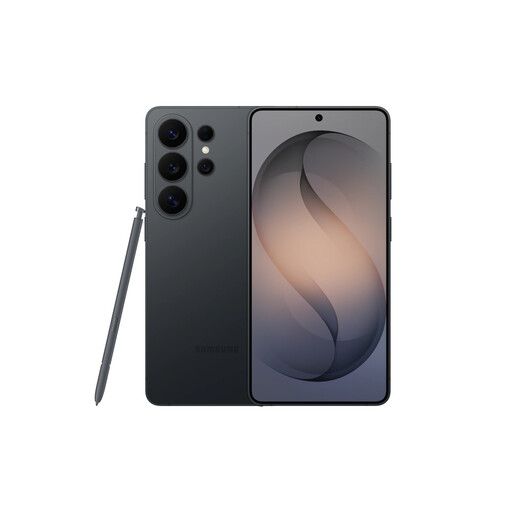
Samsung Galaxy S26 Ultra 12GB 512GB Black
If you are considering a Galaxy S26 Ultra for flight updates, check whether its size is comfortable to use while carrying luggage and whether its SIM and charging arrangements suit your trip. This is the Black 12GB and 512GB variant; confirm airline-app access before departure.
View on Joybuy
 No image available
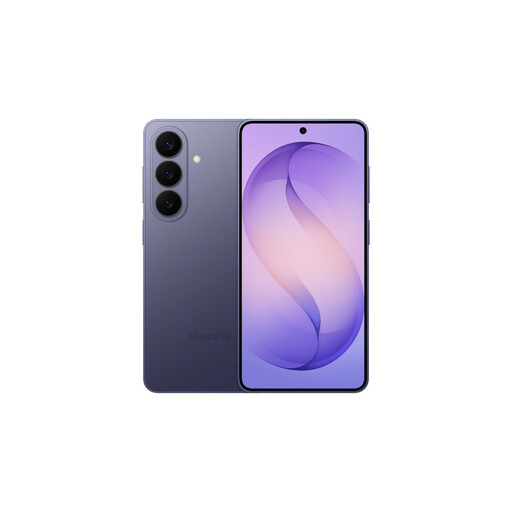
Samsung Galaxy S26 12GB 512GB Cobalt Violet
Consider the Galaxy S26 if you want to check updates on a compact Android phone and may use separate home and travel plans. Samsung lists a 6.3-inch display, 167 g weight and physical-SIM and eSIM options for the Galaxy S26. This is the 12GB and 512GB Cobalt Violet variant; confirm the exact plan arrangement and airline-app access.
View on Joybuy
 No image available
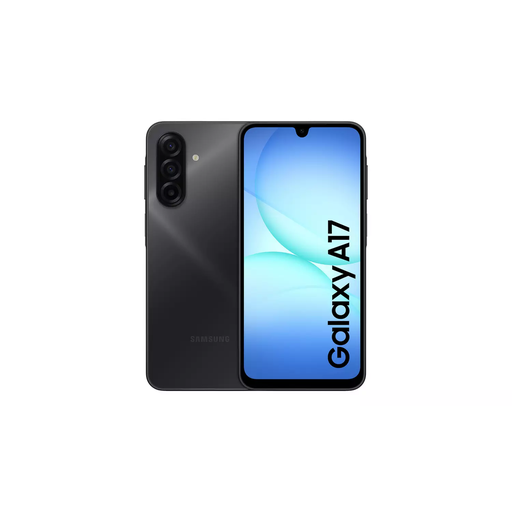
Samsung Galaxy A17 5G A176 Dual SIM 4GB 128GB Grey
Consider this dual-SIM model if you plan to use separate mobile plans for travel, subject to the exact phone and providers supporting your arrangement. This is the Galaxy A17 5G A176 Grey variant with 4GB and 128GB; check your carrier and airline-app access before travelling.
View on Joybuy
Common questions
Can I rely on airport Wi-Fi to check a flight connection?
Treat airport Wi-Fi as a possible fallback rather than assuming it will be available throughout your journey. Heathrow Airport says free Wi-Fi is available throughout its terminals; check the arrangements at the airport you will actually use and keep a suitable mobile-data option where possible.
How do I check mobile coverage before travelling?
Use Ofcom’s Map Your Mobile checker for relevant UK locations and the network used by your provider. Its coverage information is a guide: buildings and other local factors can affect reception.
Do I need dual SIM or eSIM for airport travel?
You need dual-SIM or eSIM capability only if it serves a plan arrangement you intend to use, such as keeping your usual number alongside travel data. Confirm that the exact phone variant and both providers support that arrangement before buying.
Where should I pack lithium-battery accessories for a flight?
Check the rules for each accessory and your airline before packing. GOV.UK’s air-passenger guidance identifies lithium batteries among items that can only go in hand luggage; your airline may have additional conditions for power banks or spare batteries on your route.
What should I set up on a new phone before a connection?
Install and sign in to your airline app before leaving, check relevant notifications and keep booking details accessible if your connection drops. Test the charger and cable you intend to carry, and make sure you can access the app on the exact phone you will take.


