Who needs to check what?
The right mounting route depends as much on the driving position and vehicle fittings as it does on the phone.
Drivers concerned about the road view
If you are considering a windscreen or dashboard position, assess it from your normal driving seat with the phone installed. GOV.UK says a hands-free device must not block your view of the road and traffic ahead, and the driver must remain in control.
Drivers with awkward vents or a large cased phone
Check the exact vent shape or mounting surface, then measure the phone with its case against the holder’s stated limits. A holder type alone does not establish fit: Belkin and Quad Lock, for example, specify restrictions for particular vent-mount models.
Drivers who need charging on regular journeys
Check whether the chosen charging method works with your phone, case and vehicle power connection. Plan where its cable will run so the setup can be positioned and connected before setting off.
What matters when choosing a holder?
Start with a clear road view and a usable position in your car. Then check the mounting point, phone fit and any charging requirements for the exact model.
| Priority | What to check | Your needs |
|---|
| Clear view and control |
Assess the installed phone from the driving seat, including your view of the road and traffic ahead. Set the route and screen angle before moving; GOV.UK requires continued control, and THINK! warns that hands-free use can still distract. |
I need to see navigation without the device obscuring the road or drawing me into adjustments while driving. |
| Vehicle mounting point |
Compare vent shape and slat dimensions with the exact clip, or check the stated surface requirements for a dashboard mount. For a windscreen mount, assess its position in your own vehicle rather than assuming a particular corner is suitable. |
My car’s vents or dashboard may rule out a holder that otherwise suits my phone. |
| Phone and case fit |
Check the holder’s size limits against the phone as you use it, including its case. For a magnetic mount, confirm the required magnetic phone, case or adaptor combination rather than relying on a general compatibility label. |
I want the phone to attach securely without removing a case I normally use. |
| Retention and adjustment |
Check how the mount attaches to the car and holds the phone, and whether its viewing angle can be set while parked. Which? reports that stability varied among holders it tested; that finding does not establish how an untested model will perform in your car. |
A steady, readable position matters to me because I do not want to reposition the phone on the move. |
| Charging setup |
Confirm the phone’s connector or wireless-charging compatibility, the required vehicle power connection and what comes with the exact mount. Check that a cable can reach the chosen position without interfering with controls. |
For longer navigation use, I need a charging arrangement that works with my phone and the mounting location. |
Brand and system references
These examples illustrate model-specific fit checks, not a judgement about every holder from each brand or what is available on Joybuy.
Brodit
Brodit offers vehicle mounting platforms and phone holders, including adjustable active holders.
- Brodit UK specifies a width of 62–77 mm and thickness of 6–10 mm for the cited adjustable holder.
- Check the required ProClip platform and the phone connector for the exact active-holder model.
Belkin
Belkin has vent-mounted options, including its WIC002 mount for compatible MagSafe setups.
- Belkin specifies vent slats up to 3 mm thick and 20 mm deep for WIC002.
- Its phone, case and vent conditions are specific to WIC002; check a different Belkin model separately.
Quad Lock
Quad Lock uses a mounting system with cases or adaptors and a choice of car-mount components.
- Its cited Vent Mount provides a route for a compatible Quad Lock case or universal adaptor.
- Quad Lock says that Vent Mount is not compatible with 360-degree gimbal vents; check which system components you need.
ESR
ESR offers magnetic car mounts, including models with wireless charging.
- ESR specifies a smooth, flat dashboard surface for the cited HaloLock charger.
- Check the exact model’s phone, case and power requirements; magnetic attachment and charging suitability are not universal.
Joybuy phone-holder options
These Joybuy options cover vent-mounted, magnetic and dashboard-position holder choices for phone navigation. Check each one against your vehicle, phone and intended position; this selection does not decide whether a built-in navigation system would suit you better.
 No image available
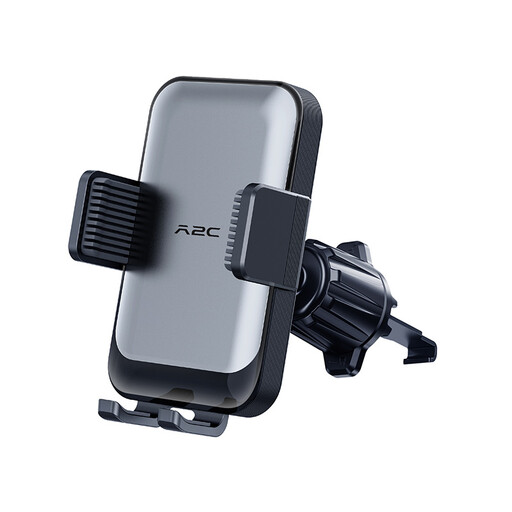
A2C I02-S02 air-vent phone holder
For a vent position that leaves your road view clear, this model is described as having a dual-locking clip and automatic phone clamp. Check your vent design and the fit of your phone with its case before choosing it.
View on Joybuy
 No image available
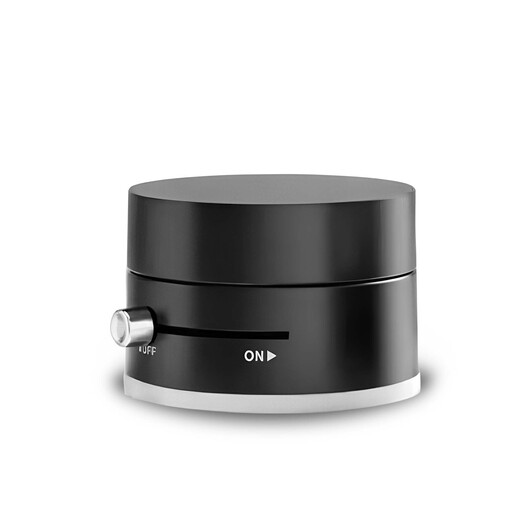
Oxerbog foldable vacuum magnetic car mount, black
A magnetic option for a suitable mounting position, with a vacuum base and adjustable angle described in the product name. Check that the intended surface and your phone-and-case combination are compatible, and that the installed phone leaves a clear forward view.
View on Joybuy
 No image available
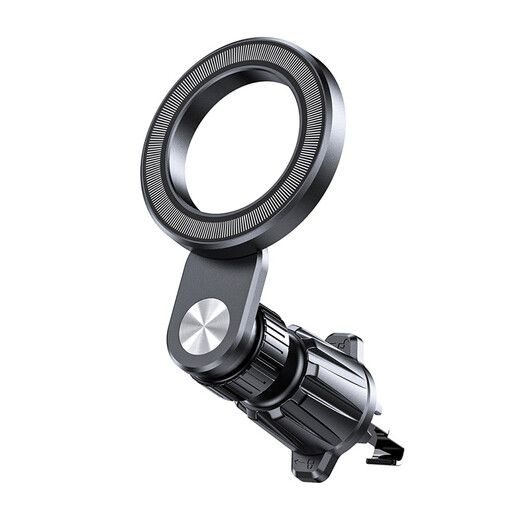
A2C M10M-AV6S magnetic vent holder
This vent-mounted magnetic holder is described with a dual lock, N52 magnets and 360° rotation. Confirm that its clip fits your vent and that your phone and case work with its magnetic attachment before relying on it for navigation.
View on Joybuy
 No image available
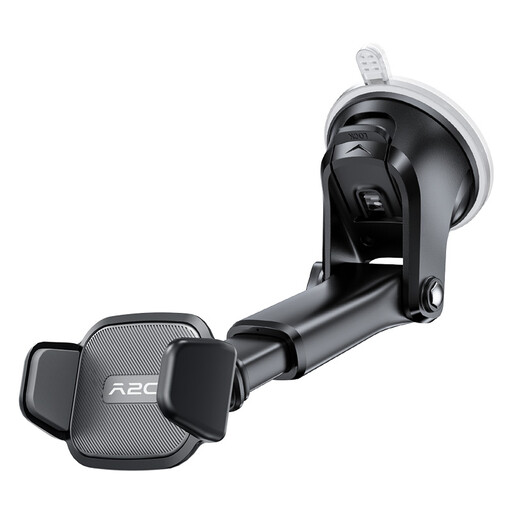
Car phone holder V3-AV6S-S02
If you are considering this holder for a dashboard position, check its fitting instructions against your mounting surface and measure your phone with its case. Assess the installed position from the driving seat before using it for navigation.
View on Joybuy
 No image available
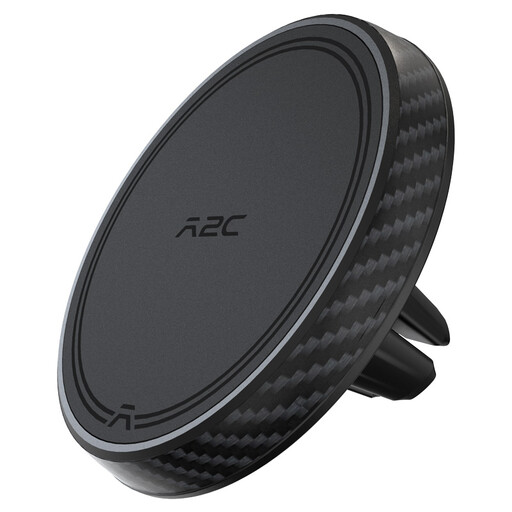
A2C EV11 vent-mounted magnetic wireless charger, black
This combines a vent-mounted magnetic holder with wireless charging. Check your vent fit, magnetic phone-and-case compatibility, wireless-charging support and the power connection needed at the position you intend to use.
View on Joybuy
Common questions
Can I use a windscreen phone mount for navigation in the UK?
Yes, GOV.UK lists a windscreen mount as a hands-free method, provided the device does not block your view of the road and traffic ahead and you remain in control. Check the holder with the phone installed from your driving position; Department for Transport and Driver and Vehicle Standards Agency guidance identifies windscreen-mounted sat-nav equipment as a possible obstruction.
Can I change directions on a phone in a holder while driving?
Do not treat a holder as permission to handle your phone while driving. GOV.UK says holding and using a phone while driving is illegal, and THINK! warns that distraction from hands-free navigation can still lead to prosecution. Set the route before moving and stop safely if a change needs your attention.
How can I tell whether a vent mount will fit my car?
Compare your vent’s shape and dimensions with the exact mount’s requirements. Belkin specifies slats up to 3 mm thick and 20 mm deep for WIC002; Quad Lock says its cited Vent Mount does not fit 360-degree gimbal vents. Those limits describe different products, not a general standard for vent mounts.
Will a magnetic holder work with my phone case?
Only if that holder’s magnetic system is compatible with your phone and case. Belkin sets case conditions for its WIC002, while ESR’s guidance identifies non-magnetic cases as a possible attachment issue for its cited charging product. Check your exact combination rather than assuming that all magnetic mounts work through any case.
What should I check before fitting a dashboard mount?
Check the exact mount’s surface and installation instructions, then make sure the installed phone does not obstruct the forward view. For one HaloLock charger, ESR specifies a smooth, flat mounting surface; its product-specific instructions should not be treated as rules for every dashboard mount.


