What should you check before buying?
Start with a setup you can configure before setting off, then check fit, sightline and the amount of interaction it requires while driving.
CarPlay or Android Auto
Consider it when: Your vehicle or receiver and phone support the same platform, and you want navigation and calls through the car display.
Check first: A USB socket alone does not establish Android Auto compatibility; confirm the connection and complete initial setup while parked.
Phone mount
Consider it when: You need the phone visible for navigation and can find a fitting point that leaves the road view clear.
Check first: Vent shape, dashboard surface or vehicle-specific fit, as well as your phone and case, can rule out a particular mount.
Headset or voice accessory
Consider it when: You need calls or spoken prompts without holding the phone and have no suitable display connection.
Bear in mind: Hands-free operation does not remove the distraction risk; stop safely for tasks that need sustained attention.
| Priority | What to check | Your needs |
|---|
| Placement and control |
Check the fitted device from your driving position: it must not block your view of the road and traffic ahead. Set the route and mount before moving; keep the device out of your hand. |
I need to see directions without reaching for the phone or losing a clear view of traffic. |
| Vehicle and phone fit |
Check the exact vent, dashboard surface or vehicle-specific fitting point, then the phone and case interface. For car-display integration, confirm support with the vehicle or receiver manufacturer. |
A holder needs to fit my car and phone as they are, not just look suitable in a product photograph. |
| Interaction while driving |
Check how navigation and calls are controlled after setup. GOV.UK prohibits holding and using a data-capable device while driving; THINK! warns that distracting hands-free use can still affect safe driving. |
I want prompts and calls to require as little attention as possible; I can stop safely when a task needs more. |
| Charging and connections |
Check the phone or case charging standard, the vehicle power connection and what comes with the mount. Belkin says charging speed varies with the device, charger rating and car USB output. |
On a longer journey, I need a charging arrangement that works with my phone and the power connection in my car. |
Which brand ranges are relevant?
These ranges illustrate different fitting approaches; the brand name alone does not establish fit with your car or phone.
Quad Lock
A modular car-mount range with several attachment styles and a phone mounting interface.
- Quad Lock lists vent, dashboard and windscreen car-mount options.
- Its Car Vent Mount is not compatible with 360-degree gimbal vents; check the required case or adaptor for the chosen setup.
Brodit
A vehicle-specific ProClip mounting approach paired with a phone holder.
- Brodit lists ProClip mounts for cars, vans and HGVs, offering an alternative to choosing a generic vent position.
- Select both the fitting for the exact vehicle and a holder for the phone; still assess the installed position for a clear road view.
Belkin
Car-mount and charging options that include magnetic phone attachment.
- Belkin describes its WIC002 Car Vent Mount PRO for MagSafe-compatible phones and cases.
- Check the particular model’s phone and vent requirements. Belkin says charging speed on its wireless car chargers varies by device, charger rating and car USB output.
Joybuy phone-mount options
These Joybuy options cover phone mounts for drivers considering a vent or other in-car fitting point. Check each one against your vehicle, phone and intended position; a mount does not replace the need for a clear road view and attentive driving.
 No image available
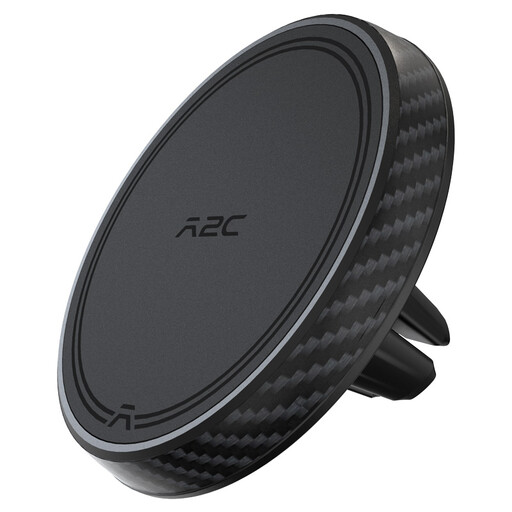
A2C EV11 Magnetic Wireless-Charging Vent Mount, Black
Consider this vent-mounted option if you want wireless charging alongside a visible phone position. Check that your phone or case supports the required attachment and charging method, that the fitting suits your vent, and what power connection and components you will need.
View on Joybuy
 No image available
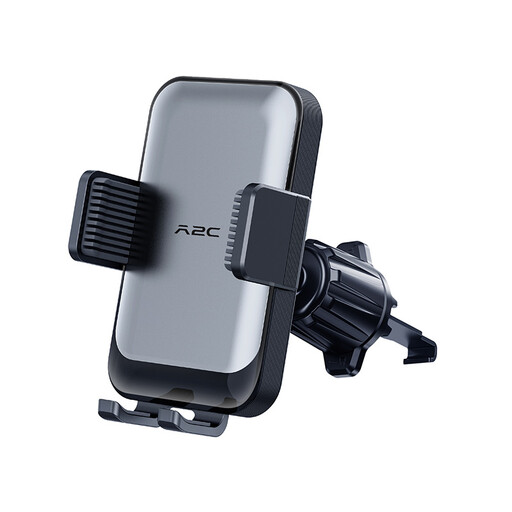
A2C I02-S02 Dual-Locking Vent-Clip Phone Holder
This vent holder is described as having automatic clamping and one-hand operation. Check that its clip fits your vent and its cradle fits your phone and case; place the phone before driving rather than relying on one-hand operation while moving.
View on Joybuy
 No image available
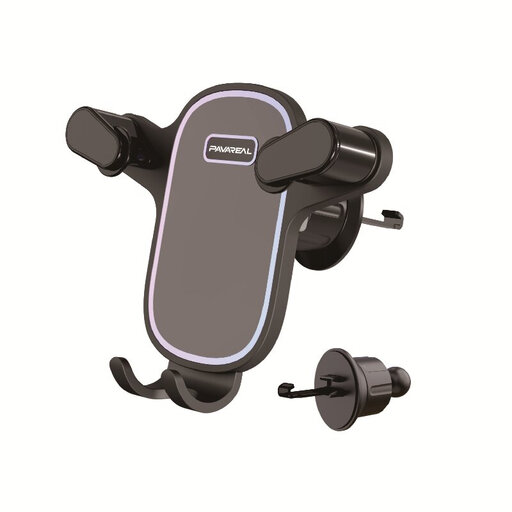
PAVAREAL CH71 Gravity-Based Car Phone Holder, Black
For a position away from the vent, assess how this holder attaches to your intended dashboard or windscreen surface. Check that the clamp fits your phone and case and that the final position leaves your view of the road clear.
View on Joybuy
 No image available
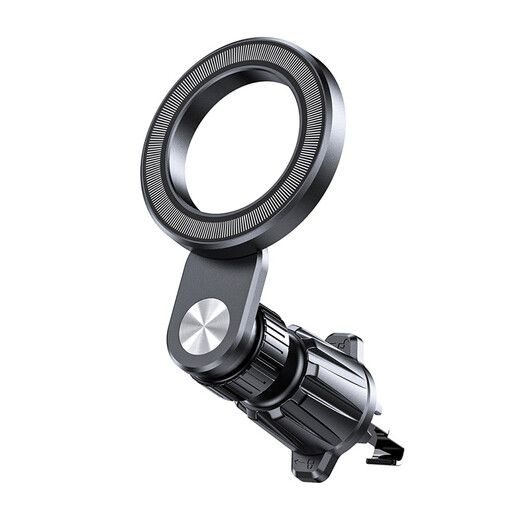
A2C M10M-AV6S Magnetic Vent-Clip Holder
Consider this magnetic vent holder if its attachment method suits your phone and case. Its title specifies a dual lock and 360° rotation; check vent fit and set the viewing angle while parked.
View on Joybuy
Frequently asked questions
Can I use a phone in a mount while driving in the UK?
GOV.UK says you must not hold and use a phone or other data-capable device while driving. A mounted, hands-free setup must leave your view of the road and traffic ahead clear, and you must remain in full control; stop safely if you need to handle the phone.
Can a phone mount go on the windscreen?
A windscreen fitting is not ruled out solely by its attachment type, but its position matters. Driver and Vehicle Standards Agency and Department for Transport guidance says items on vehicle windows must not block the driver’s view, and the vehicle regulations require a full view of the road and traffic ahead.
Does a Bluetooth call make driving without distraction?
No. THINK! warns that hands-free use can still lead to prosecution if it distracts you and affects safe driving. Arrange calls and controls before moving, and stop safely for anything that needs sustained attention.
How do I check CarPlay or Android Auto compatibility?
Check the vehicle or receiver and your phone against the relevant platform’s requirements. Apple says the car must support CarPlay; Google says a USB port alone does not establish Android Auto support. Complete first-time setup while parked.
What matters when choosing a wireless-charging mount?
Check the phone or case standard, the mount’s required power connection and which charging components are included. Belkin says wireless car-charging speed varies by device, charger rating and vehicle USB output, so the mount style alone does not establish charging performance.


