Phone-only photo keepers
You want recent photos copied routinely and available after changing or losing your phone, without having to organise manual transfers every week.


Choose cloud storage if you want routine uploads and access across devices; choose a compatible drive or computer transfer if you want to manage a local copy or access photos offline. For photos you cannot replace, check that the copy is complete and opens, then keep another separate copy rather than relying on synchronisation or one portable drive alone. Your account access, upload settings, device connections and ongoing storage needs all affect which routine you can maintain.
You want recent photos copied routinely and available after changing or losing your phone, without having to organise manual transfers every week.
Your photos or videos are taking up enough space that capacity, preserving original quality and the cost of storage over time affect your choice.
You want to open a copy without downloading it from the cloud and are willing to check connections, transfer files and maintain a separate copy.
Choose a workflow around your main priority: routine access, a separate offline copy, or a combination of both.
Consider it when: You want ongoing uploads and access across devices, and can maintain the account, internet connection and available storage.
Trade-off: Extra capacity may mean an ongoing subscription, and sync or upload settings affect what happens to your photos.
Consider it when: You want a substantial local copy or offline access and can transfer and check files regularly.
Trade-off: You manage the transfers yourself, and a drive kept beside your phone can be exposed to some of the same loss risks.
Consider it when: You mainly need occasional transfers between compatible phone and computer connections, or a portable copy of a suitable selection.
Trade-off: Connector type alone does not guarantee that your phone will recognise a drive, and capacity may limit how much of a growing library fits.
Consider it when: You already have a computer and can import photos routinely, check the files and keep another copy of the computer library.
Trade-off: This route depends on a repeatable transfer routine and available computer or drive storage.
Consider them when: A compatible adapter, reader or cable resolves a specific connection problem in a local-copy workflow.
Trade-off: An accessory helps make a connection; it is not storage or a backup by itself.
| Concern | What to check when buying | Who this matters to |
|---|---|---|
| A recoverable copy | Check that transfers or uploads have finished, open sample photos from the destination, and decide where to keep a separate copy. Apple Support says iCloud Photos deletions sync across devices using the service. | If losing a phone would also mean losing photos, I would put a separately kept copy ahead of convenience; around 31% of consumers prioritise recoverability. |
| Access and sharing | Check the account, devices and upload settings you plan to use. Microsoft says OneDrive camera backup uploads photos and videos rather than syncing the camera roll both ways. | If I need to find or share photos from another device, I would check that the account and upload routine suit that use; around 25% of consumers prioritise cross-device access and sharing. |
| Capacity, quality and ongoing cost | Compare the library size with the exact account or drive capacity and choose backup quality deliberately. Google says account storage is shared across Photos, Gmail and Drive, and Storage saver can compress or resize supported media. | When a library keeps growing, I would compare usable space and file quality with what I can maintain over time; around 19% of consumers put capacity, quality and ongoing cost first. |
| Offline access and compatibility | Check the phone and computer connections, drive format and capacity. For external storage connected directly to an iPhone, Apple specifies a supported format and a single data partition. | If I want to open a local copy without a cloud download, I would confirm the whole connection and transfer workflow before choosing a drive; around 13% of consumers prioritise offline access and compatibility. |
| Privacy and access control | Review account and sharing settings as well as who can access a local drive. Apple says UK users who had not already enabled Advanced Data Protection cannot newly enable it for iCloud Photos. | If I want to decide who can view personal photos, I would compare sharing controls with how I will protect a physical copy; around 12% of consumers prioritise privacy and control. |
When iCloud Photos is enabled, Apple says a deletion on one device also deletes the photo on other devices using the service.
Before clearing phone storage, check that a separate copy of photos you want to keep is complete and accessible.
A deletion that synchronises can remove the photos you intended to keep from connected devices.
A connector does not establish that a particular phone can read the drive. Apple specifies format and partition requirements for direct external storage access on iPhone, and some drive setups may need extra power.
Check your exact phone, drive format and connection, then test a small export before relying on the workflow.
An adapter or powered connection may be needed, and a transfer setup that does not work can prevent the intended copy.
Google says Storage saver can compress photos and resize some supported images and videos, so the cloud copy may not retain the same quality as the original.
Choose the backup-quality setting deliberately and keep originals separately if preserving them matters to you.
If an uploaded copy has been altered, you may need to locate the original elsewhere.
Microsoft says direct Samsung Gallery sync with OneDrive ended on 30 September 2026.
For continued uploads, use Microsoft’s OneDrive camera-roll backup guidance, check the selected account and confirm that recent photos have uploaded.
Without a working replacement upload route, new photos may not reach the cloud account you intend to use.
Relevant to iCloud Photos users and Apple-device photo workflows, including exporting a separate local copy.
Google Photos is relevant if you want account-based uploads and need to consider shared cloud capacity and backup quality.
OneDrive camera backup is relevant to supported Android and iOS phones when you want photos uploaded to an account.
The Portable SSD T7 Shield is a local-copy option when its exact capacity and connection suit the intended workflow.
The X9 line is a USB-C local-storage option for readers considering transfers between supported computers or mobile devices.
DataTraveler microDuo 3C is relevant when USB-C and USB-A connections address a particular transfer need.
These Joybuy options focus on portable local storage for keeping or transferring phone photos. Check each drive’s capacity and connection against your own devices and backup routine.
 No image available
Consider it if you want a substantial local copy and your phone or computer supports the connection.
1 TB capacity; USB Type-C; USB 3.2 Gen 2 (3.1 Gen 2).
 No image available
Consider it for a portable local copy or transfers if the stated capacity suits the photos you plan to keep.
128 GB capacity; USB-C; USB 3.2 Gen 1.
Check that the drive and its transfer workflow are compatible with your phone.
 No image available
Consider it if you want a larger portable local copy and can confirm a suitable connection for your devices.
2 TB capacity.
 No image available
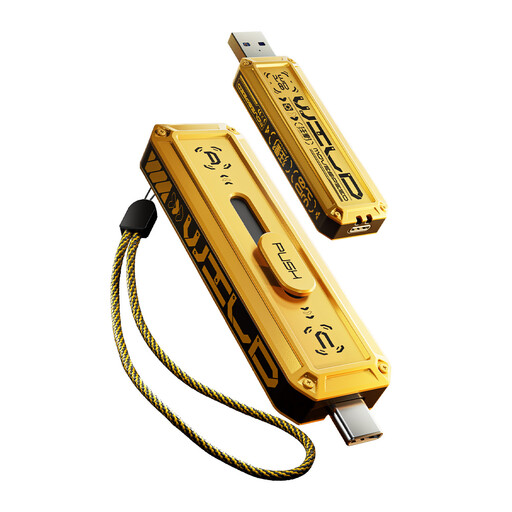
Consider it for moving files between compatible USB-A and USB-C devices or keeping a portable local selection.
1 TB capacity; USB-A and USB Type-C interfaces; USB 3.2 Gen 2×1.
Check that both the phone and computer support the relevant connection and transfer method.
 No image available
Consider it if you want a local phone-media copy and the Lexar App workflow suits your devices.
1 TB capacity; USB 3.2 Gen2x2.
The listed automatic media-backup workflow uses the Lexar App; iCloud backup is not supported.
No. Apple says deleting a photo on one device deletes it everywhere iCloud Photos is used. Check a separate copy before deleting photos you want to keep.
No; compatibility should not be assumed. Apple specifies a compatible connection, one data partition and a supported drive format for external storage access. Check the exact drive and phone, and whether the setup needs external power, before relying on it.
Direct Samsung Gallery–OneDrive sync ended on 30 September 2026. Microsoft directs users to OneDrive camera-roll backup for continued uploads; check that it is enabled for the intended account and that recent photos have uploaded.
Not simply because the photos are of family. The Information Commissioner’s Office says purely personal or household use falls outside data-protection law and distinguishes it from posting to a public account that an indefinite number of people can view. Its guidance is under review, so this should not be treated as a conclusion about professional or public sharing.