Joybuy portable storage choices
These portable SSDs and hard drives are options for manually storing and transferring photos and videos. Check your phone’s connector, format and power requirements before relying on a direct connection.
 No image available
Samsung Portable SSD T7, 1 TB, Blue
A local-storage option if you are happy to transfer and manage files yourself.
1 TB capacity; USB Type-C; USB 3.2 Gen 2 (3.1 Gen 2). The listing states that this drive is not waterproof or dustproof.
Joybuy
 No image available
Samsung MU-PE1T0S Portable SSD, 1 TB, Black
A portable local drive to consider if you want to manage photo transfers yourself; confirm your phone recognises the connection.
1 TB capacity; USB 3.2 Gen 2. Samsung UK specifies an IP65 rating for the black 1 TB MU-PE1T0S/EU variant based on controlled internal tests, while noting that real-world resistance varies.
Joybuy
 No image available
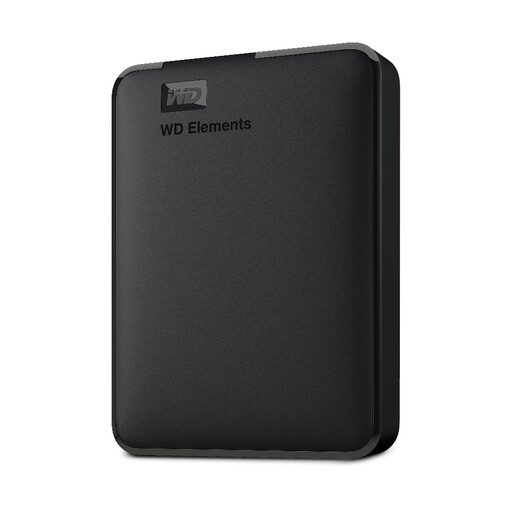
WD Elements Portable Hard Drive, 2 TB, Black
Consider this for a manually managed archive, particularly if you plan to transfer files through a computer.
2 TB capacity; USB 3.0; formatted for PC and Mac. Computer compatibility does not establish direct phone compatibility.
Joybuy
 No image available
SanDisk Portable SSD, 2 TB
A portable local-storage option if you want to carry a drive and manage transfers yourself.
2 TB capacity; stated read speed up to 800 MB/s. This rating does not establish the transfer speed you will get from a particular phone.
Joybuy
 No image available
Western Digital Elements Portable Hard Drive, 4 TB, Black
Consider this for a larger local archive if you can transfer files through a computer.
4 TB capacity; USB 3.2 Gen 1. The listed setup instructions describe connecting the drive to a computer for transfers.
Joybuy
Photo-backup FAQs
Can I delete iPhone photos once iCloud Photos has synced?
Do not use ordinary deletion if you want the photos to remain only in iCloud: Apple says deletion propagates across devices using iCloud Photos. For phone-space relief, check Optimise Storage and keep a separately verified library backup for recovery.
What should I check before copying photos directly from a phone to a drive?
Confirm that the drive appears on your phone and that its connector, format and power arrangement work. Apple specifies supported formats and notes that external hard drives often need extra power; Files by Google documents USB access on Android 7.0 and later. Test a small export and open the copied files before removing phone copies.
Will a NAS back up iPhone photos continuously in the background?
Do not assume it will. Synology says iOS normally restricts its mobile apps’ backup tasks while the apps are closed. Check upload progress and follow the app’s instructions for a large initial transfer.
What happens to iCloud syncing if I downgrade a plan that is already full?
Apple says that if stored content exceeds the new plan capacity, iCloud stops syncing or updating information and iCloud backups do not complete until capacity is restored or usage is reduced. Check the current UK plan terms before taking on recurring payments.
Does UK data-protection law require a household to use a particular photo-storage option?
The Information Commissioner’s Office says processing solely for personal or household activity, such as taking pictures for one’s own enjoyment, falls outside the UK GDPR’s scope. That example is conditional and does not cover professional or commercial activity; it does not establish a general legal requirement to choose cloud storage, a drive or a NAS.


