Phone-first photo keepers
If your iPhone or Android phone is your main camera, you need a way to release space without losing access to photos and videos. Check the route against your phone connector, account and photo-library settings.


Choose cloud storage if automatic uploads and access across devices matter most; choose a portable drive for a physical copy you can move, or a desktop drive or NAS for a larger home library. Before removing photos from your phone, check the connection and storage requirements, then confirm that you can open and restore the transferred files. A single drive or cloud account should not be your only recovery route.
If your iPhone or Android phone is your main camera, you need a way to release space without losing access to photos and videos. Check the route against your phone connector, account and photo-library settings.
If photos and high-resolution videos already sit on a household computer, capacity matters alongside an organised way to copy and restore files. Microsoft documents File History for regular backups to a configured external drive or network location on Windows.
If several phones and computers need a shared photo destination, a home NAS may suit you if you are prepared to manage its accounts, network access and a separate backup copy. Synology and QNAP describe scheduled or mobile-upload options for their respective systems.
Decide where you want to retrieve your photos, then check whether that route can hold your library and make a recoverable copy before you clear phone space.
Consider it when: You want a compact physical copy to move between compatible devices.
Trade-off: A drive you carry can still be lost or fail, so keep another copy elsewhere.
Consider it when: You plan to copy a sizeable library through a computer and carry the drive occasionally.
Trade-off: Direct phone or tablet use may need an adapter or external power; check the exact setup.
Consider it when: Your photos are already on a home computer and you want a larger connected destination.
Trade-off: It is a home setup rather than a drive to carry or connect directly to a phone.
Consider it when: Several household devices need a shared destination and you are willing to configure it.
Trade-off: You must manage access, updates and a separate recovery copy; a NAS alone is not the whole plan.
Consider it when: Automatic uploads and access from signed-in devices matter more than managing a drive.
Trade-off: Your library must fit the account allowance or a suitable subscription, and upload quality and recovery need checking.
| Concern | What to check | Who this matters to |
|---|---|---|
| Recovery before deletion | Open representative photos and videos at the destination, then check how to restore an original before clearing the phone. | I cannot risk deleting the phone copy until I know I can retrieve the files; roughly 33% of consumers put recoverability first. |
| Automatic access | Confirm the intended account, upload settings, available storage and how files appear on another device. | If I take most pictures on my phone, I want them to arrive somewhere I can reach without making a manual copy each time; around 25% of consumers prioritise automatic access. |
| Library capacity | Compare your current library and room for growth with the drive or account allowance, including any subscription tier you would need. | My photo and video collection keeps growing, so I need a destination that will still have room for it; roughly 25% of consumers make capacity their primary concern. |
| Portable transfer | Check the exact phone connector, cable or adapter, drive power, supported format and copying app. | I want to move files to a physical drive I can take with me, without depending on an upload; around 17% of consumers put portable transfer first. |
Google says its Android space-clearing function removes device copies. Seeing a thumbnail does not replace checking that the intended photo or video is accessible at the destination.
Open a representative selection of files and test your recovery route before deleting local copies.
Google says its Storage saver setting may resize photos above 16 MP and videos above 1080p. The quality setting therefore matters if you intend to keep full-resolution originals.
Choose the upload setting deliberately, check the resulting files and retain a separately verified copy when originals matter.
A growing library may also require an ongoing storage subscription.
A drive with enough space may still be unusable in your intended direct-transfer setup because the connector, file system, partition layout or available power does not fit. Apple documents format and power conditions for iPad external storage.
Check your exact phone or tablet, computer, cable and drive together, then test a transfer after setup.
The connection may require a suitable adapter, replacement cable or powered hub.
A shared destination makes files convenient to store, but it does not give you another copy if that destination is lost or cannot be accessed.
Keep an independent copy and periodically restore a sample file. Synology describes integrity checks and version retention for a configured Hyper Backup setup, but those features do not replace a restore test.
Relevant to iPhone and iPad users comparing iCloud Photos, computer import and direct external storage.
Relevant to Android and iPhone users considering Google Photos uploads and signed-in access.
Relevant when comparing portable SSDs, portable hard drives and larger external-drive formats for a local copy.
Relevant to households prepared to configure a NAS and plan a separate backup destination.
Relevant to households considering a shared NAS photo destination with mobile uploads.
These portable and desktop drives offer physical destinations for photo and video copies. Some are intended for a computer-based transfer; check direct-phone compatibility for the exact device before choosing one.
 No image available
Consider this portable local destination if you use a compatible iPhone 15 or 16 or plan to transfer files through a compatible computer.
USB 3.2 Gen 2; stated speeds of up to 1050 MB/s read and 1000 MB/s write. Check the required cable, drive format and magnetic-attachment setup for your device; the stated iPhone compatibility does not extend to every model.
 No image available
This is a portable local-copy option if your phone or computer can use the drive.
USB 3.2 Gen 2. Confirm the connection and file-system requirements for your exact devices, and test access to copied files before removing phone originals.
 No image available
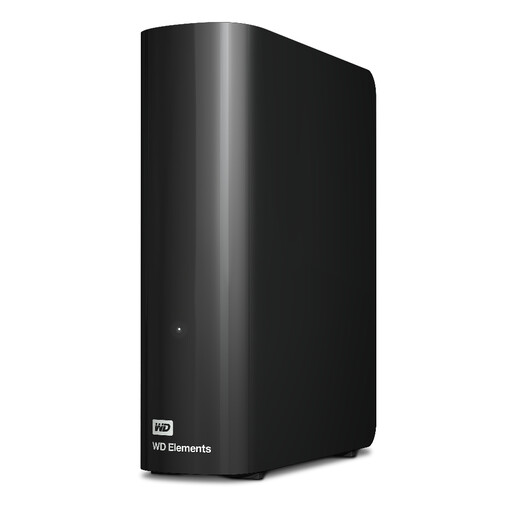
Consider a home-computer destination if your photo and video library needs more room and you do not need to carry the drive.
USB 3.2 Gen 1. This desktop drive requires external power. Check its format for your computer, particularly if you use macOS, and keep another recoverable copy.
 No image available
This portable drive suits a plan to copy phone photos through a compatible computer and take the resulting library with you.
Its product title specifies USB 3.0. Check the complete phone-to-computer-to-drive workflow, including cables and formatting, rather than assuming a direct phone connection.
 No image available
Consider this smaller physical destination if you want to copy selected phone photos and videos using a compatible USB-C device.
Compare 256GB with the files you intend to keep, and check the exact device and copying app. Test that transferred files open and can be recovered before deleting phone copies.
Not until you have checked that the intended files open at the destination and can be recovered. Google advises confirming backup before using its Android space-clearing function; test a representative photo and video before removing device copies.
Yes, in a supported workflow, provided the particular iPhone, connector, cable or adapter, app and drive format work together. Apple documents external-storage use through supported apps such as Files; if iCloud Photos holds the originals, also check which version you are transferring.
No: direct use depends on the exact device, connection, drive format and power available. Apple notes that external hard drives connected to an iPad often need external power, so check the complete setup before buying.
No. Google says its Storage saver setting may resize photos above 16 MP and videos above 1080p. Check the selected backup quality, the account receiving uploads and its available storage if keeping originals matters to you.