Choose cloud photo storage if you want access across signed-in devices, or a computer or compatible external drive if you want a separately managed local copy. If you are already replacing your phone, more internal storage may ease capacity pressure, but it is not a backup: check what each method preserves, how you will access it and how you will move it to your next phone.
Who each approach suits
People who want photos on every device
Cloud photo libraries suit consumers who prefer automatic uploads and want to see photos on other signed-in devices. Account access and synchronised deletions matter as much as available cloud space: Apple says deletions in iCloud Photos carry across devices, while Google Photos requires an account to access backed-up media.
People who want a separate local copy
A computer, SSD or flash drive gives consumers a copy they manage themselves. Before choosing direct phone storage, check the connector, cable or adapter, drive format and file-copy steps for the exact phone. Apple documents these conditions for external drives used with iPhone.
People planning a phone upgrade
More internal capacity can be useful when a replacement phone is already on the shopping list. It does not create a second copy of photos or other data, so plan the backup or transfer before resetting the old device; Apple and Google both document routes for moving data to a replacement phone.
What matters when choosing
Decide whether your immediate need is room on the current phone, a separate copy, a reliable move to another phone or more capacity on a replacement. Then check the account, device and transfer conditions for that route.
| Concern | What to check | Who this matters to |
|---|
| Freeing phone space |
Confirm uploads before removing local photos; check whether you need originals while offline. |
If my phone is filling up, I want room for everyday use without losing access to my photos. Around 33% of consumers put immediate space relief first. |
| Keeping a separate copy |
Check the phone connector, data cable or adapter, drive format and which files the transfer will copy. |
I want a photo archive I can manage locally, without relying on cloud access for that copy. For around 27% of consumers, an independent local copy is the primary need. |
| Moving to another phone |
Check backup scope, the latest completed backup and the new phone's restore or transfer options. |
When changing phones, I need more than selected pictures if my settings and other data matter too. Around 27% of consumers prioritise that continuity. |
| Capacity on the next phone |
Compare current used space with the replacement's capacity, including apps and offline files; arrange a separate backup. |
If I am replacing my phone anyway, I want enough built-in room to avoid the same squeeze soon after the move. Around 13% of consumers make future handset capacity their first concern. |
Mistakes to avoid
-
Treating a synchronised photo library as a separate copy
Apple says deleting an image from iCloud Photos deletes it on devices using that library, and photos stored there are not duplicated in iCloud Backup. Seeing the same library on two devices is not the same as retaining an independently managed copy.
Before a large clear-out, keep and check a separate copy of photos you cannot replace.
-
Choosing a drive by capacity or advertised speed alone
Direct iPhone storage depends on the connection and a supported drive format and partition arrangement, according to Apple. Samsung says the stated peak speeds of its T7 Shield require compatible host hardware and cabling; they do not establish the speed of a particular phone transfer.
Check your exact phone, connector, file app and drive format before buying. Copy any existing drive files elsewhere before reformatting.
The intended connection may also require a compatible data cable or adapter.
-
Removing phone photos before checking the upload
Google Photos advises confirming that photos are backed up before using Free up space. Items removed from an Android phone may no longer appear in its device gallery or be available offline.
Check upload status and open a selection of older photos and videos in the signed-in cloud library before removing device copies.
-
Assuming a larger replacement phone handles migration
Internal capacity gives the new phone room for files; it does not transfer or independently preserve them. Apple describes backup for replacement-device transfer, while Google documents backup restoration and direct phone-to-phone transfer.
Complete and check the relevant backup or transfer before resetting or handing over the old phone, then continue backing up the replacement.
Relevant brands to consider
Apple
Relevant to iPhone owners weighing iCloud Photos, computer backups and external storage through Files.
- Apple says iCloud Photos can retain originals in iCloud while Optimise Storage keeps space-saving versions on the iPhone.
- Changes and deletions synchronise, and iCloud Photos items are not duplicated in iCloud Backup. Direct-drive use also depends on the connector, adapter where needed and supported formatting.
Samsung
Its T7 Shield portable SSD line is relevant to consumers considering a local photo and video archive.
- Samsung specifies up to 1,050 MB/s sequential read and 1,000 MB/s write speeds for the T7 Shield.
- Samsung says maximum speeds require a compatible USB 3.2 Gen 2 host, cable and UASP; the figures do not establish transfer performance on every phone.
SanDisk
Its Ultra Dual Drive Go line is relevant to transfers between compatible USB-C devices and USB-A computers.
- SanDisk describes USB-C and USB-A connectors on the Ultra Dual Drive Go.
- Check whether the exact phone and its file app support the direct-drive transfer you intend to make.
Crucial
Its X9 portable SSD line is relevant to a computer-led local archive and compatible USB-C devices.
- Crucial describes the X9 as USB-C storage compatible with PCs, Macs and Android devices.
- That broad compatibility does not establish the file-copy steps for a particular phone; check its cable, app and drive workflow.
Joybuy storage products
These options cover removable local storage: portable SSDs and USB-C flash drives for compatible file-transfer setups, plus a microSDXC card for a phone that supports it. Choose by the connection and copying method your phone can use, rather than capacity alone.
 No image available
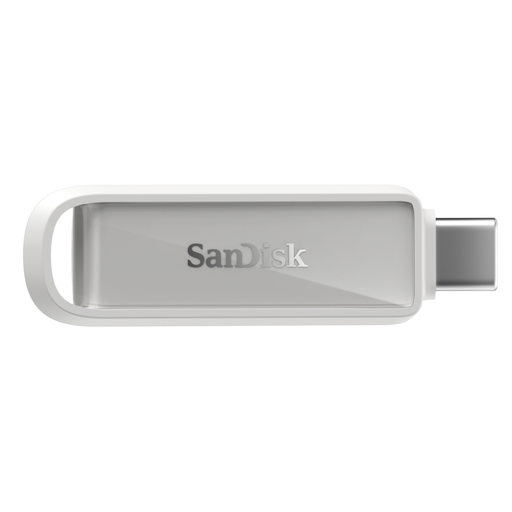
SanDisk Phone Drive with USB-C, Arctic White, 256GB
Consider this drive for a local photo copy if your phone supports its connection and intended file-transfer app.
256GB capacity; USB-C connection. Confirm compatibility with your exact phone and check which photos and other files the app copies.
Joybuy
 No image available
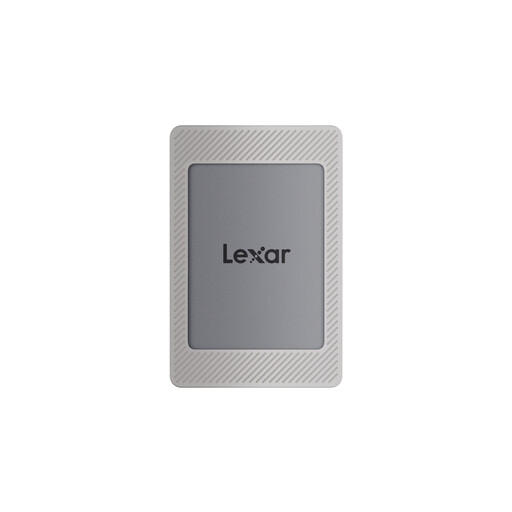
Lexar ES4 Portable SSD with Magnetic Set, 2TB
Consider a portable SSD if you want a larger local archive and can confirm the copying workflow for your phone or computer.
2TB capacity and USB 3.2 Gen 2. The stated magnetic mounting is for iPhone 15/16; check the exact phone setup before relying on direct use. MagSafe wireless charging is not supported while the SSD is attached.
Joybuy
 No image available
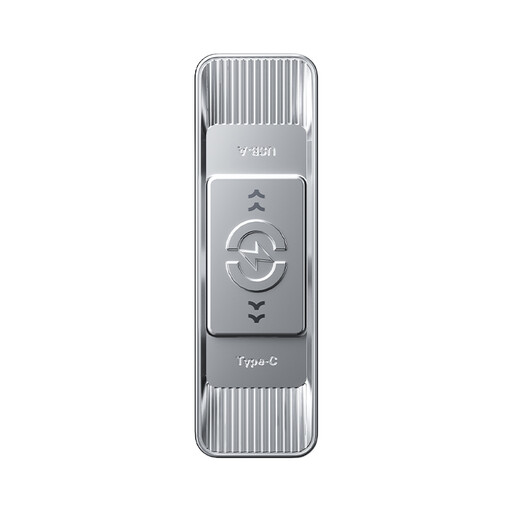
MOVESPEED YSUSP05-512GSR dual-interface flash drive, 512GB
The two connectors are worth considering when you want to move selected files between a compatible USB-C phone and a USB-A computer.
512GB capacity, USB-C and USB-A interfaces, and USB 3.2 Gen 1. Check how your phone copies photos to a connected drive; the title's stated read speed is not a promise of phone-transfer speed.
Joybuy
 No image available
Samsung MU-PE1T0S portable SSD, 1TB, black
This USB-C SSD is an option for a separately managed file archive if your phone or computer supports the intended connection.
1TB capacity and USB 3.2 Gen 2. Confirm the drive format and file app for your exact phone; connecting a drive does not by itself create an automatic phone backup.
Joybuy
 No image available
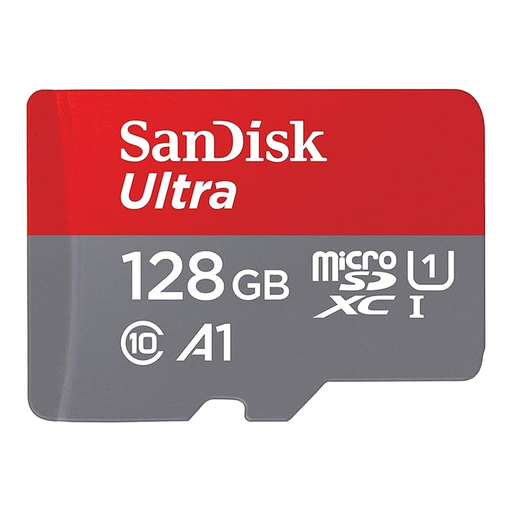
SanDisk Ultra microSDXC 128GB with SD adapter
Consider a memory card for extra removable space only if your phone supports microSDXC.
128GB microSDXC card with an SD adapter. The adapter does not make a phone without a suitable card slot compatible, and files moved onto the card still need an independent backup.
Joybuy
Common questions
Will cloud photo storage free space on my phone automatically?
Not simply by signing up: upload and the relevant space-saving setting must be confirmed. Google Photos says Free up space removes backed-up items from an Android device; Apple says iCloud Photos with Optimise Storage keeps space-saving versions on the iPhone while originals remain in iCloud.
Does copying photos to a drive create a full phone backup?
No: copying selected photos does not establish that settings, messages, apps or other device data have been preserved. Apple distinguishes file transfer from device backup, and Google notes that Android restoration can vary by phone and version. Check the backup scope before relying on it for a phone change.
Can I connect an external USB drive to any iPhone?
No single connection works for every iPhone. Apple says iPhone 15 and later have USB-C, while older iPhones may need an appropriate Lightning adapter; external storage also needs a supported format and a single data partition. Check your model and drive before buying.
What should I arrange before relying on cloud access to my photos?
Set up account recovery and retain a separate copy of photos you cannot replace. Apple documents recovery contacts for Apple Accounts, while Google describes recovery phone and email options; access to a cloud library depends on being able to regain access to the relevant account.


