What should you check before buying?
Start with the task and the obstacle: test the required access method, then decide whether the device, connection, support or online service needs to change.
Phone or tablet
Consider when: portable communication and everyday services suit a touch-first device, and the person can use the required settings on the intended model.
Trade-off: a small screen or touch-only workflow may be awkward for long forms and documents; Google notes that Android feature names and navigation can vary by device and market.
Laptop
Consider when: study, work or longer documents call for a physical keyboard, more screen space or desktop-style software.
Trade-off: check software and peripheral compatibility as well as setup. Microsoft says Windows Voice Access needs an internet connection for initial setup and has version and language requirements.
Connection and support first
Consider when: the existing device works, but getting connected or using it confidently is the main difficulty.
Trade-off: Ofcom's social-tariff information, Good Things Foundation's locally distributed data and AbilityNet's support offer have different provider, eligibility or availability conditions.
| Concern |
What to check |
Who this matters to |
| Access-method compatibility |
Try the essential task using the required controls on the intended model and software version. Check existing assistive hardware and apps. |
If I rely on spoken feedback, magnification or another input method, I need my everyday apps to work with it. Around 31% of consumers put that compatibility first. |
| Dependable internet access |
Check coverage or home connectivity, ongoing data arrangements and SIM compatibility where relevant. |
A usable device is little help to me if I cannot get online where I need to use it. For around 25% of consumers, a dependable, affordable connection is the primary concern. |
| Setup and confidence |
Decide who can help with accounts, accessibility settings and recovery, and whether support remains available later. |
I want to be able to repeat essential tasks after someone helps me set up the device. Ongoing support comes first for around 25% of consumers. |
| Workable screen and input |
Check required work or study software, keyboard comfort and screen readability; consider whether an accessory could improve the current device. |
Long forms or study documents are difficult for me on a small touch screen, so I need a workable typing and viewing setup. Around 19% of consumers make that their primary need. |
Joybuy devices for the tasks discussed
These laptops offer screen-and-keyboard options for longer online tasks, while the phone is an option to assess for portable communication. Choose by testing the access method and apps you need; the devices do not resolve connection or support barriers on their own.
 No image available
Lenovo IdeaPad Slim 3 83K7009MUK, 15.3-inch laptop
Consider its laptop format for tasks involving longer reading or typing, after checking the keyboard and required access method in person where possible.
15.3-inch WUXGA display; AMD Ryzen 5 7535HS; 24GB DDR5 RAM; 512GB PCIe SSD; Windows 11 Home; Wi-Fi 6.
Confirm that essential apps and any assistive hardware work with the intended configuration.
View on Joybuy
 No image available
HP OmniBook X Flip 16-as0004na, 16-inch 2-in-1
Consider the larger touchscreen and convertible format if you need to assess both touch and laptop-style use for online tasks.
16-inch touchscreen; Intel Core Ultra 5 226V; 16GB RAM; 512GB SSD; Windows 11 Home.
Test the intended input arrangement, accessibility tools and apps. Check that rotation and any sensors needed for the chosen setup work as expected.
View on Joybuy
 No image available
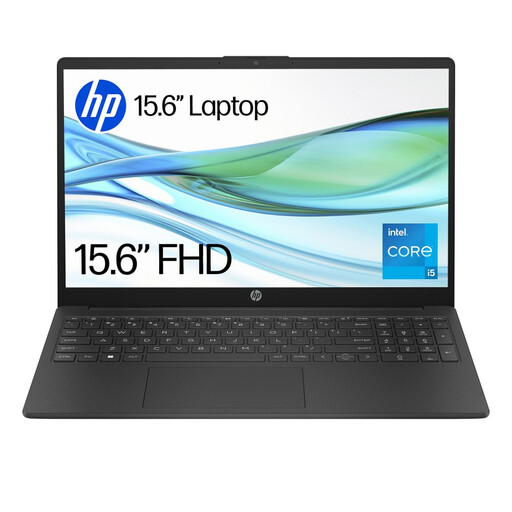
HP 15-fd0064na, 15.6-inch laptop
Consider a laptop setup for work, study or longer web tasks if its screen, keyboard and software suit the person using it.
15.6-inch display; Intel Core i5-1334U; 8GB RAM; 256GB SSD; Windows 11 Home.
Check the keyboard layout and test essential accessibility tools, apps and assistive hardware.
View on Joybuy
 No image available
Acer Aspire Lite AL15-36P-C29Z, 15.6-inch laptop
Consider its laptop format for browsing or study only after checking that the required software can run in the supplied Windows configuration.
15.6-inch Full HD display; Intel N150; 8GB DDR4 RAM; 128GB SSD. The detailed product specifications identify Windows 11 Home in S Mode; confirm the supplied configuration.
S Mode restricts app installation to Microsoft Store apps, which matters if an essential accessibility tool or study app must be installed. Leaving S Mode is described as irreversible; check the intended workflow before making that change.
View on Joybuy
 No image available
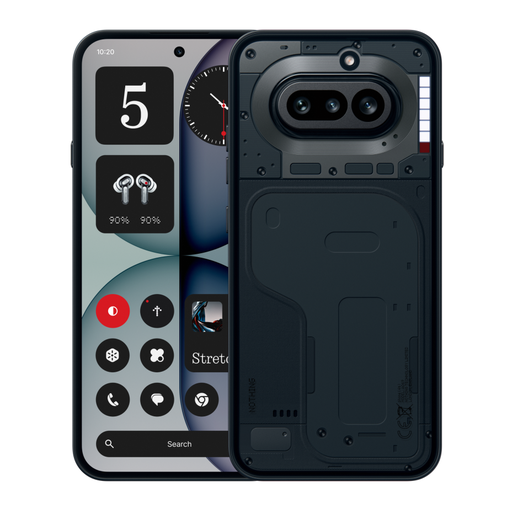
Nothing Phone (4a), 12+256GB, Black
Consider a phone for portable communication and everyday services if its controls and essential apps work with the person's access method.
Check the required accessibility settings on this exact model and software version. Also confirm coverage and a workable data connection wherever the phone will be used.
View on Joybuy
Common questions
What should I identify before comparing devices?
Identify the task that fails and the access method needed to complete it. Test that method with the intended device, essential apps and any existing assistive hardware; Google notes that Android features can vary by device and market, while a built-in feature alone cannot establish whether a particular service will be usable.
When should I address the connection before replacing my device?
Address the connection first if the current device is usable but broadband or mobile data is absent, unreliable or unaffordable. Ofcom lists social tariffs for people receiving specified benefits; check provider availability, eligibility and the relevant account arrangements directly rather than assuming a particular offer applies.
Where can I ask about data or help learning to use a device?
Ask a participating local organisation about Good Things Foundation's National Databank, which distributes mobile data through local hubs rather than directly to individuals. Its onboarding information sets age, household-income and data-access conditions. AbilityNet also offers technology support, with some training and device offers limited by location and audience; check what is available locally.
Will an accessible device make every online service usable?
No device can guarantee that every website or app will work with a person's access method. If one service remains difficult on an otherwise usable setup, record the task, browser or app, access method and point of failure before replacing hardware. Ofcom identifies service-design accessibility issues, and UK public-sector accessibility guidance does not establish that every individual public or private service will work with a particular device.


