What matters when choosing?
For consumers choosing a device for sight loss, establish how essential tasks must be accessed before comparing screen size, accessories or other specifications. Try the exact device with the apps you use, since an operating-system feature alone does not settle how a particular task will work.
| Concern |
What to check |
Who this matters to |
| Speech-led access and essential apps |
Activate VoiceOver or TalkBack on the exact device, then try calls, messages and the services you rely on. Check how to turn speech feedback on again if needed. |
If I depend on spoken feedback, I need to complete daily tasks without getting stuck in an essential app; roughly 42% of consumers would put reliable non-visual access first. |
| Enlargement and reading space |
Try your preferred text size, magnification and contrast in your usual apps and lighting. If considering a tablet, check its Wi-Fi or cellular configuration. |
When a phone screen is difficult for me to read, I need enough visible workspace without making the device impractical to carry; about 33% of consumers would make enlarged viewing their primary concern. |
| Tactile controls and accessories |
Try the required keys, keyboard or braille display with the intended device. Confirm connections, shortcuts and access to required apps. |
I may prefer physical controls or keyboard-led navigation to touch gestures, but the whole workflow has to remain usable; around 25% of consumers would prioritise tactile access. |
Joybuy phones and tablets to consider
These tablets and smartphones offer different starting points for reading, keyboard-supported tasks or communication on the move. Choose by your access method and test essential apps on the exact model; the specifications alone cannot establish accessibility fit.
 No image available
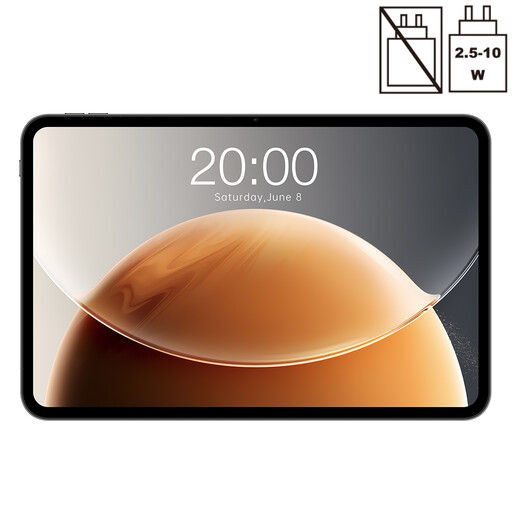
Teclast T65 tablet, 13.4-inch, 128GB
Consider its larger display if enlarged reading space is a priority, but try your preferred settings and essential apps on this model.
The product name specifies a 13.4-inch 120Hz display, Android, Dual SIM 4G and 128GB storage. Check TalkBack activation and the mobile-network arrangement you need.
View on Joybuy
 No image available
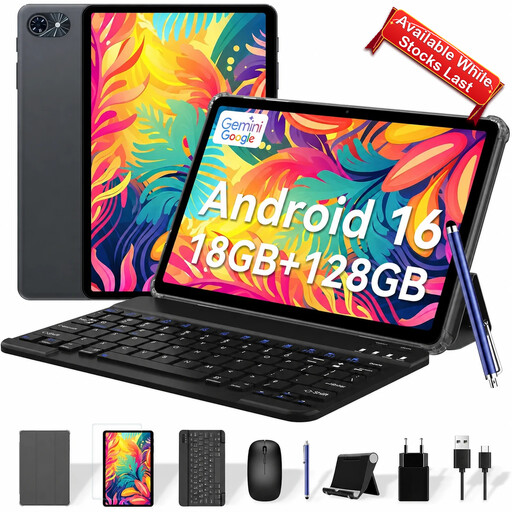
TABWEE T80 10-inch tablet with keyboard
Consider this tablet if a keyboard is part of your intended workflow; try its layout and screen-reader commands with the device.
The product name specifies a 10-inch display, Android 16, 128GB storage and a keyboard. Check TalkBack setup, enlargement and connectivity for use away from Wi-Fi.
View on Joybuy
 No image available
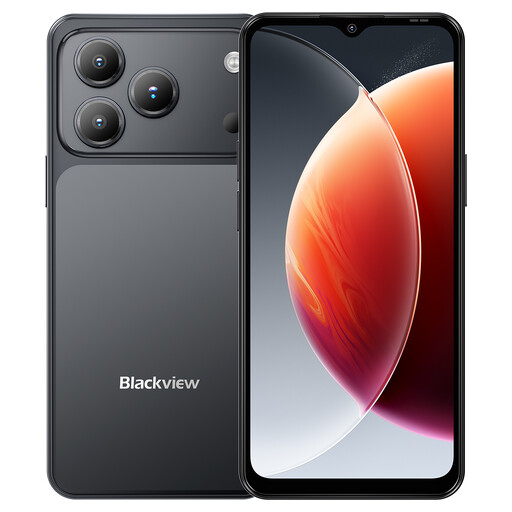
Blackview Wave 7C smartphone, Black
This phone is an option to examine if you need a device to carry for calls and other tasks away from home; test speech access and your essential apps before choosing it.
The product name specifies Android 16, a 6.56-inch display, 128GB storage and 4G Dual SIM. Try magnification as well as TalkBack if you use both visual and spoken access.
View on Joybuy
 No image available
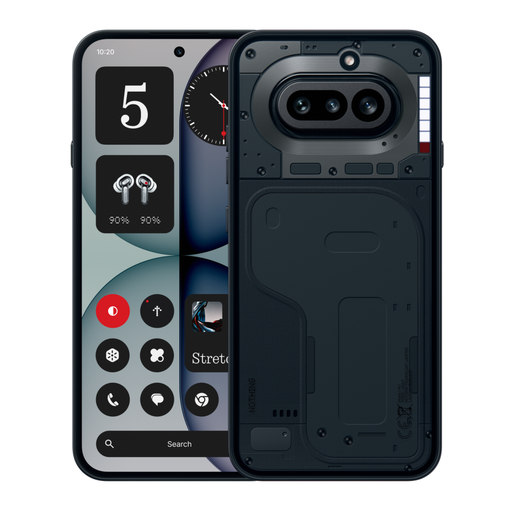
Nothing Phone (4a), 12+256GB, Black
Consider this smartphone for an on-the-move phone workflow only after trying the access settings and apps you depend on.
The listed variant is 12+256GB in Black. Check screen-reader activation, display adjustments and essential-app operation on this exact model.
View on Joybuy
Common questions
What should I test when choosing between iPhone and Android?
Start by activating the screen reader on the exact phone and completing your essential tasks. Apple documents VoiceOver, braille feedback and Magnifier; Google documents TalkBack and external-keyboard shortcuts. If you use remaining vision, try enlargement too. Google notes that Android setup can vary by manufacturer and software version, so compare the devices as you would actually use them.
When might a tablet suit me better than a smartphone?
A tablet is worth trying if a larger screen gives you enough space for enlarged reading or longer on-screen tasks. RNIB notes that larger tablet screens can help people who struggle to see a smaller phone screen. If you need internet away from Wi-Fi, check the exact tablet’s connectivity, as well as whether its size is practical to carry.
Can I use a keyboard with a screen reader?
Yes, keyboard control is documented for some screen-reader workflows, but check the intended pairing. Apple documents VoiceOver keyboard commands on iPad, and Google documents TalkBack shortcuts with a connected external keyboard. Try the keyboard layout, connection and commands needed for your own tasks.
Will a specialist accessible phone run my usual apps?
Check each required app before choosing a specialist phone. BlindShell warns that third-party apps may not be fully accessible and some may not be compatible, so test or confirm the messaging, banking, navigation and support services you rely on.


