Start by testing your existing phone if it can share a permitted mobile-data connection with your work device; choose a separate hotspot when you need a connection device of its own. Check coverage at the actual destination, data and roaming terms, compatibility and charging needs before buying. A power bank can help keep a working setup charged, while a travel router shares an existing connection; neither guarantees better mobile coverage.
Who this setup may suit
Occasional laptop tetherers
If you need short work or study sessions away from your usual broadband, check whether your existing phone can provide the connection before buying another device. Apple documents Wi-Fi, USB and Bluetooth Personal Hotspot connections.
Long-session mobile workers
If you expect repeated or extended sessions, plan for data monitoring and charging as well as the connection itself. TP-Link describes battery durations for its M7350 V9 and M7450 V1 as manufacturer claims, not guaranteed working time.
Multi-device temporary setups
If several devices need to connect at a temporary location, compare the hotspot's client limit with your actual setup. A travel router may also share an existing permitted connection; GL.iNet documents tethering support for the Beryl AX.
What to check before choosing
For a temporary work, study or travel setup, start with usable service at the destination, then decide whether separate hardware or extra charging solves a specific need.
| Concern |
What to check when buying |
Who this matters to |
| Service at your destination |
Check the address or postcode, distinguish indoor from outdoor coverage, identify the network your provider uses, and check its service status. Where practical, test your work applications at the intended location. |
If I depend on a connection at a particular desk or temporary workplace, I need to check that location rather than assume a device will improve reception. Around 28% of consumers put usable destination service first. |
| A separate connection |
Count the devices that need to connect at once and check the exact hotspot model and hardware version. A stated client limit is not a guarantee of performance for demanding simultaneous work. |
If I want to keep my phone separate from the connection or share mobile data with several devices, a dedicated hotspot may fit that setup. Around 22% of consumers put a separate connection first. |
| Charging endurance |
Check session length, charging opportunities, connector type and the power source's individual and shared output profiles. Treat advertised battery runtime as a claim, not a guaranteed work session. |
If I work where sockets are limited, I need charging equipment that matches the devices I actually plan to power. Around 22% of consumers put charging endurance first. |
| Data and roaming terms |
Check your actual allowance, whether tethering is permitted and any destination-specific roaming terms. Use your provider's account information to assess usage rather than assume a universal data requirement. |
If I use mobile data for repeated sessions or travel abroad, I need to understand the allowance and charges for my own plan. Around 17% of consumers put data and roaming terms first. |
| Connection compatibility |
Check the computer's permitted software, the phone-to-router setup instructions, cable requirements and the router's power arrangement. Apple says Windows users need Apple Devices or iTunes for Windows for an iPhone USB hotspot connection. |
If I need a phone, managed computer, cable and router to work together, I should confirm the connection method before buying accessories. Around 11% of consumers put compatibility first. |
Buying pitfalls to avoid
-
Treating coverage predictions or advertised speeds as a work guarantee
Ofcom distinguishes coverage predictions from area-level performance information and notes that local conditions can vary. Neither establishes the service available at a particular workstation.
Check the destination and your provider's service status, then test the intended workload where practical. Compare cellular capability without assuming that a separate hotspot will improve on your phone.
-
Matching a device by product-family name alone
TP-Link's UK product information identifies the M7350 V9, while a Joybuy listing describes an M7350 V4. A shared family name does not establish that the hardware versions are identical.
Check the full model, hardware version, specifications and supplied accessories before comparing a listing with the setup you have in mind.
-
Choosing charging equipment by wattage alone
Connector type and output profiles matter alongside a headline wattage. Anker's specifications for the 533 Power Bank distinguish USB-C profiles from total output, and the researched TP-Link M7350 V9 and M7450 V1 specify micro USB charging.
Match the connector and supported output to each device, and check how output changes when charging more than one item.
-
Assuming a hotspot removes data or roaming conditions
A hotspot still relies on a mobile-data service. Tethering permissions and overseas terms depend on the provider and plan; Ofcom advises consumers to check roaming charges, and Three's published terms are specific to that provider.
Confirm the allowance, permitted sharing and destination terms for your own service before relying on the setup.
Relevant brands to consider
TP-Link
Its M7350 V9 and M7450 V1 are distinct SIM-based mobile Wi-Fi versions to compare when considering a separate hotspot.
- TP-Link specifies up to 10 connected devices for M7350 V9 and up to 32 for M7450 V1.
- The client limits and manufacturer-advertised battery runtimes do not establish simultaneous work performance or a guaranteed session length.
GL.iNet
The Beryl AX (GL-MT3000) is a travel-router option for sharing an existing connection using a documented upstream method.
- GL.iNet documents smartphone USB tethering and other upstream connection methods for the router.
- Tethering support does not mean that the router includes mobile data or improves mobile reception; check the phone, cable and setup together.
Anker
Its 533 Power Bank, product number A1256, illustrates why output profiles matter when choosing charging accessories.
- Anker's specifications list two USB-C ports, one USB-A port and separate output details.
- Those specifications do not establish suitability for every laptop, hotspot or router. Check the exact model and current model-specific safety notices.
Apple
An existing compatible iPhone or cellular iPad may provide a hotspot connection without buying a new phone solely for this setup.
- Apple documents Personal Hotspot connections over Wi-Fi, USB and Bluetooth.
- Apple says Windows users need Apple Devices or iTunes for Windows to connect an iPhone by USB; a managed computer may restrict installation.
Related Joybuy products
These Joybuy options cover portable charging and a separate 4G hotspot. Check destination service and device requirements before choosing.
 No image available
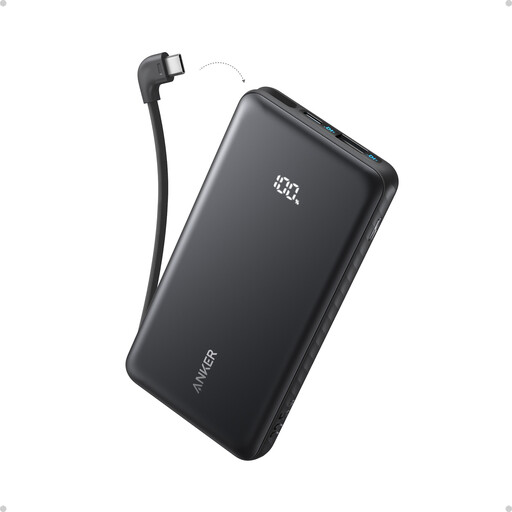
Anker Zolo 10,000mAh 22.5W Power Bank with Built-in USB-C Cable
For a working mobile setup that needs portable charging, this model's title identifies a built-in USB-C cable.
10,000mAh capacity; 22.5W; the product information also lists USB-A and USB-C charging options.
For air travel, UK Civil Aviation Authority passenger guidance says power banks belong in cabin baggage, limits passengers to two and says not to recharge them on board; airlines may set additional restrictions.
View on Joybuy
 No image available
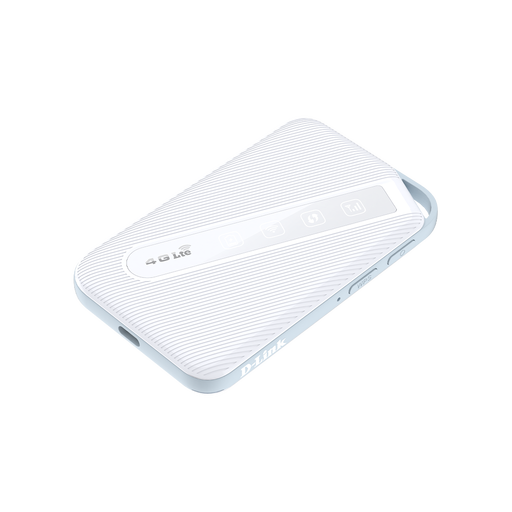
D-Link DWR-932W 4G LTE AX300 Wi-Fi 6 Mobile Hotspot
For a separate mobile-data connection, the product information describes a portable 4G LTE hotspot.
The description specifies a Nano SIM, up to 32 simultaneous connections and a 3,000mAh battery. Its stated runtime of up to 16 hours is a product claim, not a guaranteed work session.
It requires a Nano SIM and usable 4G coverage; check the service at your destination before relying on it.
View on Joybuy
 No image available
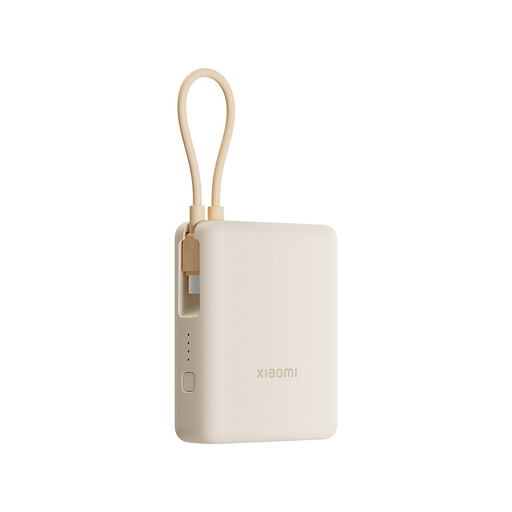
Xiaomi 33W 10,000mAh Power Bank with Integrated Cable
For a mobile setup that needs a portable charging option, the product information identifies an integrated cable.
10,000mAh capacity; 33W; the description also lists USB-C and USB-A ports and says it can charge up to three devices simultaneously.
For air travel, UK Civil Aviation Authority passenger guidance says power banks belong in cabin baggage, limits passengers to two and says not to recharge them on board; airlines may set additional restrictions.
View on Joybuy
Questions about working away from home
How should I check a location before relying on it for work?
Use Ofcom's address or postcode coverage information, distinguish indoor from outdoor predictions, and check your provider's service status separately. Where practical, test the work applications you intend to use at the actual workstation and usual working time; area-level information cannot guarantee service at a particular desk.
How much mobile data should I allow for work away from home?
There is no single allowance that fits every work-away setup. Measure a representative session, account for how often you will work and how many devices will connect, then compare that usage with your own plan's allowance and tethering terms. Check destination-specific limits separately when travelling abroad.
Can I connect an iPhone hotspot to a Windows laptop by USB?
Yes, Apple documents this connection, but Windows users need Apple Devices or iTunes for Windows installed, along with a suitable USB connection and any required trust confirmations. If your work computer does not permit the software, confirm an allowed connection method before buying a cable for this purpose.
Does a travel router include mobile internet?
A travel router does not provide mobile internet simply because it is designed for travel. GL.iNet documents upstream methods for the Beryl AX, including smartphone tethering; you still need a permitted mobile-data connection and a compatible setup.
Can I pack power banks in checked luggage on a UK flight?
No. The UK Civil Aviation Authority says power banks must be carried in cabin baggage, limits passengers to two and says they must not be recharged on board. These are passenger air-travel conditions; check your airline's additional restrictions.


