Choose a phone that runs the rail-planning and ticketing apps you use, has a screen you can read comfortably when comparing connections, and gives you a mobile-data option when hotel Wi-Fi is unsuitable. Check battery needs for the whole travel day rather than relying on a capacity figure alone. National Rail separates advance journey planning from its live departure information, so you may need to check both as your journey approaches.
Who this choice matters to
Connection-sensitive rail travellers
If your journey involves changes, you need to compare routes in advance and check the service again near departure. National Rail provides Journey Planner for route options and Live Departures for real-time station information.
Hotel-Wi-Fi planners
If you expect to sign in or buy tickets from your room, consider how you will connect as well as how comfortably you can read the screen. The National Cyber Security Centre warns that public or insecure Wi-Fi can expose mobile-device traffic to interception or modification.
Platform-continuity buyers
If your tickets and travel accounts are already set up on iPhone or Android, check your chosen apps before changing platforms. Trainline lists planning, booking and live-notification functions for its iPhone app; Google advises checking Play Protect certification on Android devices used for Google Play apps.
What to check when choosing
Start with access to your travel apps and a connection you can use away from hotel Wi-Fi. Then decide how much screen space and software support matter for the time you intend to keep the phone.
| Concern |
What to check |
Who this matters to |
| Rail apps and live information |
Check your chosen apps’ current operating-system requirements and your mobile-data arrangement. For Android apps obtained through Google Play, check Play Protect certification. |
If I depend on ticketing apps and changing platform information, I need access to both my itinerary and current departures. Around 36% of consumers put dependable app and live-information access first. |
| Readable route comparison |
Compare the screen on the exact model with its overall size and weight; consider how comfortably you can read several connections and fares. |
When I compare routes and change times, I want to read the details without making the phone awkward to carry. For around 29% of consumers, screen readability is the primary concern. |
| Usable support life |
Check the software-update policy for the exact model and the terms that apply to your purchase; future app compatibility still needs checking. |
If I plan to keep the phone for several years, I want its software support to suit that period rather than choosing it for features unrelated to travel. Around 21% of consumers make support life their main priority. |
| Hotel-network security |
Keep the phone and apps updated, and have a mobile-data option for sensitive activity when you cannot trust the Wi-Fi connection. |
Before signing in or paying from a hotel room, I want another way online if the network seems untrustworthy. Reducing that exposure comes first for around 14% of consumers. |
Buying pitfalls
-
Assuming every Android phone will run your rail apps
Google says apps and features may not work correctly on devices without Play Protect certification. Your chosen rail and ticketing apps also have their own current requirements.
Check certification and app requirements before buying, particularly if you rely on Google Play.
-
Trusting hotel Wi-Fi just because it is available
The National Cyber Security Centre warns that people on a public or insecure network may be able to intercept or modify mobile-device traffic.
Use a connection you trust for sensitive sign-ins or payments; mobile data is an option when you cannot assess the hotel network. Keep system and app updates current.
-
Choosing camera features over the travel workflow
Camera specifications do not tell you whether you can comfortably compare connections or access the apps and live information you need.
Check app access, screen comfort and connectivity against your usual journey-planning tasks before weighing camera features.
-
Assuming a charging claim includes the required charger
Google’s stated fastest charging figure for the Pixel 11 requires a 30W USB-C PPS charger or higher, sold separately.
Check the box contents and whether a charger you already own meets the stated requirement.
Relevant brands for reference
Samsung
The Galaxy A37 5G is one Android model to consider if software-support life matters alongside access to travel apps.
- Samsung states that the Galaxy A37 5G will receive six generations of operating-system upgrades and long-term security support.
- That policy does not establish battery endurance or performance in a particular rail app. Check the policy and app requirements for the exact model you intend to buy.
Google Pixel
The Pixel 11 is an Android option for consumers weighing screen specifications and stated battery life.
- Google lists a 6.3-inch OLED display, up to 3,000 nits peak brightness and 12GB RAM for the Pixel 11.
- Google’s stated battery-life figure is not a promise of endurance with your own mix of mobile data, maps and screen brightness. Its fastest stated charging also requires a separately sold compatible charger.
Apple
An iPhone can preserve an existing iOS app and account setup for journey planning and tickets.
- Apple lists a 6.3-inch OLED display and up to 3,000 nits peak outdoor brightness for the iPhone 17; Trainline has an iPhone app listing for planning, booking and live notifications.
- Those display specifications do not establish an advantage over Android for train planning. Check your chosen apps’ current iOS requirements and account workflow.
Joybuy phones for this use
These Android and iPhone models offer different screen sizes, mobile-network options and platform choices for planning connections. Check your rail apps, mobile network and preferred carrying size against the exact phone before deciding.
 No image available
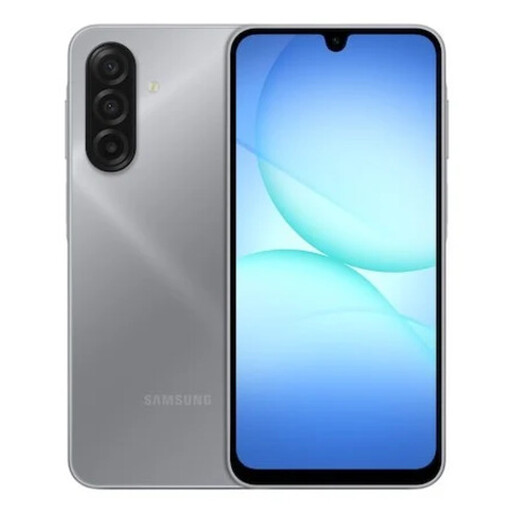
Samsung Galaxy A17 4G A175 Dual SIM, 4GB RAM, 128GB, Grey
Consider this model if you want an Android phone for comparing connections and plan to use a 4G mobile-data connection when needed.
The named variant has dual SIM, 4GB RAM and 128GB storage. Check Play Protect certification, your rail apps’ requirements and compatibility with your intended UK mobile network.
Joybuy
 No image available
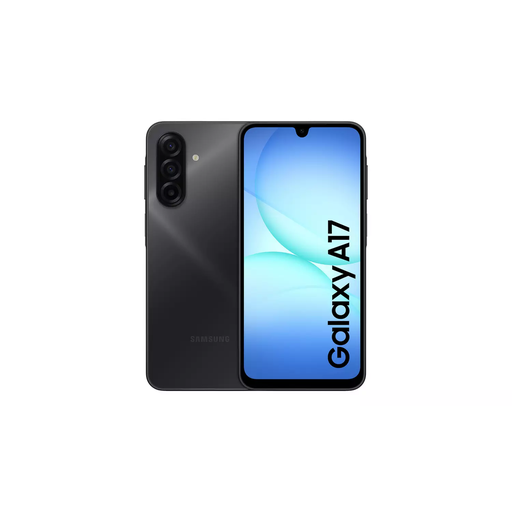
Samsung Galaxy A17 5G A176 Dual SIM, 4GB RAM, 128GB, Grey
Consider this Android variant if 5G capability is part of your mobile-data plan for checking connections away from hotel Wi-Fi.
The named variant has dual SIM, 4GB RAM and 128GB storage. Confirm Play Protect certification, app requirements and your intended UK network’s compatibility before relying on it for travel.
Joybuy
 No image available
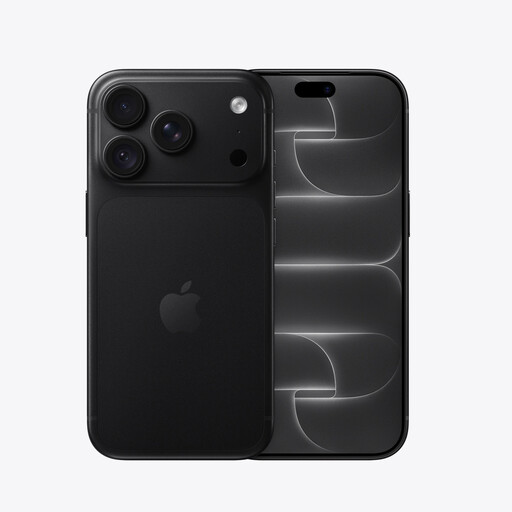
iPhone 18 Pro, 256GB, Black
This iPhone may suit you if retaining your iOS travel-app and account setup is a priority.
The named variant has 256GB storage. Check your chosen apps’ current iOS requirements and confirm the exact model’s battery information before relying on a stated playback figure for a travel day.
Joybuy
 No image available
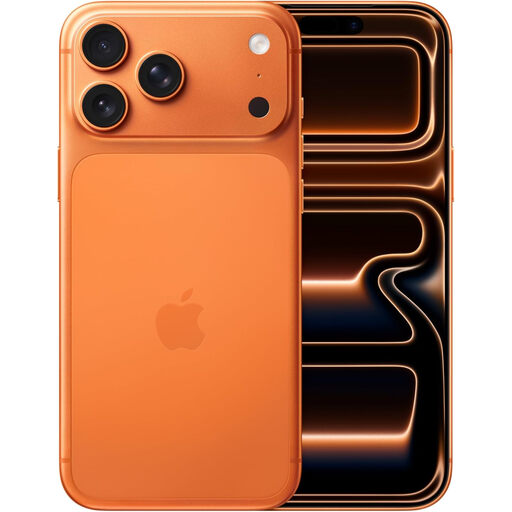
Apple iPhone 17 Pro Max, 256GB, Cosmic Orange
Consider this iPhone if you want to remain with iOS and favour more screen space when reading routes and connection details.
The named variant has 256GB storage. Compare its handling and carrying size with smaller phones, and check your travel apps’ current requirements.
Joybuy
 No image available
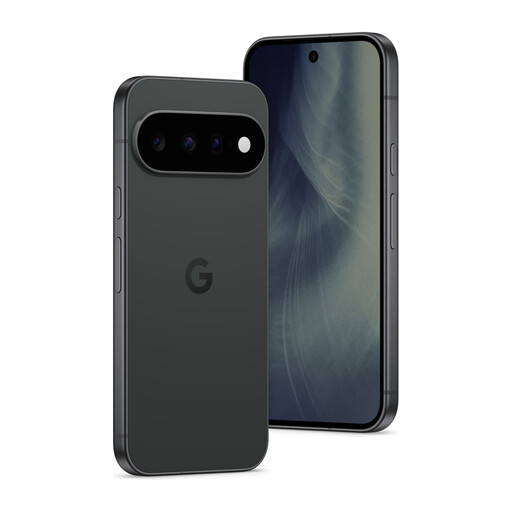
Google Pixel 11 5G, 12GB RAM, 512GB, Obsidian
This Android model is worth considering if you prefer a 6.3-inch screen while comparing journey details and switching between travel apps.
Google lists a 6.3-inch OLED display for the Pixel 11; this named variant has 5G, 12GB RAM and 512GB storage. Check Play Protect certification, your apps’ requirements and compatibility with your intended UK mobile network.
Joybuy
Frequently asked questions
Do I need a large screen to plan train connections?
No: choose a screen on which you can comfortably compare routes, fares and change times without making the phone inconvenient to carry. Google and Apple each list a 6.3-inch OLED display for the Pixel 11 and iPhone 17 respectively, but those specifications do not determine which size will feel right to you.
Is an itinerary saved in advance enough for platform changes?
No: check live service information close to departure as well. National Rail provides Journey Planner for planning routes and Live Departures for real-time station and service information.
Should I use hotel Wi-Fi to buy train tickets?
Do not assume a hotel network is trustworthy for sign-ins or payments. The National Cyber Security Centre warns that public or insecure Wi-Fi can expose traffic to interception or modification; use a connection you trust, such as mobile data when appropriate, and keep your phone and apps updated.
Can I use a digital ticket on every UK train route?
Do not assume that every journey accepts the same ticket format. Trainline describes tickets on a phone for selected routes, so check the delivery method and acceptance conditions for your specific ticket before travelling.


