What matters when choosing?
Check the handset and cable connection before comparing charger output. If you charge several devices from one socket or want a wireless pad, assess those requirements separately.
| Concern |
What to check |
Who this matters to |
| Handset compatibility |
Check the exact model’s connector, supported charging protocol and maximum wired input; match both ends of the cable. |
If my old plug or cable no longer suits my phone, I want to know which combination will provide a supported charging mode. Around 36% of consumers would put handset compatibility first. |
| Product and seller traceability |
Identify the manufacturer, model and seller; check product marking and recall information without relying on a mark alone. |
When considering an unfamiliar charger listing, I want to recognise the product and know who supplied it before connecting it to the mains. Roughly 29% of consumers would make traceability and safety their primary concern. |
| Charging several devices |
Compare port types and the output available to each port when multiple devices are connected. |
At a shared desk or bedside socket, I want to connect my phone alongside another device without assuming the headline wattage applies to every port. Around 21% of consumers would prioritise multi-device convenience. |
| Wireless charging |
Confirm handset support and the required Qi or Qi2 version; check the exact pad in the Wireless Power Consortium’s certified-product database. |
For routine charging at a fixed spot, I would rather set my phone down than connect a cable, provided my handset supports the pad. About 14% of consumers would put wireless convenience first. |
Joybuy chargers and cables
These options cover single-port USB-C wall chargers, cables for different phone connectors and a multi-port charger for sharing a socket. Choose the cable by your phone’s port, then check the handset’s charging requirements against the adapter.
 No image available
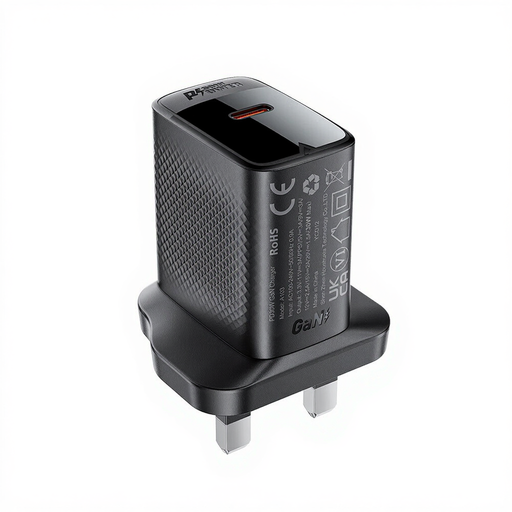
ACEFAST PD30W GaN USB-C Charger, Black
A single-port option if you charge one compatible phone from a UK mains socket.
The product description specifies a UK three-pin plug, USB-C PD support and output up to 30W. Check whether its stated charging modes meet your exact handset’s requirements, including PPS if your phone needs it.
View on Joybuy
 No image available
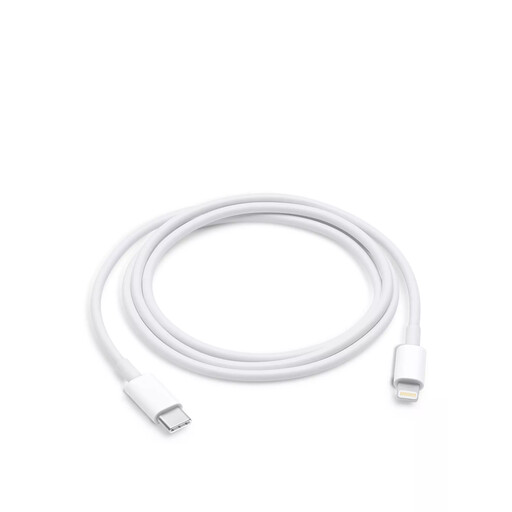
Apple USB-C to Lightning Cable, 1 m
For a compatible Lightning-equipped phone or tablet used with a USB-C adapter, not for a phone with a USB-C port.
The cable is 1 m long. Apple identifies USB-C-to-Lightning as a charging route for selected Lightning devices; choose a compatible mains adapter separately.
View on Joybuy
 No image available
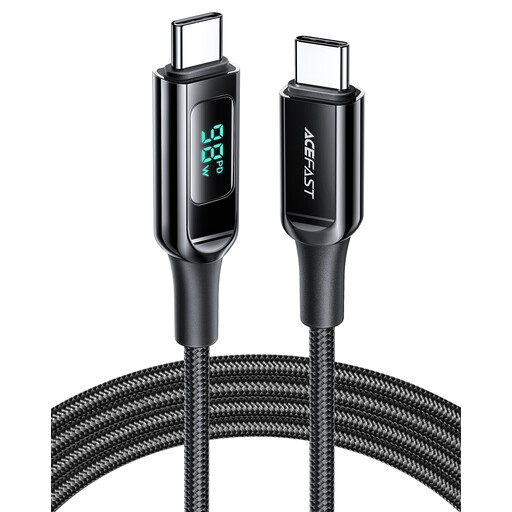
ACEFAST 100W USB-C to USB-C Cable, 1.2 m, Black
For a phone and adapter that both use USB-C connections; it will not fit a Lightning port.
The product description specifies a 1.2 m length, an up-to-100W cable rating and a digital power display. That cable rating does not determine the charging mode your phone and adapter can use together.
View on Joybuy
 No image available
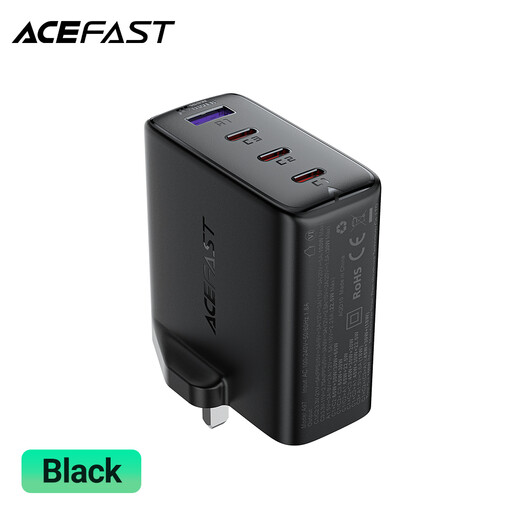
ACEFAST A97 PD100W GaN Charger, 3 USB-C + USB-A, UK
A multi-port option if your phone shares a mains socket with other devices.
The product title specifies three USB-C ports, one USB-A port and a 100W PD rating. Before relying on a particular phone charging mode, check the output of its chosen port with your other devices connected and confirm any PPS requirement.
View on Joybuy
 No image available
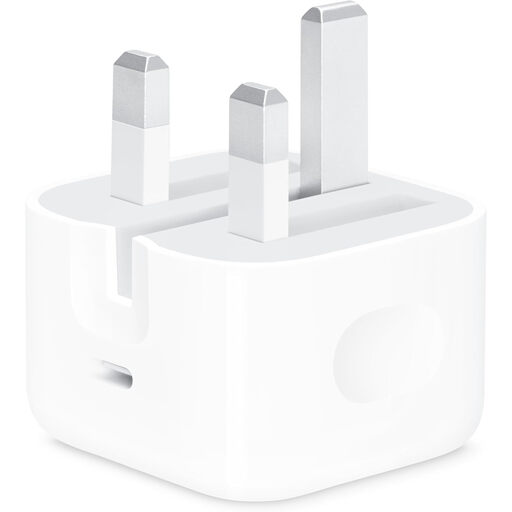
Apple 20W USB-C Power Adapter
A single-port UK mains adapter for a compatible phone if you already have, or plan to buy, the correct cable.
The product description specifies one USB-C port, output up to 20W and a UK three-pin plug. A cable is not included; match a USB-C-to-USB-C or USB-C-to-Lightning cable to your handset’s port and check its supported charging mode.
View on Joybuy
Frequently asked questions
What should I check on my phone before buying a charger?
Check the exact model’s charging port, supported wired or wireless method, maximum wired input and any required charging protocol. The model matters: Samsung says selected 45W Galaxy charging also requires a 5A cable.
Will a higher-wattage charger make my phone charge faster?
Not by wattage alone: the phone must support the charging mode offered by a compatible charger and cable. Compare the handset manufacturer’s stated requirements with the adapter’s protocols before choosing a higher-rated plug.
Do I need a particular cable for fast charging?
You may need one with specific connectors or a specified current rating. A compatible Lightning iPhone uses USB-C-to-Lightning with a USB-C adapter, while Samsung specifies a 5A cable for selected 45W Galaxy charging; check your own model before buying.
Is a UKCA or CE mark enough to judge a charger?
No. Electrical Safety First warns that marks can be faked, so also identify the manufacturer and model, assess the seller and check for recalls. Do not use a charger that is damaged or differs from its description.
How do I check a wireless charging pad’s Qi certification?
Confirm that your phone supports wireless charging, then search for the exact pad in the Wireless Power Consortium’s Qi Certified Product Database. The Consortium says wording such as ‘Qi compatible’ does not, by itself, indicate Qi certification.


