Choose a smartphone or tablet if video calls or messaging apps are essential: a tablet offers a larger view for use at home, while a phone is easier to carry. If voice calls and texts are the priority, a physical-button feature phone may be simpler to use, provided its keys, sound and charging method suit your relative. For a UK mobile connection, check the exact device and provider before buying; Ofcom says 3G has switched off and 2G is being retired.
Who is each device for?
Start with how your relative wants to contact people, then consider which controls they can use comfortably each day.
People who want simple video calls
A smartphone or tablet is the route to consider when seeing family matters as much as speaking to them. Larger text, a simpler calling screen and favourite contacts may help; check that the required video-call service works on the chosen device. Apple Support describes favourite contacts and FaceTime calling within Assistive Access on iPhone.
Callers with vision or dexterity difficulties
Compare text size, contrast, button or touch-target size, grip and the way the device charges. Age UK Trading identifies eyesight and dexterity as difficulties that can make smartphone navigation harder; the right control layout depends on the person using it.
People who mainly call and text
A physical-button feature phone may suit someone who does not need video calls or messaging apps. For use with a UK SIM, check the exact model’s 4G calling compatibility with the intended provider rather than relying on an older 2G-only handset. Ofcom says UK 2G networks are being retired.
What should you check before choosing?
Decide which forms of contact are essential before comparing screens and controls. Then try the everyday tasks your relative will need to repeat without help.
Smartphone
Choose when: Video calls, messaging apps and a device that travels with your relative are important.
Consider: Someone may need to set up contacts and accessibility controls, and the touchscreen must be manageable in use.
Physical-button feature phone
Choose when: Straightforward voice calls and texts matter more than apps or video calls.
Consider: Buttons still need to be easy to press, and app-based video calling should not be assumed.
Tablet
Choose when: Video calls and reading messages mainly happen at home, where a larger screen is useful.
Consider: Check whether your relative can hold it comfortably or needs a stand, and whether Wi-Fi reaches its usual location.
| Priority | What to check | Your needs |
|---|
| Readable content |
Try text and display enlargement, contact names and the video-call view. On a tablet, assess weight as well as screen size. |
I want to read messages and recognise the person on a video call without struggling with small text or images. |
| Easy calling |
Try unlocking the device, finding a favourite contact, placing and answering a call, and returning to the starting screen. Check which simplified controls the exact device offers. |
A familiar route to calling family matters more to me than having lots of apps on the screen. |
| Handling and charging |
Test key spacing or touchscreen targets, grip and the charging connector. Confirm that any cradle fits the exact handset and what comes in the box. |
Small controls or plugging in a cable could make daily use difficult, even if the calling steps are simple. |
| Mobile connection |
For a device using a UK SIM, confirm 4G or 5G capability, voice-calling support on the intended provider and coverage where it will be used. Check for any provider-recommended update. |
I need the phone to make calls in the places my relative normally visits, not just connect to a mobile network on paper. |
Common buying mistakes
-
Choosing buttons before deciding whether video calls matter
A feature phone can serve calls and texts yet fail the goal of seeing family. Doro distinguishes its calls-and-texts feature phones from smartphones that add apps and video calls.
List the required contact methods, including any particular messaging or video-call app, and confirm support on the exact model.
-
Assuming large buttons solve every usability problem
Key size alone does not address screen readability, hearing, remembering contacts or returning to a familiar screen.
If possible, ask your relative to find a contact, make and answer a call, then put the device on charge. Compare that experience with a configured smartphone or tablet.
-
Overlooking the calling network
Ofcom says UK 3G networks have switched off and 2G networks are being retired. A device labelled 4G may also need the right calling settings or a software update.
Check the exact model with the intended provider, including voice calling and coverage at home and other regular destinations.
-
Assuming charging accessories fit every model
A cradle that does not fit the handset will not make charging easier. Accessory compatibility is model-specific; emporia also states that a power supply is not included with its emporiaPURE-LTE.
Confirm the handset and accessory models, charging connector, box contents and a suitable place to charge the device.
Brand features worth checking
These brand examples illustrate different controls and setup approaches; features still need checking on the exact device.
Apple
An iPhone is worth considering when a supporter can configure a simpler calling experience and the relative wants voice or FaceTime video calls.
- Apple Support says Assistive Access can provide a Calls app with voice and FaceTime calling to trusted contacts.
- The software layout does not determine whether a particular iPhone’s size, sound and handling suit its user.
Doro
Doro describes both physical-button phones for calls and texts and touchscreen smartphones for apps and video calls.
- Its range offers different control styles, so the required contact method can guide which type to examine.
- Check accessibility features and charging-cradle compatibility for the particular model rather than the brand as a whole.
emporia
emporia offers physical-button and smartphone options aimed at straightforward operation.
- emporia lists 4G/LTE, speed-dial functions and a charging cradle for its emporiaPURE-LTE.
- Those details are model-specific; emporia states that the emporiaPURE-LTE power supply is not included.
Joybuy phone options
These phones cover two routes: physical-button models to consider for calls and texts, and smartphones to assess for app-based family contact. If a larger home-based screen is the priority, compare tablets separately rather than treating a phone as an equivalent substitute.
 No image available
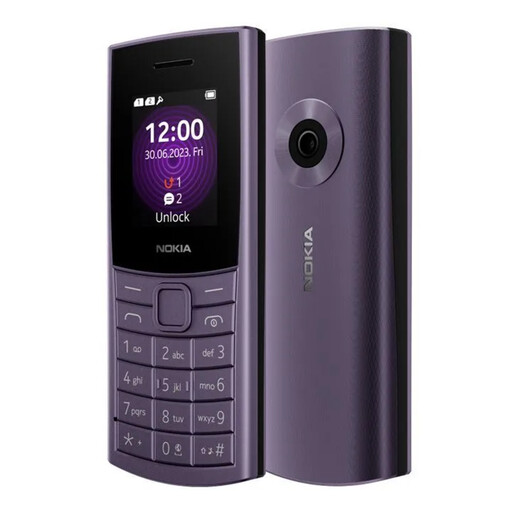
Nokia 110 4G TA-1543 DS Purple
Consider this 4G phone when calls and texts, rather than video calls, are the main requirement. Try its keypad and check voice-calling compatibility and coverage with the intended UK provider.
View on Joybuy
 No image available
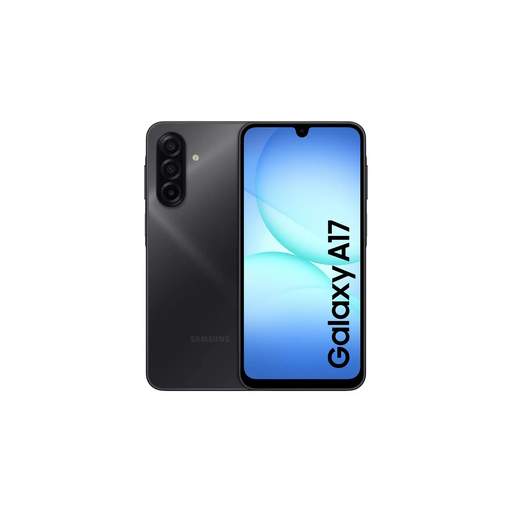
Samsung Galaxy A17 5G A176 Dual SIM 4GB 128GB Grey
A smartphone route if a supporter can set up contacts and the required communication apps. Check that the intended video-call app, accessibility controls and UK provider calling work on this model, and that a suitable charging adaptor is available.
View on Joybuy
 No image available
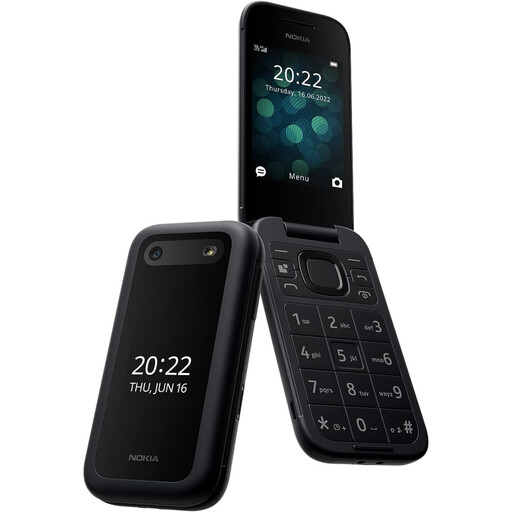
Nokia 2660 TA-1469
Consider this physical-button option for someone who mainly calls and texts; do not assume it meets an app-based video-calling requirement. Try the controls and charging connector, and confirm 4G voice calling with the intended UK provider.
View on Joybuy
 No image available
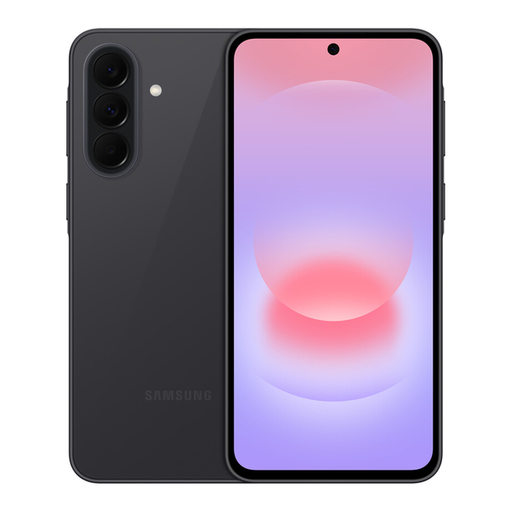
Samsung Galaxy A37 5G Graphite
A smartphone option to assess for family messaging and video calls, subject to the required app and provider working on this model. Confirm the RAM and storage variant before ordering, as the product information gives conflicting configurations; also try its touchscreen with the intended user.
View on Joybuy
 No image available
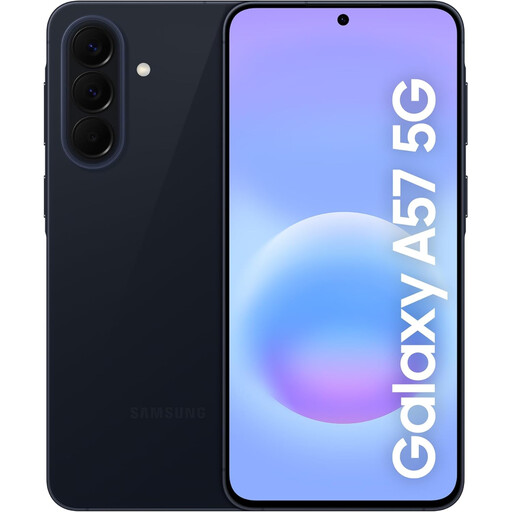
Samsung Galaxy A57 5G 256GB Awesome Navy
Consider this smartphone if app-based contact is essential and someone can help configure it. Check the required video-call app, accessibility controls and UK provider calling; the charging adaptor is not included, so confirm a compatible one is available.
View on Joybuy
Questions about choosing a device
Is a 2G-only phone a sensible long-term choice in the UK?
No. Ofcom says UK 3G networks have switched off and 2G networks are being retired, so a 2G-only device will need replacing for mobile service. Look for a 4G- or 5G-capable model, then confirm voice calling and local coverage with the intended provider.
Can a simple feature phone handle family video calls?
Do not assume it can. Doro distinguishes its calls-and-texts feature phones from smartphones that add apps and video calls. If video is essential, confirm that the exact device runs the family’s chosen calling service and that your relative can use it.
Are accessibility features software settings or hardware features?
Both matter. Age UK describes display settings that make phone and tablet text easier to read, while Apple Support describes a simplified iPhone calling interface; Android feature names and availability can vary by device and market, according to Google. Physical keys, device weight and charging-cradle fit depend on the particular hardware, so test those separately.
When does a tablet make more sense than a phone?
Consider a tablet when video calls and reading messages mainly happen at home and a larger screen helps your relative see the content. Check that they can hold it or use a stand and that Wi-Fi works where they sit; a phone is easier to take along for calls away from home.


