What matters when choosing
Start with the storage breakdown on your phone: files you can move call for a different decision from apps that must remain on internal storage.
| Concern |
What to check |
Who this matters to |
| Ongoing backup and access |
Check which photos, files and app data are selected for backup, the account storage allowance and the subscription terms. |
If I want current photos and files available on another device, I need a backup service that covers the content I use. Around 33% of consumers put ongoing backup and access first. |
| Moving files offline |
Check the phone connector, data-transfer cable or adapter, and whether the drive or computer can access the files you need. |
When old videos and downloads are taking up space, I would rather archive them than keep them synced. Offline file transfer is the primary need for around 27% of consumers. |
| Removable capacity |
Confirm the exact model's microSD slot, supported card capacity and any hybrid SIM-tray restriction. |
If my phone accepts a card, I want storage that stays with it rather than a separate transfer routine. Around 20% of consumers prioritise compatible removable capacity. |
| Persistent internal-space pressure |
Compare the current phone's storage use with the replacement's exact internal-storage variant, and plan how essential data and apps will move. |
If apps and recurring downloads still fill my phone after I archive files, I need to assess more internal capacity. That is the main concern for around 20% of consumers. |
Joybuy product options
These options cover moving files to external storage, adding a card to a phone that supports one, and comparing a replacement phone's internal capacity. Match any accessory to your exact handset before choosing it.
 Image unavailable
Lexar ES4 Portable SSD with Magnetic Set, 2TB
Consider this external drive for archiving files from a phone that supports its connection.
The listed variant has 2TB capacity and USB-C connectivity. Check your phone's connector, external-drive support and any adapter or file-system requirements before buying.
View on Joybuy
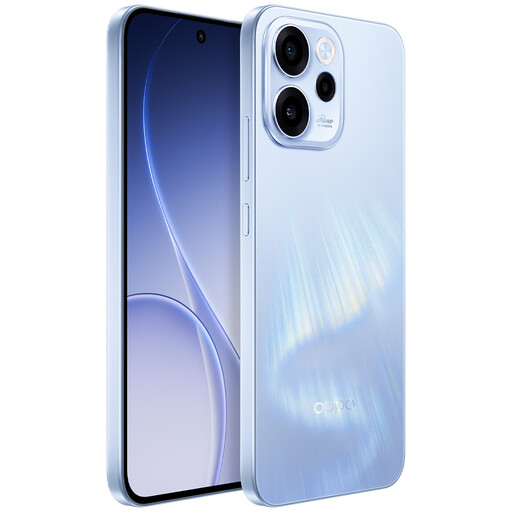 Image unavailable
OPPO Reno15 FS 5G CPH2801 Europe, 512GB, 8GB, Aurora Blue OEU
Compare this replacement-phone variant if apps and media continue to put pressure on your current phone's internal storage.
Its listed configuration is 512GB storage and 8GB RAM. Compare that storage variant with your current capacity and needs, and check usable storage and UK network suitability before changing phones.
View on Joybuy
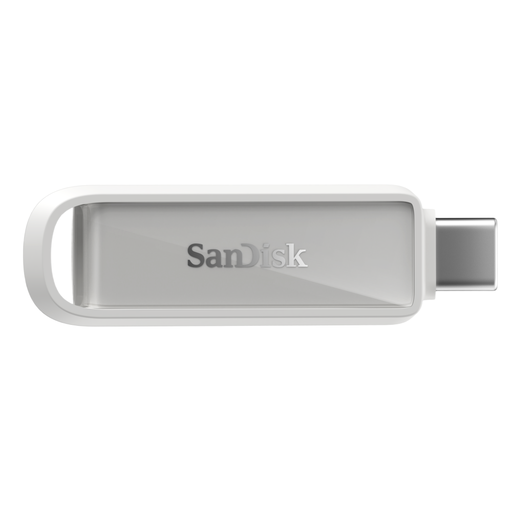 Image unavailable
SanDisk Phone Drive with USB-C, Arctic White, 128GB
This drive is an option for moving media from a compatible USB-C phone rather than adding internal app storage.
The listed capacity is 128GB. Check the exact phone's connection and external-storage support, and confirm that the transfer app supports your device if you plan to use it.
View on Joybuy
 Image unavailable
MOVESPEED YSUSP05-512GSR dual-interface flash drive, 512GB, Silver
Consider a dual-interface drive if you want to move files between a compatible phone and another device.
This listed variant has 512GB capacity and USB 3.2 Gen 1 and Type-C interfaces. Confirm your phone's port, operating system and external USB-storage support before relying on it for transfers.
View on Joybuy
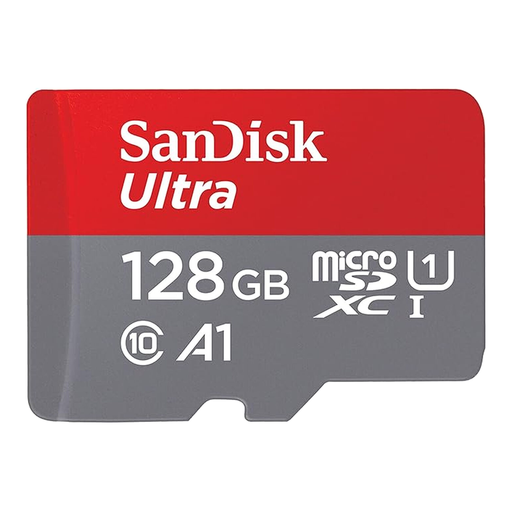 Image unavailable
SANDISK Ultra microSDXC 128GB with SD Adapter
A card is worth considering only if your exact phone accepts microSDXC storage and the intended capacity.
This is a 128GB microSDXC card with an SD adapter. Check the phone's UK specifications and tray arrangement; the included adapter does not establish phone compatibility.
View on Joybuy
Common questions
How do I know whether my phone accepts a microSD card?
Check the exact model number against its UK specifications or manufacturer support guidance. Samsung UK says card support and maximum capacity vary by model, and some trays require you to choose between a second SIM and a card.
Will cloud storage automatically free up space on my phone?
Not necessarily: cloud account capacity is different from the phone's internal storage. Confirm that the selected files have uploaded and understand what remains on the handset before removing local copies; Google says an Android backup can take up to 24 hours and app restoration varies.
Can I transfer files to a computer instead of using cloud storage?
Yes, if your phone and connection support file transfer. Google advises Android users to unlock the phone and select File transfer for a USB connection, and notes that some cables only charge; Apple also documents iPhone file-transfer workflows.
Can I connect a USB drive directly to my phone?
It depends on the phone and drive connection. Files by Google supports USB storage access on Android 7.0 and later; Apple documents transfers to external storage from iPhone, potentially with an adapter. Check your exact model, connector and drive requirements before choosing one.
What should I check before taking out a cloud-storage subscription?
Check what the service backs up, its account capacity, renewal and cancellation terms, and how you would retrieve your files if you leave. GOV.UK consumer guidance warns that a suspended or cancelled account can affect access to stored data.


