What to consider when choosing
Decide whether remote access and automatic uploads or a local archive matter more, then consider whether you need a separate destination for another recoverable copy.
| Concern |
What to check when buying |
Who this matters to |
| Recoverable copies |
Check the recovery process and whether another copy can be kept separately or disconnected. |
If these photos cannot be replaced, I want to know I can restore them if synchronisation or connected storage fails. Around 29% of consumers put recoverability first. |
| Sharing and access |
Check invitation and link permissions, supported devices, and whether shared storage also shares files. |
When relatives use different devices, I want to share selected albums without making the whole archive visible. Around 23% of consumers prioritise controlled sharing and cross-device access. |
| Archive capacity |
Measure the current collection and allow for additions; for a NAS, distinguish usable space from advertised raw capacity. |
If my photo and video collection is growing, I need enough room for the files I already have and those I expect to add. Around 18% of consumers put capacity first. |
| Ongoing terms |
Check current storage allowances, renewal terms and how you would export files if you changed plans. |
If I am comparing a subscription with local hardware, I want to understand the ongoing terms and what moving my archive would involve. Around 18% of consumers prioritise ongoing costs and subscription changes. |
| Privacy and control |
Review who can access shared files, the specific encryption arrangements and how account access can be recovered. |
For sensitive family photos, I want to decide who can view them and what happens if I lose access to an account or device. Around 12% of consumers prioritise privacy and control. |
Joybuy products for local photo storage
These Joybuy choices are removable SSDs and drives for keeping a household photo or video archive locally. A local drive does not by itself provide automatic family sharing or an off-site copy.
 No image available
Samsung Portable SSD T7, 2 TB, Grey
A removable local-storage option for a household photo and video archive; plan another destination if you also need off-site protection or automatic family sharing.
2 TB; USB Type-C 3.2 Gen 2 (3.1 Gen 2).
Joybuy
 No image available
Samsung MU-PE1T0S, 1 TB, Black
A removable drive option for a local photo and video copy; it does not by itself supply an off-site copy or automatic family sharing.
1 TB; USB Type-C 3.2 Gen 2 (3.1 Gen 2).
Joybuy
 No image available
SanDisk Portable SSD, 2 TB
A portable local-storage option for a household archive; keep a separate backup destination if you need protection beyond the drive itself.
2 TB.
Joybuy
 No image available
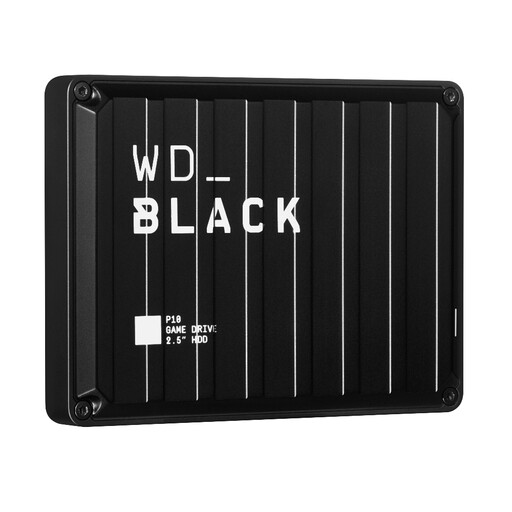
Western Digital WD BLACK P10 Game Drive, 5 TB
A local-storage option for keeping a larger household archive; it does not by itself provide automatic sharing or an off-site copy.
5 TB.
Joybuy
 No image available
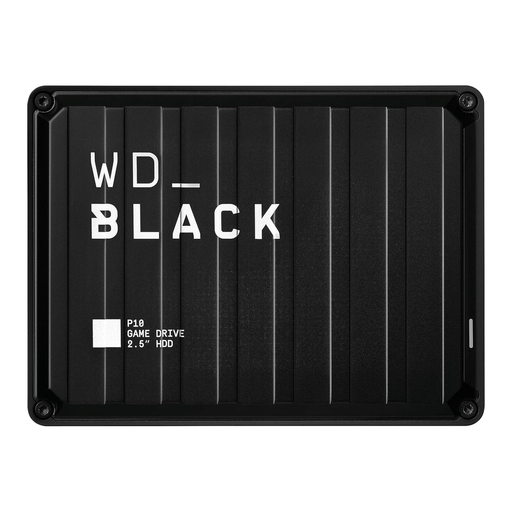
Western Digital WD BLACK P10 Game Drive, 2 TB
A local-storage option for a household photo and video archive; consider a separate destination for another recoverable copy.
2 TB.
Joybuy
Photo backup questions answered
If I delete a photo from my phone, is the cloud copy still a backup?
Not necessarily. Apple says a deletion in iCloud Photos also deletes the photo on devices with iCloud Photos enabled, and its normal recovery period is 30 days. Check your own service’s recovery controls and keep a separately recoverable copy of photos you cannot replace.
How should I start using and checking a local backup?
Copy the files you value, check that recent photos are present, and try restoring some files. Disconnect removable media when it is not in use; for a NAS, arrange another backup destination rather than treating central storage as the only copy.
Does a shared family storage plan make every photo visible to relatives?
No, not by itself. Microsoft says members’ files remain private unless shared, and Apple says family members’ personal information stays separate when sharing iCloud+ storage. Check the permissions on each album, folder or link you choose to share.
What happens if I accidentally delete a OneDrive file?
Microsoft Support says files in a personal account can normally be restored from the recycle bin within 30 days, but not after permanent deletion there. Check the recovery process for your account and do not treat that window as a substitute for an independent backup.
Can a new UK iCloud user enable Advanced Data Protection for Photos?
No. Apple Support UK says users who have not already enabled Advanced Data Protection cannot newly enable it in the UK, and lists Photos among the categories protected under Standard Data Protection instead.


