Choose cloud storage if automatic copying and recovery across devices matter most; choose a removable drive when you can maintain a separate local copy, with capacity, portability and device connections guiding the type of drive. For photos and documents you cannot replace, keeping both a cloud copy and a separately stored removable copy avoids relying on one account or device, provided you check what each copy contains and practise restoring files.
Who needs which approach?
Households with files on several devices
If photos and documents are spread across phones, tablets and computers, automatic cloud backup and a clear account-recovery process can make a replacement device easier to set up. Check each device and file type separately: Apple and Google describe different settings for device backups and synchronised photos.
Keepers of large local archives
If you maintain a substantial photo, video and document library on a computer, an external drive offers space for a local copy. It still needs a repeatable copying routine and a safe storage location separate from the computer, as the National Cyber Security Centre advises for important data.
People carrying a separate copy
A compact removable drive can hold selected files for transfer or storage away from the main device. Check its connections and protection settings before carrying personal information; the Information Commissioner's Office also advises properly deleting that information before passing on the drive.
What matters when choosing?
Decide which files must be recoverable and from which devices, then choose enough capacity and a copying routine you can maintain. A combined cloud and removable-drive arrangement also needs checks on both copies, rather than assuming that synchronisation covers everything.
| Concern |
What to check |
Who this matters to |
| Recovery across devices |
Check which photos, folders and device data are copied automatically, and how to restore them using your account. |
If our files are spread across phones and computers, I want recent copies available when a device is replaced or lost. Around 33% of consumers put automatic recovery across devices first. |
| Archive capacity |
Measure the library and allow for growth; check whether a cloud allowance is shared with other services. |
With a growing collection of photos and videos, I need room for the archive rather than just today's files. For around 27% of consumers, capacity is the primary concern. |
| Portable copies |
Check device connections and, if carrying sensitive files, the drive's protection and password arrangements. |
I need to move a copy between devices or keep it away from home, without leaving personal files unprotected if the drive goes missing. Around 20% of consumers place a portable, protected copy first. |
| Selected offline files |
Define the small file set, refresh it regularly and check that files open from the removable device. |
If I only need essential documents offline, I would rather manage a small, deliberate copy than maintain another full archive. This is the main need for around 20% of consumers. |
Common backup mistakes
-
Assuming a synced photo library is a separate device backup
Apple says iCloud Photos synchronises photos and videos, which are not included in its daily iCloud Backup. Sync and device-backup settings therefore need separate checks.
Locate an important photo and document in each place you expect to recover them from, including any independently stored removable copy.
-
Choosing capacity without checking the whole account
Google says its storage is shared across services including Drive, Gmail, WhatsApp backups and Photos. Apple says insufficient iCloud storage can stop device backups and photo uploads.
Compare your current library and likely growth with the storage available for backups, not just the plan's headline allowance.
-
Expecting an SSD's stated maximum speed on every device
Samsung conditions the cited Portable SSD T7's maximum transfer rates on a compatible host and cable supporting USB 3.2 Gen 2, with UASP enabled. The condition applies to that model, not to every portable SSD.
Check the exact drive model, your device's port and the cable before treating a rated speed as relevant to your setup.
-
Passing on a drive that still holds household files
The Information Commissioner's Office warns that removable storage may retain accessible personal information, even if a device no longer turns on.
Use a secure-deletion method suitable for the medium, or arrange appropriate destruction, before selling, giving away or disposing of it.
Relevant brands to consider
Apple
iCloud is relevant to households using iPhone, iPad or Mac that want account-based device backup and access to synchronised files.
- Apple explains how to restore a device from iCloud Backup after replacement, loss or damage.
- iCloud Photos synchronises separately from daily device backups. Apple says insufficient capacity can stop backups, and content exceeding a lower allowance must be downloaded or removed before a plan downgrade or cancellation.
Google
Google's backup and photo services are relevant to Android and Google-account households seeking automatic copies and signed-in access.
- Google describes automatic Android device backup and a restoration process.
- Google says storage is shared across several services; check what is backed up and how much account capacity remains.
Microsoft
OneDrive is relevant to households storing documents in a Microsoft account and wanting file-recovery options.
- Microsoft describes version history for stored files and an entire-OneDrive restore feature for eligible Microsoft 365 subscribers.
- Microsoft limits the entire-OneDrive restore feature to actions within the preceding 30 days; check the applicable retention and deletion rules before relying on it.
Samsung
Samsung's Portable SSD T7 range is relevant to households considering a compact removable copy.
- Samsung lists password-based encryption for its referenced T7 model.
- The cited T7's rated transfer speeds depend on a compatible host, cable and interface; check the exact variant and connected device.
Seagate
Seagate external drives are relevant to households setting up local computer-file backups.
- Seagate presents Toolkit as software for backing up computer files to a storage device.
- Check the exact drive and operating-system documentation for the backup functions you intend to use.
Joybuy removable-storage options
These external hard drives, portable SSDs and USB storage options suit different sizes of manually managed local copy. Check device compatibility and your backup-and-restore routine before relying on any drive; cloud storage remains a separate choice for account-based copying and remote recovery.
 No image available
Western Digital My Passport Ultra for Mac, 5TB, Silver
For a Mac-centred household keeping a substantial local copy of photos and documents. This portable external hard drive is labelled 5TB; check how your chosen backup routine includes and restores files, and confirm compatibility if you also use Windows.
View on Joybuy
 No image available
Samsung MU-PG2T0B, 2 TB, Black
For a portable local copy where your devices can use its USB Type-C connection. The name specifies USB 3.2 Gen 2x2; check host compatibility and set out how you will copy and restore the files you need.
View on Joybuy
 No image available
Samsung T7 Shield Portable SSD, 1 TB, Blue
For a compact removable copy that can be stored separately from the main device. This variant is labelled USB 3.2 Gen 2; check your device and cable before relying on any stated transfer rate, and plan regular file and restore checks.
View on Joybuy
 No image available
Western Digital Elements Portable, 4TB, Black
For keeping a sizeable local archive on an external drive. The name specifies USB 3.0; check the connector and file-system requirements for your computers, particularly if the copy must be used across operating systems.
View on Joybuy
 No image available
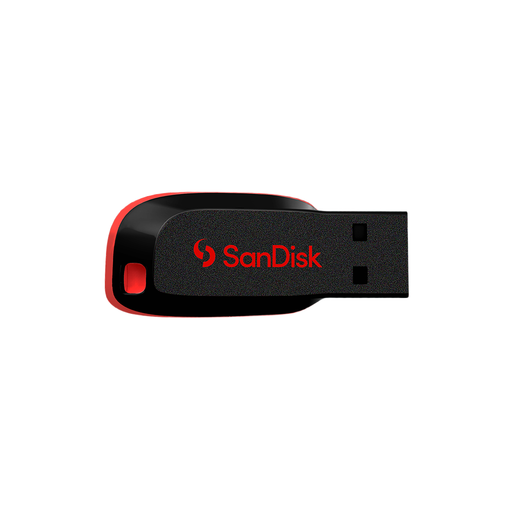
SanDisk Cruzer Blade USB Drive, 64GB
For a deliberately selected set of documents rather than a growing full-library copy. Check that your devices accept its connector, refresh the files on a routine you can maintain and confirm that they open from the drive.
View on Joybuy
Backup questions
Is syncing photos the same as keeping a separate backup?
No: synchronisation and a separately managed backup are different arrangements. Apple says iCloud Photos content synchronises rather than forming part of its daily iCloud Backup, so check where your photos can be recovered and whether you also need an independent copy.
What should I check before relying on cloud storage?
Check which files and devices are included, remaining account capacity, account recovery and how you would retain files if you changed plans. Google says a full storage allowance can stop new photo and video backups; Apple says insufficient iCloud capacity can stop device backups.
How can I tell whether my backup is usable?
Restore a few recent photos and documents to a suitable device and open them, rather than checking only that a backup setting is switched on. For a whole-device copy, review the relevant provider's restoration steps before you need a replacement device.
What should I do before disposing of an old backup drive?
Properly remove personal information before selling, giving away or disposing of the drive. The Information Commissioner's Office warns that removable media can still hold accessible data when a device no longer powers on; choose a secure-deletion or destruction method appropriate to the medium.


