Choose storage based on the files you can actually export, their total size and the devices you will use to copy and restore them. Check capacity, connection, file-system support and the backup workflow before buying; keep a separate, restorable copy rather than relying only on a synchronised library or one connected device.
Who this guide is for
Cloud-library exporters
You already have years of photos online and want an independent local copy without selecting files one by one. Check that the export includes the files you intend to keep and that your destination device can use them. Google’s download guidance and Apple’s export instructions describe service-specific workflows.
Removable-copy households
You want a copy from a computer or supported phone that can be disconnected and stored separately. Capacity, formatting and a repeatable copying routine are key considerations. The UK National Cyber Security Centre advises disconnecting removable media when it is not in use.
Multi-device backup households
You want photos from several household devices collected centrally and are prepared to manage a NAS or cloud service as well as another backup destination. Synology documents automatic mobile uploads for its DS223j, while also advising that NAS data should have another backup destination.
What to consider before buying
Start by confirming what your photo service can export, then match the destination to the exported files and the devices you will use to copy and restore them.
Portable external hard drive
Choose when: you want a removable computer-based copy and do not need a separate mains power supply. Seagate’s Expansion Portable STKM4000400 is a documented 4TB example.
Trade-off: USB power does not establish direct phone compatibility; check the host, capacity and copying routine.
External SSD
Choose when: portable transfers matter and your host supports the selected drive’s connection. Samsung’s T7 Shield MU-PE2T0S/EU is a 2TB USB 3.2 Gen 2 example.
Trade-off: interface and protection claims do not establish end-to-end export speed or protect against data loss. Samsung says its IP65 claim is based on controlled internal testing; its cited model’s warranty excludes liquid and dust damage.
Desktop backup drive
Choose when: the drive will stay near a computer and mains power is available. Seagate’s Expansion Desktop STKP6000400 is a documented 6TB example.
Trade-off: the power adapter adds a setup requirement, and copying files once does not configure recurring backups.
Network-attached storage
Choose when: central access and automatic mobile photo uploads matter enough to justify configuring and maintaining a network device. Synology documents mobile uploads for DS223j through Synology Photos or Synology Drive.
Trade-off: you need compatible installed drives and a separate backup destination; local redundancy alone is not a separate backup.
Cloud storage alongside a local copy
Choose when: automatic uploading and access away from home are useful, and your connection and ongoing subscription suit your needs. Apple supports iCloud+ in the UK.
Trade-off: plan for both the subscription and local storage. Apple documents that deletion in iCloud Photos synchronises across enabled devices, so a separate export matters.
USB flash storage
Choose when: the drive’s usable capacity, connector and format suit the files and device doing the export.
Trade-off: a USB connector does not guarantee phone support or a particular transfer speed. Kingston marks its DataTraveler Max DTMAX/1TB as discontinued, so its historical specifications are not a current purchase recommendation.
| Concern |
What to check when buying |
Who this matters to |
| Complete, usable export |
Check the account and export scope, whether you need original files, the destination and a sample restore. Google warns that changes made while an archive is being prepared may not be included. Apple documents browser selection in batches of up to 1,000 photos or videos. |
If I am moving a large cloud library, I want to know that the copy contains the files I meant to keep before choosing storage. Around 28% of consumers put export completeness first. |
| Usable capacity |
Measure the exported files, include videos and any retained versions, and allow for the space available after formatting. Seagate’s documented portable and desktop examples are 4TB and 6TB respectively; these are examples, not universal capacity requirements. |
If my collection is large or still growing, I want room for the files and future additions without relying on the photo count alone. Around 22% of consumers prioritise capacity. |
| Device compatibility |
Check the computer or phone, port, cable, power and supported file system. Seagate notes that FAT32 has an individual-file limit relevant to large videos; Apple requires a supported format and one data partition for direct iPhone storage use. |
If I move photos between a particular phone and computer, I want the connection and format to work with both devices. Around 17% of consumers put compatibility and manageable transfers first. |
| Ongoing backup routine |
Confirm which folders and devices are included, whether the setup copies or synchronises files, how often it runs and how to check its status. Microsoft’s File History guidance describes including additional folders; Synology documents automatic mobile uploads for DS223j. |
If I do not want to repeat the first export manually, I want new photos included in a routine I can check. Around 17% of consumers prioritise automation. |
| Independent restoration |
Check whether deletion can synchronise, where separate copies are kept, what versions are retained and what software is needed to restore them. The UK National Cyber Security Centre advises disconnecting removable media when unused; Synology recommends another backup destination for NAS data. |
If accidental deletion or loss of access is my main concern, I want a copy I can restore independently of the original library. Around 16% of consumers put independent restoration first. |
Backup pitfalls to avoid
-
Treating a synchronised library or NAS redundancy as a separate backup
Apple documents that deletion in iCloud Photos propagates to enabled devices, and Synology notes that drive or RAID problems can still lead to data loss.
Keep another independently restorable copy, test it and disconnect removable media when it is not in use, following UK National Cyber Security Centre guidance.
A separate destination adds storage and handling needs, or an ongoing subscription if you use cloud storage.
-
Buying by total capacity without checking file size and device support
The file system and the device’s connection can matter as much as the drive’s total capacity. FAT32 has an individual-file limitation, and direct iPhone storage has its own format and partition requirements.
Check the largest video files, the exact device support, partition layout and format before starting a full transfer. Seagate and Apple document the respective file-system and iPhone requirements.
Depending on your setup, you may need a suitable cable, adapter or power arrangement.
-
Assuming a plug-in drive will automatically back up new photos
Connecting storage and copying files do not, by themselves, configure folder coverage or a recurring backup process.
Set up the folders and schedule you need, check that backups complete and test a restore rather than relying only on the initial copy.
Allow time to configure and check the process, and plan capacity if you retain previous versions.
-
Installing a previously used drive in a NAS before preserving its contents
Synology warns that installing a drive in the DS223j formats it and erases existing data.
Copy anything important elsewhere before installation, then follow the compatible-drive guidance for the exact NAS model.
Relevant brands for reference
Seagate
Expansion Portable and Expansion Desktop are direct-attached storage routes with different power arrangements.
- Seagate documentation identifies the STKM4000400 portable variant as 4TB and USB-powered, and the STKP6000400 desktop variant as 6TB.
- Neither a drive nor drag-and-drop copying establishes an automated backup routine or direct phone compatibility.
Samsung
The T7 Shield line is a portable SSD option when the host connection and transfer workflow suit the selected model.
- Samsung lists USB 3.2 Gen 2 for the T7 Shield MU-PE2T0S/EU 2TB black variant.
- Samsung describes its IP65 claim as based on controlled internal testing and says liquid and dust damage are excluded from the cited model’s warranty coverage. Ruggedness is not backup redundancy.
Synology
DS223j and Synology Photos provide a network-based route for collecting mobile photos, with separate NAS backup tools available.
- Synology documents automatic mobile uploads through Synology Photos or Synology Drive.
- Compatible storage drives must be installed, and Synology warns that installation formats them. Synology also recommends another backup destination.
Kingston
DataTraveler flash storage is relevant when its actual usable capacity and device support suit a removable-copy workflow.
- Kingston’s historical DataTraveler Max documentation describes USB-C models and capacities up to 1TB.
- Kingston marks the exact DTMAX/1TB part as discontinued; the historical specifications do not make it a current purchase recommendation.
Apple
For households using iCloud Photos on Apple devices, iCloud+ can sit alongside an exported local copy.
- Apple documents exporting unmodified originals to an external destination on supported devices and offers iCloud+ in the UK.
- Apple documents that iCloud Photos synchronises deletion across enabled devices; a separate export remains important when you need an independent copy.
Joybuy products for local photo storage
These Joybuy options cover portable external SSD storage and network-attached storage for a central photo library. Check the capacity, NAS bay configuration, included storage and connection requirements against your own setup.
 No image available
Samsung MU-PG4T0B 4 TB External SSD
A portable local-storage option if its capacity and connection suit your export workflow.
4 TB; USB Type-C; USB 3.2 Gen 2x2; Black.
Joybuy
 No image available
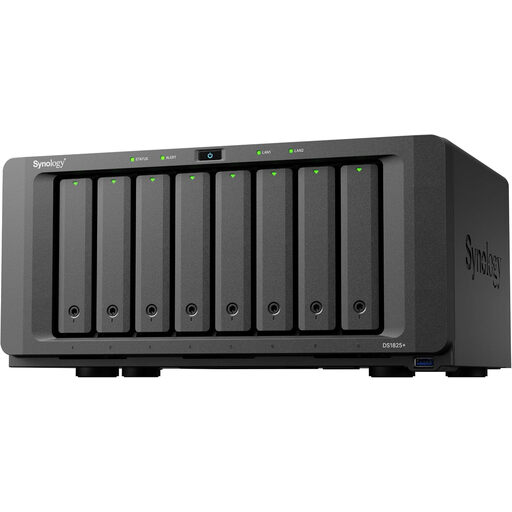
Synology DS1825+ 8-Bay Diskless NAS
A network-storage option for a central media library if you are prepared to select and install compatible storage drives.
8-bay; diskless NAS, so storage drives are not included.
Joybuy
 No image available
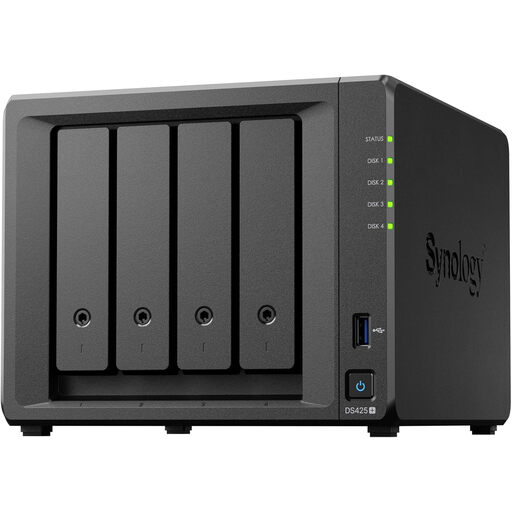
Synology DS425+ 4-Bay NAS
A network-storage option for a central photo library if its configuration suits your household and backup plan.
4-bay NAS.
Joybuy
 No image available
Synology DS225+ 2-Bay Diskless NAS
A network-based photo and file library option if you are prepared to choose and install storage drives.
2-bay; diskless NAS, so storage drives are not included.
Joybuy
 No image available
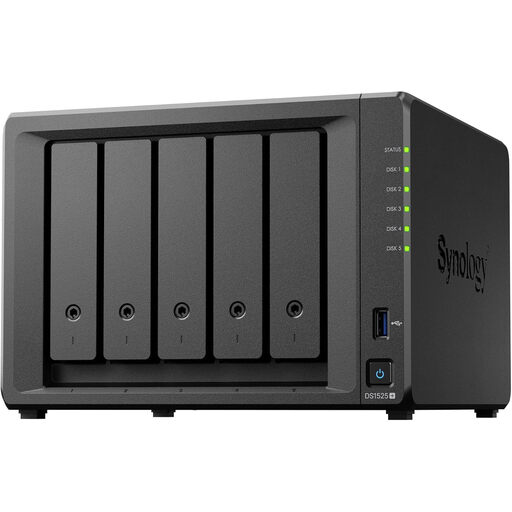
Synology DS1525+ 5-Bay Diskless NAS
A network-storage option for a shared media library if you are prepared to install storage and configure a separate backup.
5-bay; diskless NAS, so storage drives are not included.
Joybuy
Photo backup questions
Can you export iCloud originals directly to external storage?
Yes, Apple documents exporting unmodified originals to an external destination through Files on supported devices. For direct iPhone use, check the supported format, single data partition and connection; exporting selected photo files is not the same as making a complete device backup.
Which iCloud workflow avoids selecting browser batches repeatedly?
Apple documents downloading the full-resolution iCloud library through Photos settings on a Mac. Its iCloud.com instructions allow selecting up to 1,000 photos or videos at a time, so browser downloads require repeated batches for larger collections.
What should you check before buying storage for a Google Photos export?
Choose the data to include in Google Takeout, then allow for the archive and the destination’s available space. Google warns that changes made while an archive is being prepared may be omitted; check the intended exported files before changing the source collection.
Does Windows require a drive with bundled backup software?
Not for the File History workflow documented by Microsoft: it can back up libraries to an external drive or network location and include additional folders. Confirm that your exported photo folder is covered. Microsoft’s free Windows 10 support ended on 14 October 2025; backup capability is separate from ongoing operating-system security support.
What should you confirm before installing storage in a NAS?
Check the compatible-drive guidance for the exact model and preserve existing data elsewhere before installation. Synology warns that installing a drive in the DS223j formats it and erases existing data; plan a backup destination outside the NAS as well.


