Photo-backup keepers
You want a separate copy of important photos that you can recover if your computer or working files are lost. The UK National Cyber Security Centre advises keeping backups in a separate safe location.


The UK National Cyber Security Centre describes a backup as a separate copy of important data: moving files off a full computer frees space, but does not create a backup if the external drive becomes the only copy. For photos you want to recover, choose a local drive, cloud storage alongside local storage, or both according to your transfer needs and where you can keep separate copies. Check capacity, connections, file format and backup software before buying.
You want a separate copy of important photos that you can recover if your computer or working files are lost. The UK National Cyber Security Centre advises keeping backups in a separate safe location.
You need room on a laptop or desktop for a growing collection, and need to distinguish moving files from keeping a second copy.
You regularly carry or transfer folders and need to check that the drive and its connection suit the computers you plan to use.
Decide whether you need working space, a recoverable second copy or frequent file transfers. Then check capacity, connection and backup-software compatibility against that use.
| Concern | What to check when buying | Who this matters to |
|---|---|---|
| A recoverable copy | Keep the working files and backup as separate copies. Check how the chosen backup software restores files, and whether you can disconnect or store a copy separately. | If my photos matter, I want a second copy I can restore, not just a folder moved elsewhere. Consumers putting a recoverable separate copy first account for around 36%. |
| Room for files and backups | Allow for the folders you plan to store and future growth. For a Mac Time Machine disk, Apple recommends at least twice the Mac’s storage capacity. | When my computer is full, I need space for existing files and room for future backups. Consumers prioritising capacity make up around 29%. |
| Transfer needs and connection | Check the computer, drive and cable connections together; a drive’s advertised speed may depend on the host and cable. Prioritise transfer speed if you regularly move large folders. | If I often carry files or move large folders, I want a connection that suits the computers I use. Consumers putting frequent transfers first account for around 21%. |
| Format and backup software | Decide whether the drive is for cross-device file transfers or a dedicated backup workflow. Apple prefers APFS or APFS Encrypted for Time Machine; check the intended format before erasing or reformatting a drive. | When I use more than one computer or a particular backup app, I need the drive’s format to work for that setup. Consumers prioritising cross-device or software compatibility make up around 14%. |
Moving the only copy changes where it lives; some sync actions also affect files stored online and on connected devices.
Name your working and backup copies, check how restoration works, and keep a separate copy of important files.
A product’s maximum speed may depend on the host computer, connection and cable. Samsung, for example, conditions the T9’s claimed maximum on a compatible USB 3.2 Gen 2x2 host and cable, with UASP enabled.
Check the full connection path and whether frequent large transfers make speed a priority.
Changing a drive’s format can erase its existing contents. Apple’s Time Machine guidance distinguishes its preferred formats from a Windows-formatted disk, and Crucial warns that reformatting the X9 Pro loses data.
Choose the intended backup workflow and check the drive’s contents before approving an erase or reformat prompt.
Capacity, connections, accessories and software can differ between models in the same product family.
Check the complete model name and the specifications of the exact listing rather than relying on a family name alone.
The One Touch HDD line is relevant if you want local storage with backup support.
My Passport variants may suit portable local storage; check the exact model and device type.
The Portable SSD T9 may suit frequent large transfers when the host setup supports the required connection.
The X9 Pro is a portable SSD option if you plan the drive format before use.
Canvio Flex is a portable HDD line to consider when you plan to use compatible devices with different connections.
The XS1000 is a compact portable SSD option when USB-A and USB-C connections matter.
These Joybuy listings cover portable SSDs for carrying and transferring files, plus a 22TB desktop hard drive for a larger local archive. Match the device and connection to the way you plan to use it.
 No image available
For carrying files when a portable SSD suits your workflow.
Listed variant: 2 TB, USB Type-C 3.2 Gen 2, grey.
 No image available
For portable storage and file transfers where a 1TB SSD suits the amount of data you need to carry.
Listed variant: USB Type-C 3.2 Gen 2, black.
 No image available
For a large local archive when a desktop drive suits your setup better than a portable model.
Listed variant: 22TB, USB 3.0, with password protection and hardware encryption.
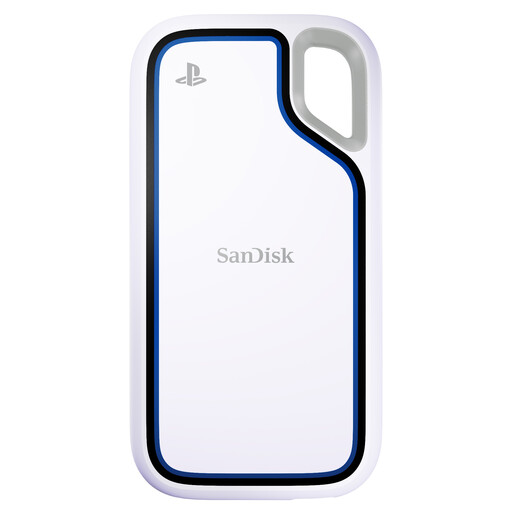 No image available
For portable file storage where the named PlayStation 5 and PC use matches your intended devices.
Listed variant: 2TB portable SSD.
 No image available
For carrying a separate copy of files or photos when a 2TB portable SSD fits your storage needs.
Listed variant: 2TB portable SSD.
Not if the external drive then holds the only copy. The UK National Cyber Security Centre describes a backup as a separate copy kept in a safe location; decide which copy remains and check that you can restore the files.
Do not assume one format will serve both purposes. Apple identifies APFS or APFS Encrypted as preferred for Time Machine and says a Windows-formatted disk cannot be used directly as its backup disk. Reformatting removes existing data, so check the drive and intended setup before erasing it.
Select the drive in your chosen backup software and check that a backup completes. Apple’s Time Machine guidance and Microsoft’s File History instructions describe selecting a destination; simply plugging in a drive does not establish that a backup routine is running.
That depends on the service and the action. Microsoft says deleting a synced online-only file removes it from the cloud and connected devices, subject to applicable recovery options; Google says deleting a backed-up photo in its Photos app also deletes it from devices with backup turned on. Check recovery settings and keep an independent copy of important files.
For eligible UK distance purchases, GOV.UK guidance says you may notify the seller of cancellation within 14 days of receiving the goods and then have another 14 days to return them. Faulty-goods rights are separate, and the cancellation rules have conditions and exceptions.