What should you check before choosing?
Start with what you must be able to restore, then choose how often copies should run and where another copy will live.
| Priority | What to check | Your needs |
|---|
| Recovery |
Identify the files and device data covered. Check how to restore them, and keep a copy in a separate safe location; the National Cyber Security Centre defines a backup as a copy stored separately. |
If my device is lost or a file is deleted, I need to know which copy I can restore and whether it contains the version I need. |
| Backup frequency |
Check automatic-backup conditions, selected folders and the date of the last completed copy. For a removable drive, plan when it will be connected and disconnected. |
Recent phone photos matter to me, so a manual copy made only occasionally may leave a gap after device loss. |
| Capacity and files |
Compare the full library with the storage available and allow for new files. Check service rules for file types and sizes; Google lists conditions for Google Photos uploads. |
My videos and camera files need room alongside documents, and I want to confirm that each type is included before choosing capacity. |
| Compatibility |
Check the intended phone or computer, account, ports, cables and backup software. Confirm whether an external drive needs reformatting before use. |
Files may come from different devices in my household; I need both a way to copy them and a way to open or restore them later. |
| Shared storage |
For NAS, check device-backup workflows, household access and a second backup destination. Synology recommends copies on more than one storage medium, including an off-site copy. |
Several of us want one home location for files, but I do not want that location to be the only copy. |
Joybuy removable-storage options
These external hard drive, portable SSD and USB flash drive options are for making local copies. Choose one alongside a backup routine that covers the files you need, and keep a separate copy where appropriate.
 No image available
Western Digital My Passport Ultra 5 TB portable hard drive, blue
Consider this 5 TB external hard drive for a local copy of a larger photo and document library. Check the connection and backup software for your computer, set a regular copying routine and test restoring a file.
View on Joybuy
 No image available
Samsung Portable SSD T7 4 TB USB 3.2 Gen 2, grey
This 4 TB portable SSD is an option for keeping a local copy and moving files between compatible devices. Check your ports and cables: Samsung says maximum T7 transfer speeds require a compatible USB 3.2 Gen 2 connection. Plan backups and test recovery separately.
View on Joybuy
 No image available
Samsung T7 Shield 1 TB USB 3.2 Gen 2 SSD, blue
This 1 TB portable SSD offers a destination for a selected local copy of household files. Check that its capacity and connection suit the devices involved, then arrange regular copies and test that the files can be opened or restored.
View on Joybuy
 No image available
Samsung MU-PG1T0B 1 TB USB-C 3.2 Gen 2x2 SSD, black
This 1 TB portable SSD is an option for a local copy of selected photos and videos. Confirm that your device supports the connection you intend to use; a USB 3.2 Gen 2x2 label alone does not establish the transfer speed on your device. Test your backup and restore routine.
View on Joybuy
 No image available
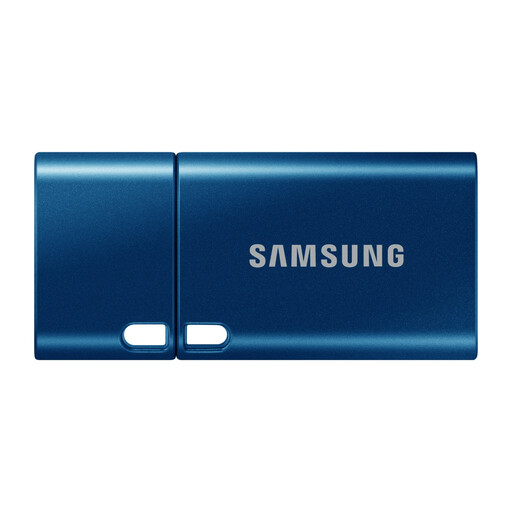
Samsung MUF-512DA 512 GB USB-C 3.2 Gen 1 flash drive, blue
This 512 GB USB-C flash drive suits a deliberately selected local copy of documents or other files rather than an unattended backup routine. Confirm a compatible port on both the copying and recovery devices, and check that the copied files open.
View on Joybuy
Backup questions answered
Is cloud sync the same as a backup?
Not necessarily. Apple says iCloud Photos syncs separately from iCloud Backup, while Microsoft distinguishes OneDrive folder syncing from its restore features. Check what happens when a file is deleted or overwritten, whether an earlier version can be recovered, and whether you also need a separate copy.
What should I check before relying on iCloud Backup?
Confirm that iCloud Backup is on, there is enough storage and the iPhone or iPad meets Apple’s conditions for automatic backup, including power, Wi-Fi and a locked screen. Check iCloud Photos separately because its synced photos are not part of the daily iCloud Backup.
Will an Android backup restore everything to a replacement phone?
Do not assume it will. Google says backed-up information can be restored to the original phone or certain other Android phones, but not every app can back up or restore all its settings and data. Check any essential apps and files before relying on a device-level restore.
How should I use an external drive for backups?
Choose the folders to copy, run the backup regularly and test restoring a file. Keep the drive separate when it is not in use: the National Cyber Security Centre has described ransomware affecting connected USB and network backup drives.
Is a NAS enough on its own?
No. A NAS can provide shared storage and supported backup workflows, but Synology warns that RAID or drive failures can still cause data loss. Arrange another backup destination for the NAS data and test a restore from it.


