Choose cloud storage if automatic, off-site copying and access from another device matter most; choose a removable drive for a local copy, or a NAS if several household devices need shared storage and someone can maintain it. For files that would be difficult to replace, keeping local and off-site copies avoids relying on one device, location or account. Whichever route you take, check what it copies and how you would restore the files.
Who needs a household backup?
Households replacing or relying on phones and laptops
Photos, documents and device data need to remain accessible if the original device is lost, damaged or replaced. The National Cyber Security Centre identifies these as reasons to keep a separate copy; Apple also describes restoring supported device data from iCloud Backup.
Households with large photo and video libraries
Growing libraries make capacity, transfer method and image-quality settings important. Google distinguishes Original quality from its compressed Storage saver setting, so the chosen upload setting matters as well as the storage allowance.
Households sharing files across devices
Several people may need access without using one login. Apple says an iCloud+ plan can be shared with up to five other family members using separate accounts; a NAS offers another route for a central local repository, provided someone manages its access and backups.
What matters when choosing a backup?
Start with how the copy will survive loss of the original device, then check whether its capacity, access method and restoration process suit the files you keep.
| Concern |
What to check |
Who this matters to |
| Automatic off-site protection |
Check which files and device data are copied, whether changes are synced, and how to regain account access. |
If a phone is lost or replaced, I need a recent copy I can reach from another device. About 30% of consumers put automatic, off-site protection first. |
| Recoverable local control |
Check the drive connection and file format, where you will store it, and whether another device can restore its files. |
I want to hold a separate copy of my documents without depending solely on one online account. For about 30% of consumers, a recoverable local copy is the primary need. |
| Large-library capacity |
Compare capacity with the size of your library; check media-quality settings and the ports needed for transfers. |
When photos and videos keep accumulating, I need room for the files at the quality I intend to retain. Capacity and practical transfers come first for about 20% of consumers. |
| Shared household access |
Check separate accounts, file-sharing permissions and who will manage a NAS or family storage plan. |
We need to reach shared files without giving everyone the same account credentials. About 20% of consumers primarily need manageable household access. |
The National Cyber Security Centre identifies cloud storage and removable media as backup locations. A removable hard drive, portable SSD or USB flash drive still needs a copying routine; a NAS needs administration and a separate backup destination; cloud storage needs usable account access and a clear understanding of what the service retains. Combining local and off-site copies can address different loss scenarios, but both copies should be checked by restoring files.
Backup mistakes to avoid
-
Treating sync as an independent backup
Sync can carry a change across devices, while recovery options vary by service. Apple distinguishes data synced to iCloud from data held in iCloud Backup; Microsoft says whole-OneDrive rollback covers the preceding 30 days for Microsoft 365 subscribers.
Check backup coverage, earlier versions, deletion recovery and the restore process before removing an original file. Keep another copy of files you cannot readily replace.
-
Choosing a drive by its headline speed alone
A connected drive may not reach its stated maximum transfer speed. Samsung says the peak figures for its specified T7 model require a compatible USB 3.2 Gen 2 host and cable, with UASP enabled.
Check the exact port, cable, operating system and file format of the device that will create and restore the backup.
-
Keeping the only copy at home
A drive or NAS stored beside the original devices can be affected by the same theft or home-wide incident. The Information Commissioner's Office notes that cloud copies can remain available after a home disaster; Synology documents external, remote and cloud destinations for supported NAS backups.
For difficult-to-replace files, keep another copy in a separate location and test that you can restore it.
-
Overlooking photo quality and storage limits
Google says Original quality uploads use account storage, while Storage saver can compress photos and videos. A setting that saves space may not retain the quality you want.
Check your library size and intended quality setting, then choose a storage allowance that leaves room for new files.
Relevant brands and services
Samsung
Its T7 range is one example to consider for a portable local SSD copy.
- Samsung specifies up to 1,050 MB/s read and 1,000 MB/s write for a particular T7 model.
- Those peak figures require a compatible USB 3.2 Gen 2 host and cable, with UASP enabled; check the exact model and device connection.
SanDisk
Its guidance covers portable SSDs and external drives for local file copies.
- SanDisk describes SSDs as typically faster than portable hard drives, while hard drives tend towards larger capacities for less frequently accessed data.
- That is vendor guidance, not a comparison of every model; check capacity, connector and device compatibility for the drive you choose.
Synology
Its NAS systems are relevant when a household wants central local storage and managed backup jobs.
- Synology documents multiple destinations and versioned backups for supported systems using Hyper Backup.
- Some backups use its .hbk format and require compatible Synology restoration tools. Plan a separate destination and check how you would read a restored copy.
Apple
iCloud is relevant to households backing up supported Apple devices or sharing a cloud storage plan.
- Apple says an iCloud+ plan can be shared with up to five other family members using their own accounts.
- Apple distinguishes synced iCloud data from iCloud Backup. Check which files and device data each feature covers before relying on it for restoration.
Microsoft
OneDrive is relevant to households that already use its file-sync and cloud-restoration features.
- Microsoft says Microsoft 365 subscribers can use whole-OneDrive rollback for actions from the preceding 30 days.
- Microsoft says permanently deleted Recycle Bin files cannot be recovered. Check the exact plan and which local folders are syncing.
Joybuy storage options
These removable SSD, hard-drive and USB-flash-drive options are for local copies; the NAS is an option for shared household storage. Choose a separate off-site route if the files also need protection from a loss affecting your home.
 Image unavailable
Samsung MU-PG4T0B 4 TB portable SSD
Consider this for a portable local copy of a sizeable photo or video library. The product name specifies USB Type-C and USB 3.2 Gen 2x2; check whether your device supports the connection you need, and keep another copy separately.
View on Joybuy
 Image unavailable
Samsung T7 Shield portable SSD, 1 TB, blue
This is a portable local-copy option when 1 TB suits the files you intend to keep. Its product name specifies USB 3.2 Gen 2; confirm the device and cable connection before relying on its transfer performance, and retain a separate backup.
View on Joybuy
 Image unavailable
Western Digital Elements Port. 4TB, black
Consider this external hard drive for a sizeable local copy of household files. The product name specifies USB3.0; check the intended device and file format, particularly if files must be accessible from more than one operating system.
View on Joybuy
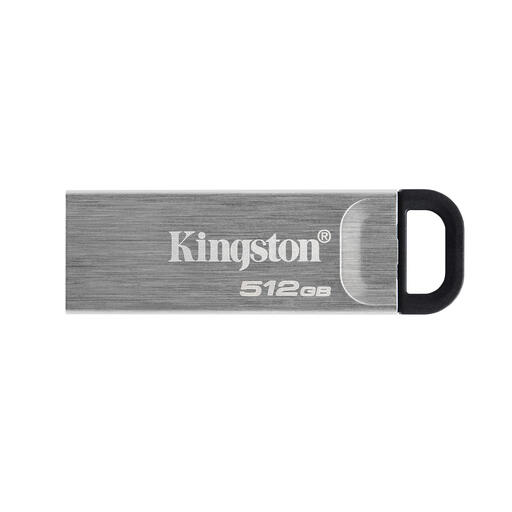 Image unavailable
Kingston Technology DataTraveler Kyson 512GB
Use a flash drive for a deliberately selected set of files that you are willing to copy and check manually, rather than assuming it captures an entire device. Confirm that the intended computer, phone or tablet can connect to the drive.
View on Joybuy
 Image unavailable
Synology DS225+ two-bay diskless NAS
Consider a NAS if several household devices need a central storage location and someone can manage its accounts and backups. This model is described as two-bay and diskless: check the drives required, supported household devices and backup applications, then arrange a separate backup destination.
View on Joybuy
Backup questions
Is cloud sync the same as a backup?
Not necessarily: syncing changes is different from keeping a separately recoverable copy. Apple distinguishes data synced to iCloud from information stored in iCloud Backup. Check whether your service retains earlier versions, recovers deletions and includes every type of file or device data you need.
Can one cloud account be my only backup?
A cloud account can hold an off-site copy, but relying on it alone makes account access and the service's recovery limits particularly important. The Information Commissioner's Office advises checking cloud access controls; Microsoft says permanently deleted OneDrive Recycle Bin files cannot be recovered. Keep a separate local copy for files you cannot readily replace.
Should I use Original quality for photo backups?
Choose the setting according to the quality you need to retain and the storage available. Google says Original quality keeps the captured resolution and uses Google Account storage, while its Storage saver setting compresses photos and can resize photos above 16 MP and videos above 1080p.
Can family members share cloud storage with separate logins?
Yes, on services with a suitable family-sharing feature. Apple says iCloud+ storage can be shared with up to five other family members, each using their own Apple Account. Check the plan's sharing settings and file permissions rather than sharing one password.


